Known Participant
March 7, 2019
Answered

5760x1080 Frame Size help please

  • March 7, 2019
  • 2 replies
  • 1356 views

I've got to make a video with three 16:9 films side by side.

1920 x 3 = 5760

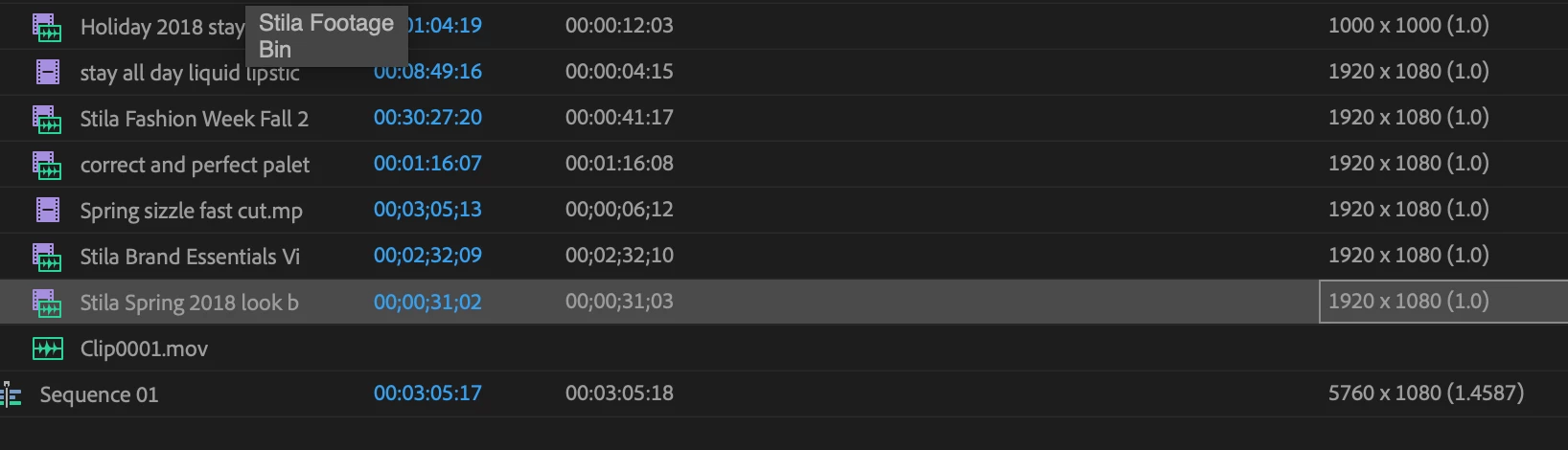
I've created my sequence which I can see is correctly labelled 5760 (3x1920) x 1080

I have my 16:9 footage correctly labeled 1920 x 1080

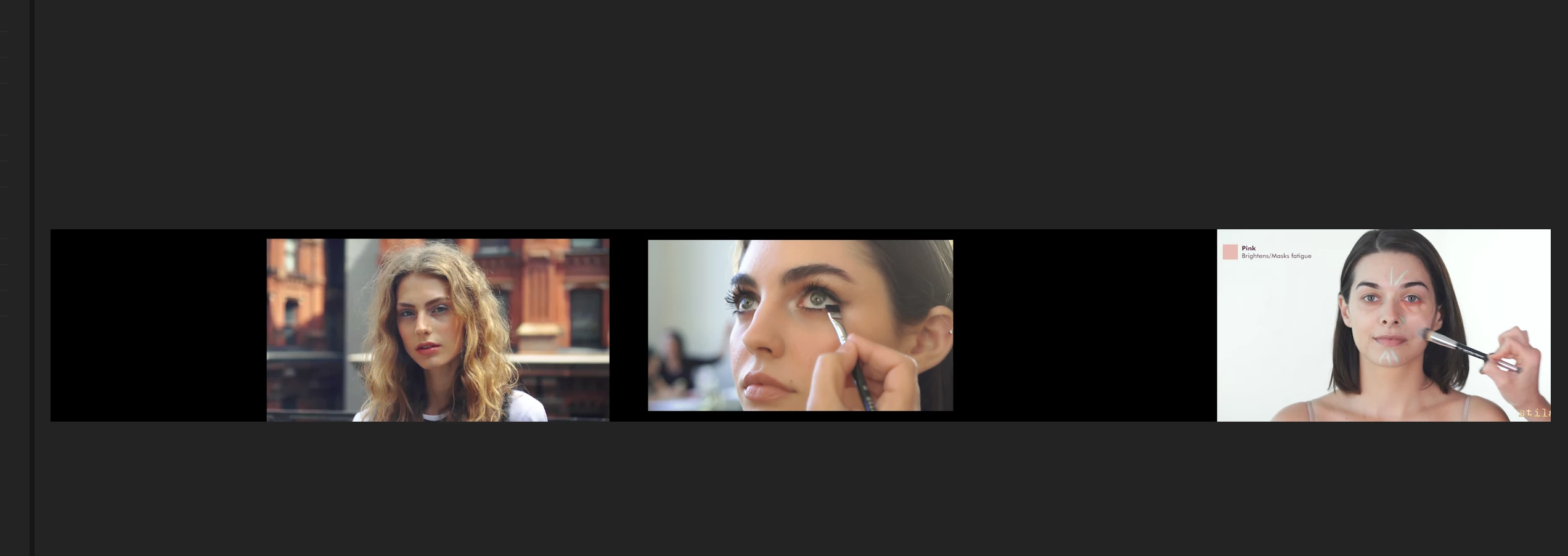
But when I add the footage to the screen the sequence width is way too large for the footage, there's big black gaps between each shot and I can't work it out.

Is my maths that bad?!

Any help would be very much appreciated as the Chat support was something of a disaster and my head now hurts.

Thanks very much,
Nigel
    This topic has been closed for replies.
    Correct answer Meg The Dog

    Go to Sequence > Sequence Settings and make sure your Pixel Aspect Ratio is set to Square Pixels (1.0).

    You may need to re-edit the clips again into the changed timeline.

    MtD

    2 replies

    Legend
    March 7, 2019

    The Pixel Aspect Ratio of the sequence should be 1.0, not 1.4587.

    Meg The DogCorrect answer
    Inspiring
    March 7, 2019

    Go to Sequence > Sequence Settings and make sure your Pixel Aspect Ratio is set to Square Pixels (1.0).

    You may need to re-edit the clips again into the changed timeline.

    MtD

    Known Participant
    March 7, 2019

    Thanks so much, life saver. So when you need multiple images in the same screen always fo for square pixels? To be honest, un until now I didn't realise they could be anything BUT square. Every day's a school day. Thanks again.

    Inspiring
    March 7, 2019

    Well, if your sequence frame size is being derived from the 1920px Square Pixel source X 3, then you will need to have the sequence set to Square Pixel for the clips to display properly in the sequence.

    MtD