
Verendey
Inspiring
August 13, 2017
Answered

A bug in the behavior of the space button

  • August 13, 2017
  • 2 replies
  • 739 views

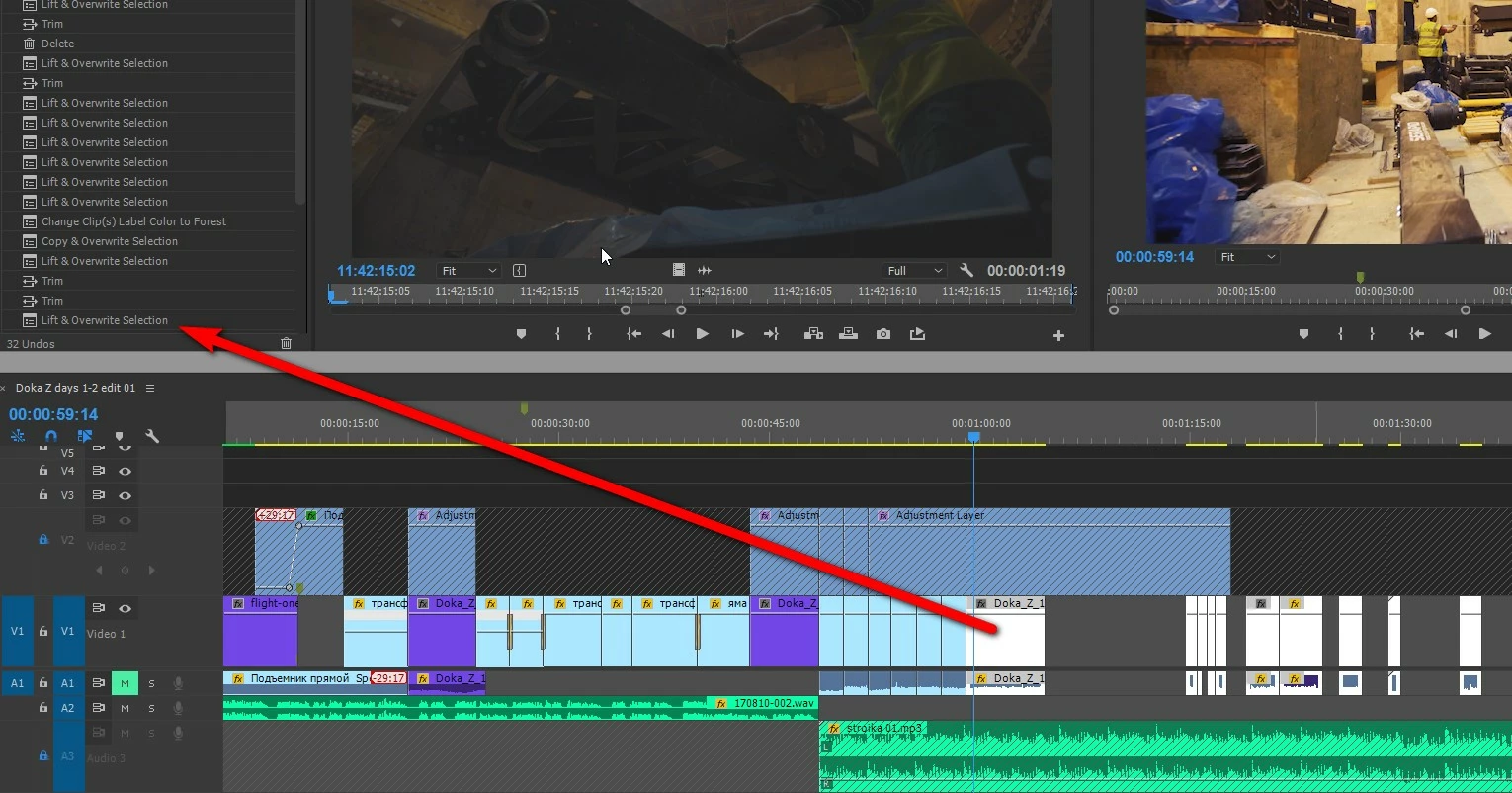
When the button "space" is pressed (start / stop command) - the selected clips  on the timeline  - Disappears

In history log says: lift, but I did not do "lift"

(Standart workspace "edit")

How to fix? For a long time I do "suffer"  from this bug
This topic has been closed for replies.
Correct answer Ann Bens

If Premiere is acting weird trash preferences.

Hold down alt while opening Premiere until splash screen appears.

2 replies

Ann Bens
Community Expert
Ann BensCommunity ExpertCorrect answer
Community Expert
August 13, 2017

If Premiere is acting weird trash preferences.

Hold down alt while opening Premiere until splash screen appears.

Verendey
VerendeyAuthor
Inspiring
August 13, 2017

I will try in 5 min

Community Expert
August 13, 2017

What shortcut do you have the spacebar assigned to?

Verendey
VerendeyAuthor
Inspiring
August 13, 2017

Play-Stop Toggle/

I changed only H button (make insert) and numbers (make label colors)

Verendey
VerendeyAuthor
Inspiring
August 13, 2017

Wow ... it seems like it helpes ... I knew this way for the media encoder, but I did not think of it for the premiere

It's bad to be old, when you are young - you think faster)

thanks for the help