Participating Frequently
October 17, 2018
Answered

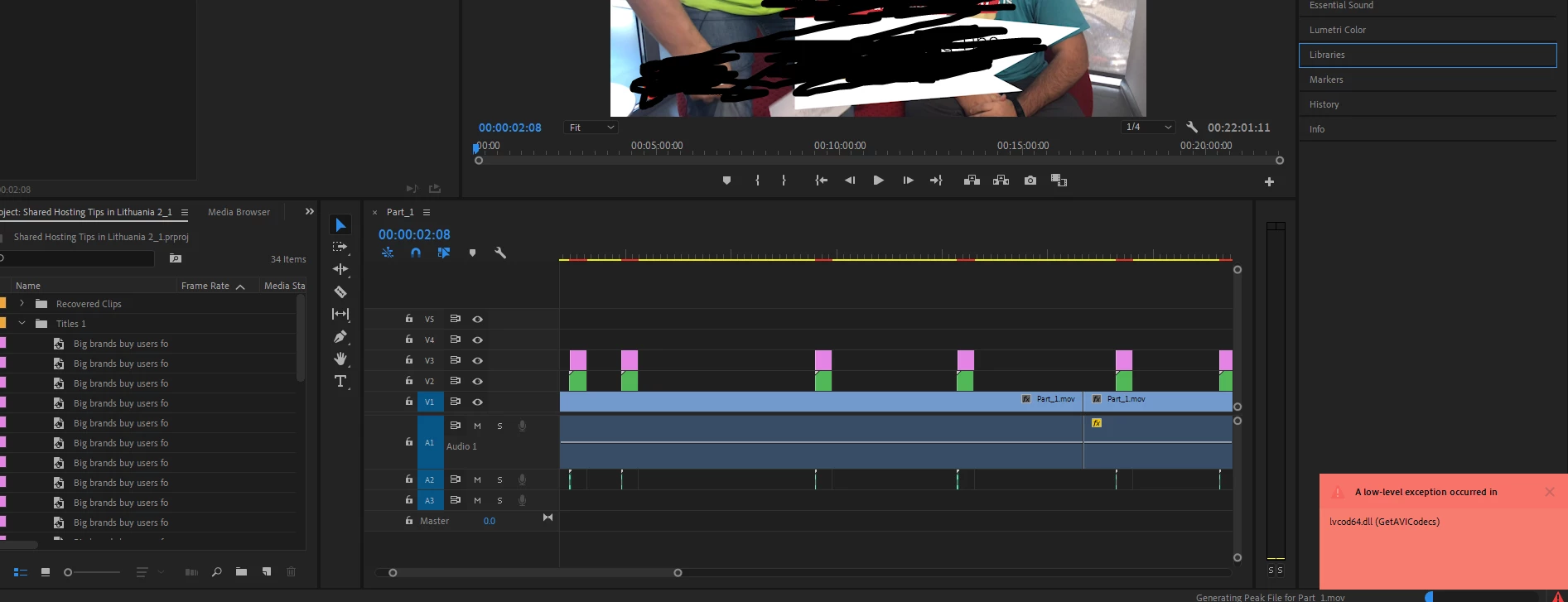
A low level exception occurred in

  • October 17, 2018
  • 4 replies
  • 1247 views

Hello,

Problem with my video file.
As you see on updated version i get this notification.
My video file is is lagging - sound is alright. After rendering is the same problem all video is laggingig. I have a feeling that its somehow doesn't load the video file.?
On older version is the same problem but without an error notification.

source video file is in MOV format. 1GB
    This topic has been closed for replies.
    Correct answer Kevin J. Monahan Jr.

    Update to Premiere Pro CC 2019 (13.0.1) to be clear of this issue, filipb.

    Thanks,
    Kevin

    4 replies

    Kevin J. Monahan Jr.
    Kevin J. Monahan Jr.Correct answer
    Legend
    November 16, 2018

    Update to Premiere Pro CC 2019 (13.0.1) to be clear of this issue, filipb.

    Thanks,
    Kevin

    Kevin Monahan - Sr. Community and Engagement Strategist – Adobe Pro Video and Audio
    Adobe Employee
    October 30, 2018

    Hi filipb96762993,

    Sorry for the inconvenience caused. We have multiple instances of this issue reported and currently, we are investigating the issue.

    We will try our best to get this checked as soon as possible.

    Thanks for your patience,

    Sumeet Kumar Choubey

    Participating Frequently
    October 18, 2018

    Processor i intel core i7-8700K 3.70GHZ
    RAM 32
    GTX 1070 Ti

    Everything worked properly till my premiere pro update.
    After that i cant even play the file because i dont know whats the problem.
    Under the settings GPU accelaration is set.

    gupta shivangi
    Legend
    October 17, 2018

    Hi filipb,

    Sorry about this.

    I understand that you are getting slow playback with video. Please answer the following questions to understand and troubleshoot the issue better:

    Which Operating System are you using?

    Please share the system specifications (RAM, GPU, Processor).

    Are you using any plugins?

    Note: Please check if the GPU acceleration is enabled under File > Project Settings > General > Video Rendering and Playback.

    Thanks,

    Shivangi