Participant
January 4, 2018
Answered

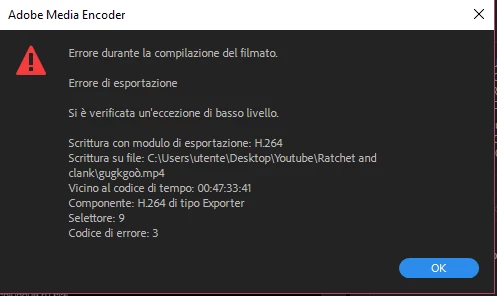
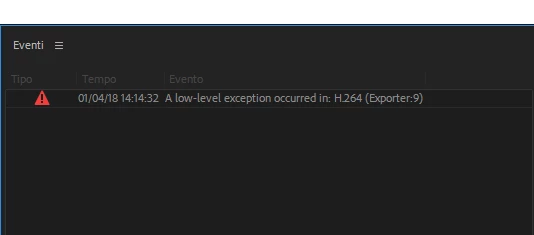
A low-level exception occurred in: H.264 (exporter 9) Adobe Premiere

  • January 4, 2018
  • 1 reply
  • 27523 views

Ciao, sono giorni che Adobe Premiere mi restituisce questo errore. Ho provato più volte a rifare il progetto e svuotare la cache ma continua a darmi lo stesso problema. Il messaggio viene visualizzato dopo il 100% dell'esportazione.

Ringrazio in anticipo per l'aiuto.

Ciao, Vabinessa.
This topic has been closed for replies.
Correct answer R Neil Haugen

If this comes up with a specific time in a project listed, go to that time and see what the problem is. You may have a corrupted effects setting or something. Some data PrPro has created for doing something there may be corrupt.

Manually deleting your media cache/cache database files may be the fix. Find where they are from your Edit/Preferences/Media Cache dialog, close down PrPro and navigate to the folders in Finder/Explorer, and delete everything there. Reboot. Restart PrPro, and allow it time to rebuild the cache files, see if that is now working properly.

At times, deleting a clip from the timeline and replacing it from the Project bin (with the same clip) will fix an issue like this.

Neil

1 reply

R Neil Haugen
R Neil HaugenCorrect answer
Legend
January 4, 2018

If this comes up with a specific time in a project listed, go to that time and see what the problem is. You may have a corrupted effects setting or something. Some data PrPro has created for doing something there may be corrupt.

Manually deleting your media cache/cache database files may be the fix. Find where they are from your Edit/Preferences/Media Cache dialog, close down PrPro and navigate to the folders in Finder/Explorer, and delete everything there. Reboot. Restart PrPro, and allow it time to rebuild the cache files, see if that is now working properly.

At times, deleting a clip from the timeline and replacing it from the Project bin (with the same clip) will fix an issue like this.

Neil

Everyone's mileage always varies ...
R Neil Haugen
Legend
January 4, 2018

Also ... in the Edit/Preferences/Media dialog, check what is set for "Enable accelerated H.264 processing" (however it's phrased). Change that setting, and see if it works better.

Neil

Everyone's mileage always varies ...
VabinessaAuthor
Participant
January 5, 2018

Ciao Neil, ti ringrazio per avermi aiutata. Il problema era una gif finale del video. Non capisco, l'ho sempre usata ed improvvisamente mi da questo problema. Sai perchè?

Grazie ancora.

Vabinessa