

name is already taken
Known Participant
October 21, 2020
Question

̶a̶s̶k̶i̶n̶g̶ Begging for answers from someone about: render times

  • October 21, 2020
  • 3 replies
  • 563 views

Hi all

Two weeks ago when I went from 14.3.2 to 14.4 my render times went from 1:1.5 to 1:3.5 ie a 30 Min video went from taking about 45 min to render to a 30 taking 1 hour 45 to render, the same kind of video.

My gpu and cpu used to hit up to their limits when rendering and now my cpu is down around like 15% and my gpu is maxed, did adobe change the encoding process to leverage more of the gpu and less of the cpu?

here is a task manager image from my last render.
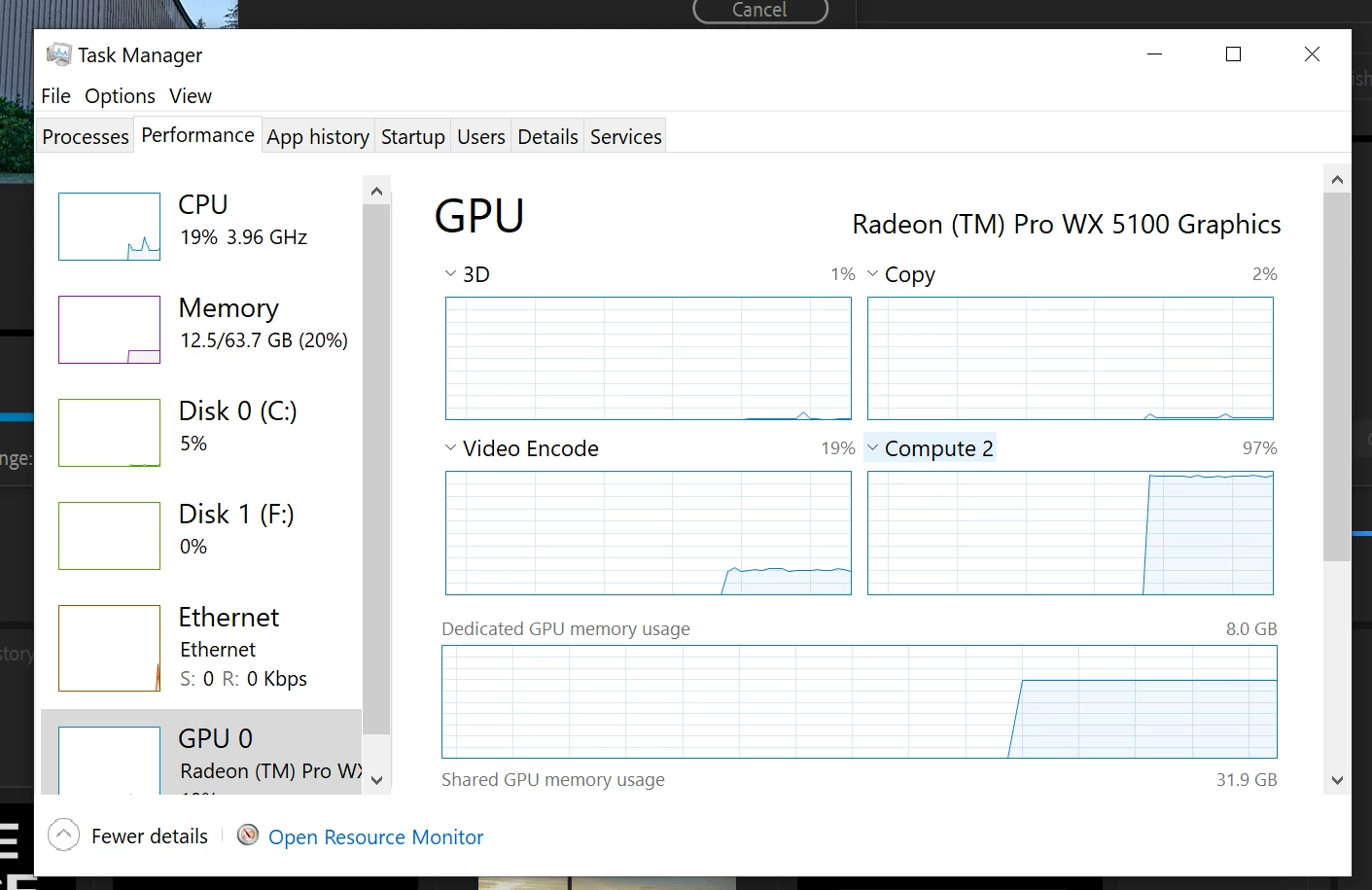
 

I really can't think of why else this would be happening.

This topic has been closed for replies.

3 replies

Inspiring
October 22, 2020

OK yes!  I had that too. I thought it was something I was doing differently.  It seemed to be related to animating titles.  

I could only get my render times down by removing all effects from any titles in my film


I'm on v13 though, so maybe it was a windows/cuda thing?

name is already taken
Known Participant
October 22, 2020

running Radeon sorry mate.

Kevin J. Monahan Jr.
Community Manager
Community Manager
October 21, 2020

NIAT,

Sorry. Can we get more details on your setup? What media? Please also try a test with the latest version: 14.5. 


Thanks,
Kevin

Kevin Monahan - Sr. Community and Engagement Strategist – Adobe Pro Video and Audio
name is already taken
Known Participant
October 22, 2020

Thanks for your reply, 


System:

windows 10 pro

7th gen i7

64 GB of ram

1TB Samsung pro SSD

RADEON PRO WX 5100 <--- (so not a Cuda thing, sorry Getho)


Workflow:

Shooting 4k H.264 mp4. HEAVY chroma key work, with stills as the background. I was using large background images, like 8192 x 5466 behind my 4k video two weeks ago, (which was kind of unusual for me) this was not my last rendering but the one before that (This one was the one that took 1H:40). So last time I intentionally got smaller images smaller then normal, like in the 1920 x 1200 range, and it cut down that render time to 1:10 min? 1:20? so it helped but did not restore performance to before. 


I am running a 1080 sequence because ... I am rendering in 1080. 


So my main guess is it has to do with scaling, however, I have been using this method to get better, more accurate keys for a (couple?) of months now.


Software Versions:

Just in the last two weeks it has been a problem. Three weeks ago you released the 14.4 and I didn't get it because I was in the middle of a project, IMO best practice to finish a job before updating, and that rendered "normally".


If you have something else you want me to try with my workflow I can because I still have that project on my system, but right now I am working on a project so I don't want to update to 14.5 yet.


Thank you for your time,

this is the first time I have asked a question at large I didn't think the community could answer and the first time I got an adobe employee response. appreciate the response.


~NIAT

name is already taken
Known Participant
October 22, 2020

Was there any other info you wanted?

name is already taken
Known Participant
October 21, 2020

anyone else?