AAF import from Pro Tools gives 1-frame clips and more weirdness
There is a lot of strange stuff going on when trying to import an AAF exported with Pro Tools.
Embedded AAF just gives a mute, red colored timeline.
With linked or copied audio files, import is working, sort of...
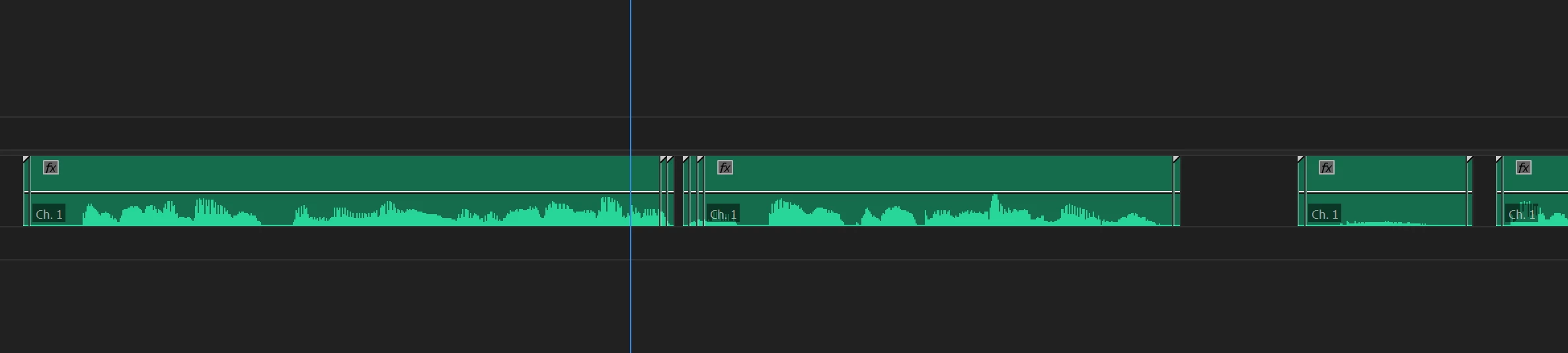
- There are 1-frame clips before and after every cut.
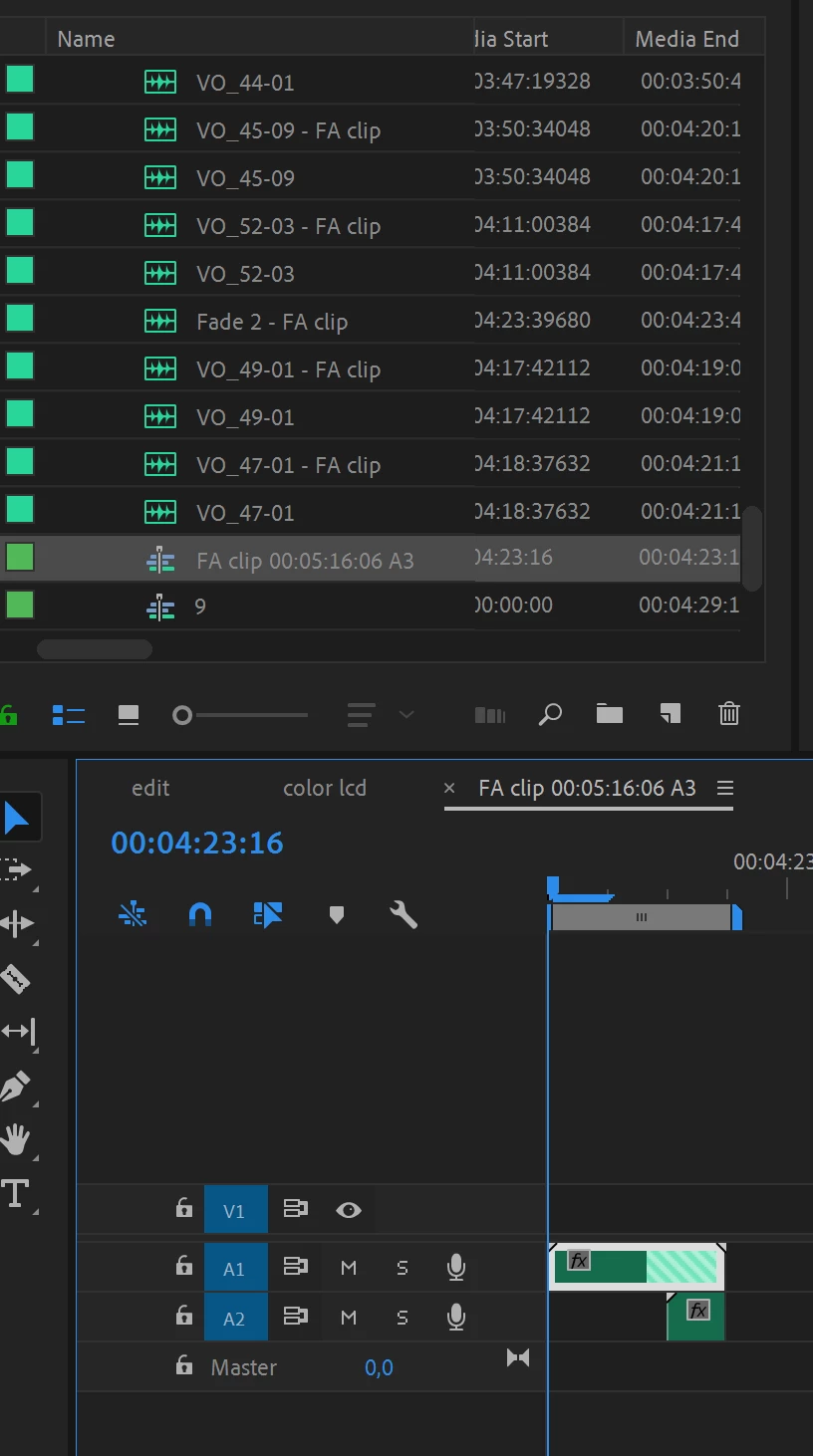
- In the bin, there are "FA clips" next to the normal clips.
- There is a "FA clip" sequence as well in the bin, containing 3 frames of random audio on 2 tracks.
- And why every clip is named "CH 1" is also unclear to me (nothing in the Pro Tools session was named Ch 1).
None of this happens when importing the same AAF back into a blank Pro Tools session.
There are no fades in the Pro Tools session (maybe 1, that would be the "fade 2 FA clip" I guess.
I did 10 different export / import attempts.
Is there a way to properly import AAF into Premiere?
Premiere Pro CC 13.0.2, Win10.
Edit: The 1 frame clips also happen when importing an OMF into Audition, maybe Pro Tools is messing it up (that would be remarkable).
 AdChoices