



EungEUNG.
Participant
February 8, 2026
Question

About Effect Controls Panel Tools Missing?

  • February 8, 2026
  • 3 replies
  • 18 views

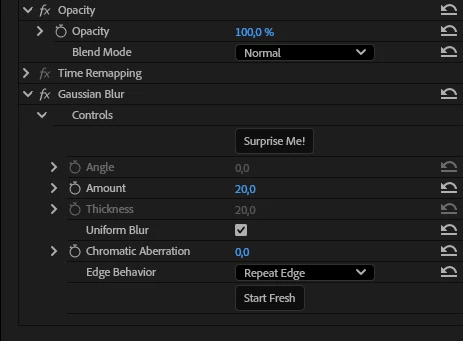
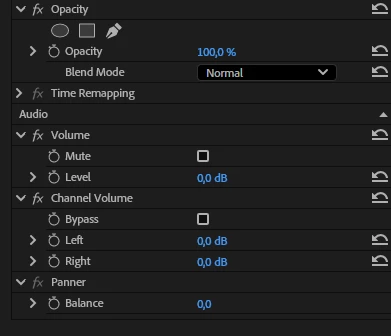
I tried to make shapes with (Guassion BLUR) when ı drop the effect on my video in “Premier Pro 24.6.8” when ı upload New version of “26.0” theyre gone in ;Opacity and Effects , I meant how can i bring them again on my new premier pro version? please help me to figure out this situation. I put images of 2 diffrent version my premier pro the first is 26.0 as you can see , İn effect or opacity side not have shapes or pen tool but in old version i have?.
 

    3 replies

    MyerPj
    Community Expert
    Community Expert
    February 8, 2026

    I like this screenshot better:


    MyerPj
    Community Expert
    Community Expert
    February 8, 2026

    Check the Link out that ​@Averdahl supplied, and fwiw: you can long-click the new masking tool and see the shapes you are looking form


    Averdahl
    Community Expert
    Community Expert
    February 8, 2026

    Masking has been changed in Premiere 26, see here for how to do it today: Object Masking in Premiere

    EungEUNG.
    EungEUNG.Author
    Participant
    February 9, 2026

    Thank you for respond my problem and help to solve that! i will try when ı open the app!!😀