
Known Participant
February 16, 2020
Answered

Adding another line (Multiple lines) of text in Essential Graphics Panel

  • February 16, 2020
  • 3 replies
  • 9013 views

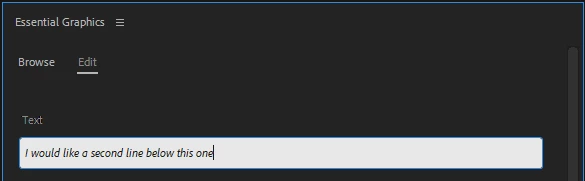
Hi all is there a way to add multiple lines of text in the text field of a Motion Graphics template in Premiere Pro?? So for example I have created a mogrt file and imported it into PR. It only has a single line but Id like to add another line of text (like a line break) without going back into AE. Any help is appreciated.


See Screenshot
This topic has been closed for replies.
Correct answer Meep37135040z1qz

Solution: You have to use the Enter key that's by the right shift button.. CAN'T use the Enter key on the num pad... LOL so dumb, took me forever to find the reason why.

3 replies

R Neil Haugen
Legend
February 17, 2020

Mervin,


I was referring to using the EGP process. I do this daily. Type a line of text, hit Enter to start a new line, keep typing.


And to modify my lines of text after they're entered and I'm changing things.


Now ..  there are two modes of text in EGP ... point or something like that and a defined box. I typically use the point process  ... click on screen and start typing.


There are some differences if you click/drag to define a box before typing.


Neil

Everyone's mileage always varies ...
Meep37135040z1qzCorrect answer
Participant
July 2, 2024

Solution: You have to use the Enter key that's by the right shift button.. CAN'T use the Enter key on the num pad... LOL so dumb, took me forever to find the reason why.

Community Expert
February 16, 2020

Shift plus enter works in Excel, might be the same in Premiere. 

R Neil Haugen
Legend
February 16, 2020

Have you tried going to the end of the text in Text mode in the Program monitor and hitting the Enter key? That should start a new line unless the box is limited in design.


Neil

Everyone's mileage always varies ...
Known Participant
February 16, 2020

Hi Neil,

Text mode is different from working with the EGP. It's a text field in the EGP so if you hit enter it's like confirming the text entry so it gets deselected. Thanks for your reply though.