Participating Frequently
November 27, 2020
Question

Adding Blurred Border Effect Horizontal

  • November 27, 2020
  • 1 reply
  • 1910 views

Hey, everyone 

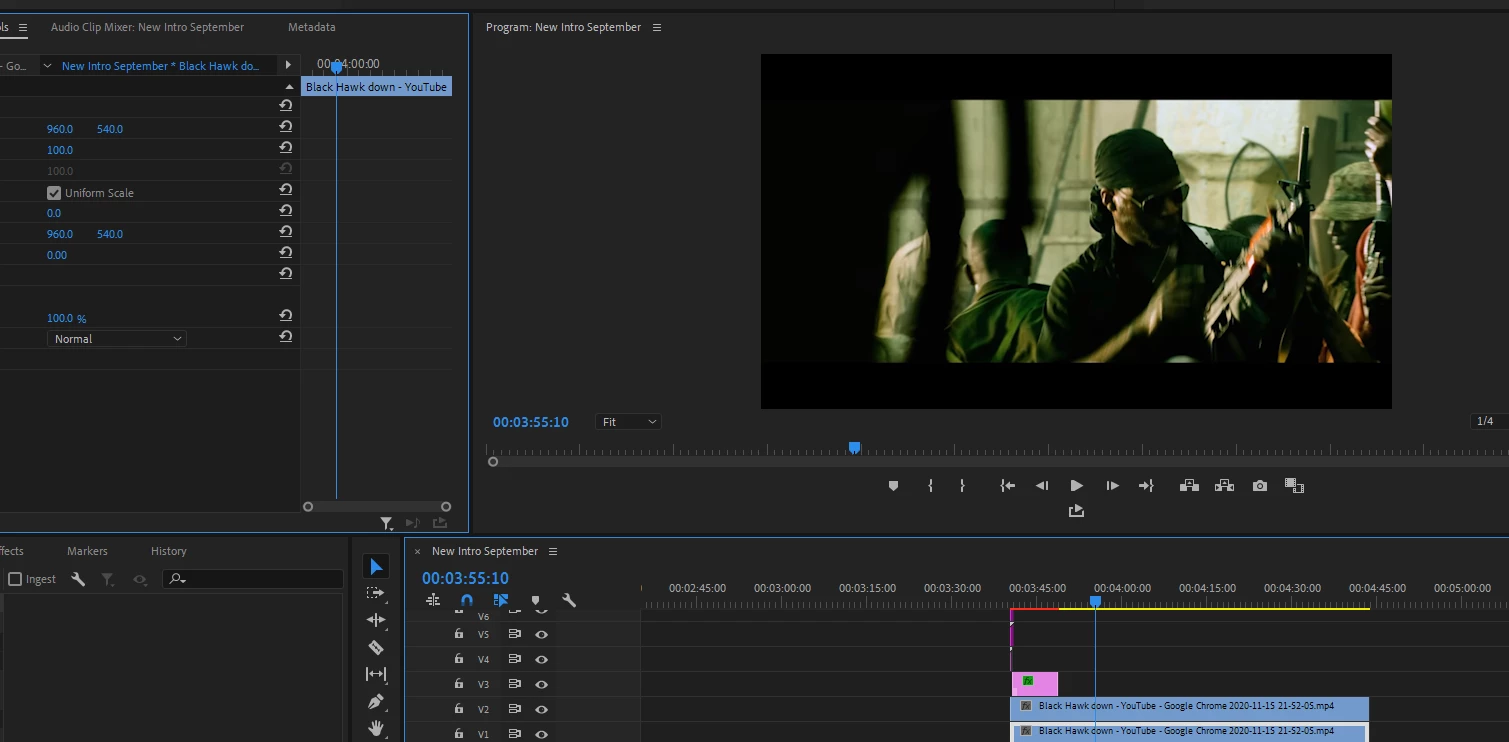
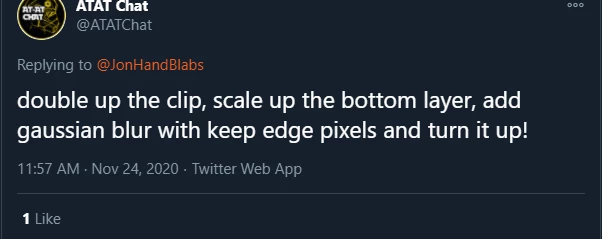
I follow this fella on YT and he explained to me how to do the neat blurred border effect on his videos. But for the life of me, I cannot understand what he means by scale up the bottom layer. Increase the value? When I did that I noticed no change. 
This topic has been closed for replies.

1 reply

Peru Bob
Community Expert
Community Expert
November 27, 2020

In addition to scaling up (increasing scale above 100%) the lower track until it becomes blurry, you need to decrease the scale (less than 100%) of the upper track so the blurry lower track is visible around it.


You may need to render the timeline by pressing enter to make the red line turn to green.

Participating Frequently
November 27, 2020

Ok I'll try that. Thank you. 

I duplicated the clip and placed it above the bottom one, then I tried increasing scale of the bottom later but I saw no change. It is almost as if the top layer is the only viewable layer when I put two layers of video on top of one another...? 

Ann Bens
Community Expert
Community Expert
November 27, 2020

Does your clip have burned in black bars?

If so then this blurring effect wont work.