
Inspiring
November 14, 2018
Answered

Adjust Multiple Keyframe Positions Dynamically

  • November 14, 2018
  • 3 replies
  • 1270 views

I'm not sure dynamically is the exact term I should use, but here is what I'm referring to.

In After Effects. If you apply a motion/position animation to a Title/Image/Shape/Etc. Over a period time, using more than one keyframe. And you decide the animation is occurring to slowly or to fast. You can select all the keyframes associated with the animation.
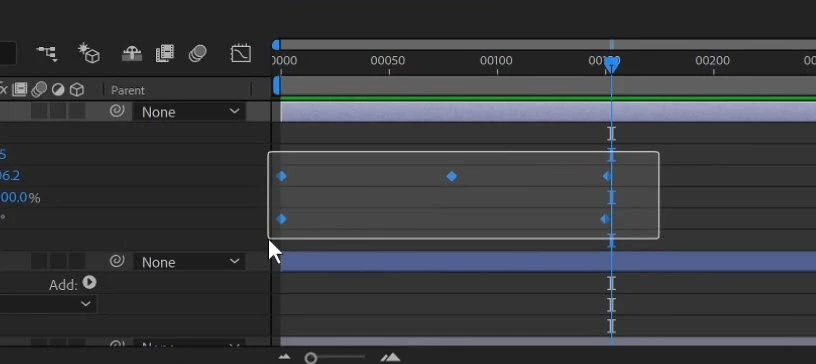
Then, grab the first or last keyframe in the grouping. And slide them together to shorten the duration. Or pull them apart to lengthen the duration.

By Holding "Alt" They maintain the same spacing "Percentage Wise might be the way to describe it"?
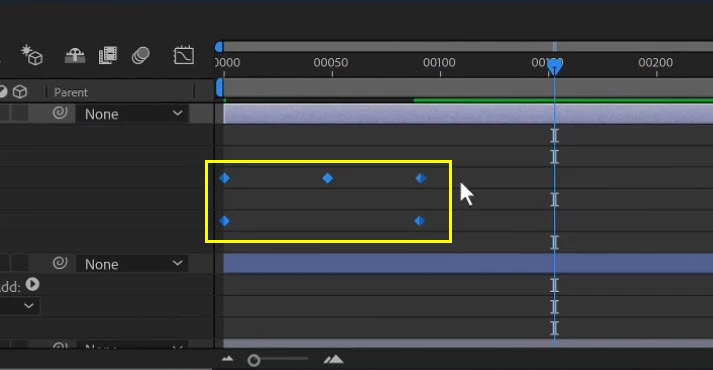
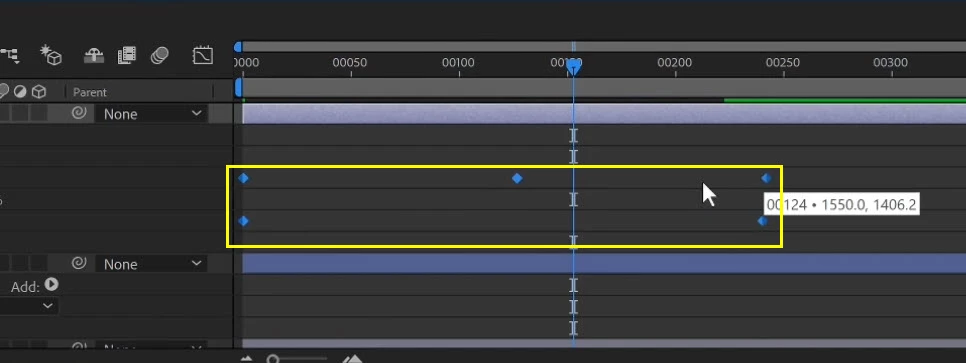
The animation doesn't change whatsoever. It just occurs at a slower or faster pace.

I can't figure out how to do this in Premier Pro.

Thanks for any help on this.

This topic has been closed for replies.
Correct answer Mike Dziennik

In AFX you can select multiple keyframes and stretch the timing as shown in Terrys screenshots. If you had 10 keyframes over a 5 sec period, you can stretch them all out to say 10sec and the time between keyframes will stretch proportionally.

3 replies

Mike Dziennik
Community Expert
Mike DziennikCommunity ExpertCorrect answer
Community Expert
November 14, 2018

In AFX you can select multiple keyframes and stretch the timing as shown in Terrys screenshots. If you had 10 keyframes over a 5 sec period, you can stretch them all out to say 10sec and the time between keyframes will stretch proportionally.

Mo Moolla
Legend
November 14, 2018

Thank you Mike. I misunderstood his question. I thought he couldn't move keyframes in PP.

I appreciate the feedback

Inspiring
November 14, 2018

Thanks for trying

Mike Dziennik
Community Expert
Community Expert
November 14, 2018

I don't think you can Terry, this feature is only available in AFX.

Mo Moolla
Legend
November 14, 2018

Mike what is Terry actually trying to achieve, I don't quite understand what he is asking. Can you elaborate

Mo Moolla
Legend
November 14, 2018

Its easy :

Go to the Effects Control window in Premiere where you have set the keyframes

Draw over the keyframes and move them

As simple as that

Inspiring
November 14, 2018

Your not following my question.