
Participant
February 26, 2017
Answered

Adjusting lenght of pics dragged into timeline?

  • February 26, 2017
  • 1 reply
  • 855 views

I have to make a slideshow with about 150 pictures, each of them need to match the music, meaning they have to be each less than 1 sec long. You can imagine the pain if I had to drag the pictures into the timeline and adjust the lenght of every single one of them. is it possible to change the default lenght of the clips that are dragged into the timeline? For example, when I drag them now they are 5 seconds long by default, and I want that value to be 1 sec by default.
This topic has been closed for replies.
Correct answer Ann Bens

Default length is set in the Preferences before importing them into Premiere.

You can however change duration by selecting all the stills in the project window, right click and adjust Speed/Duration.

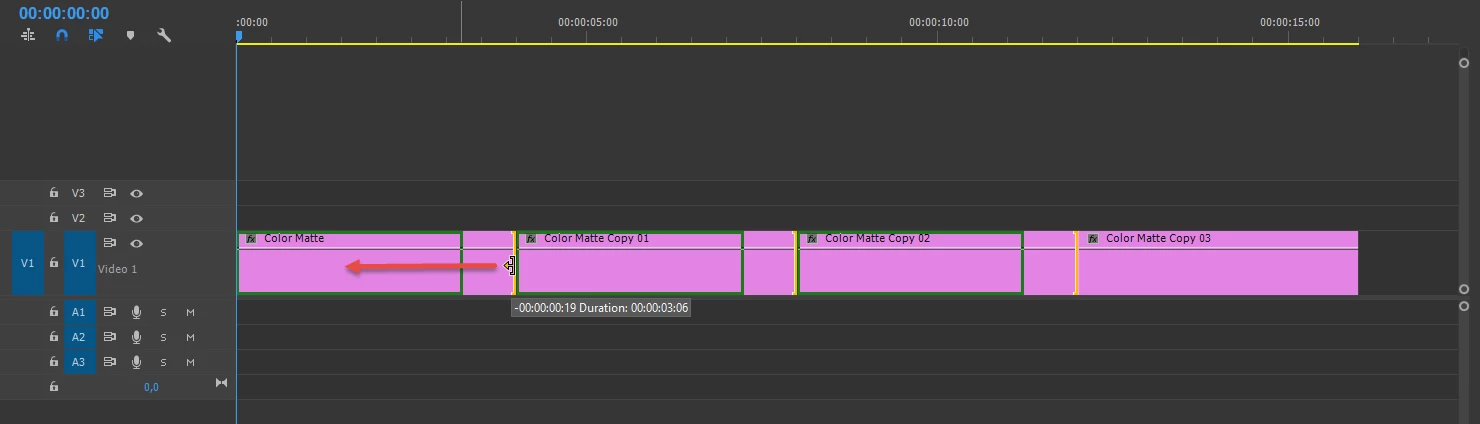
On the timeline you can reduce length of all stills with ripple trim.

1 reply

Ann Bens
Community Expert
Ann BensCommunity ExpertCorrect answer
Community Expert
February 26, 2017

Default length is set in the Preferences before importing them into Premiere.

You can however change duration by selecting all the stills in the project window, right click and adjust Speed/Duration.

On the timeline you can reduce length of all stills with ripple trim.

michellel2851879
Participant
May 14, 2019

How do I change the durations individually for each photo? Some are 3 seconds long and some are a half second long and anywhere in between. It's to choreograph them up to a song that does not have a steady beat. I try to change the duration in this popup but as soon as I click OK it is either not changed or it's rounded up or down 0.30 seconds more than I need, throwing the rest of the images off.

Ann Bens
Community Expert
Community Expert
May 14, 2019

Just select one image and trim. For fine tuning zoom in on the timeline.