Adjustment layer keyframes brokes when a bottom clip has motion keyframes
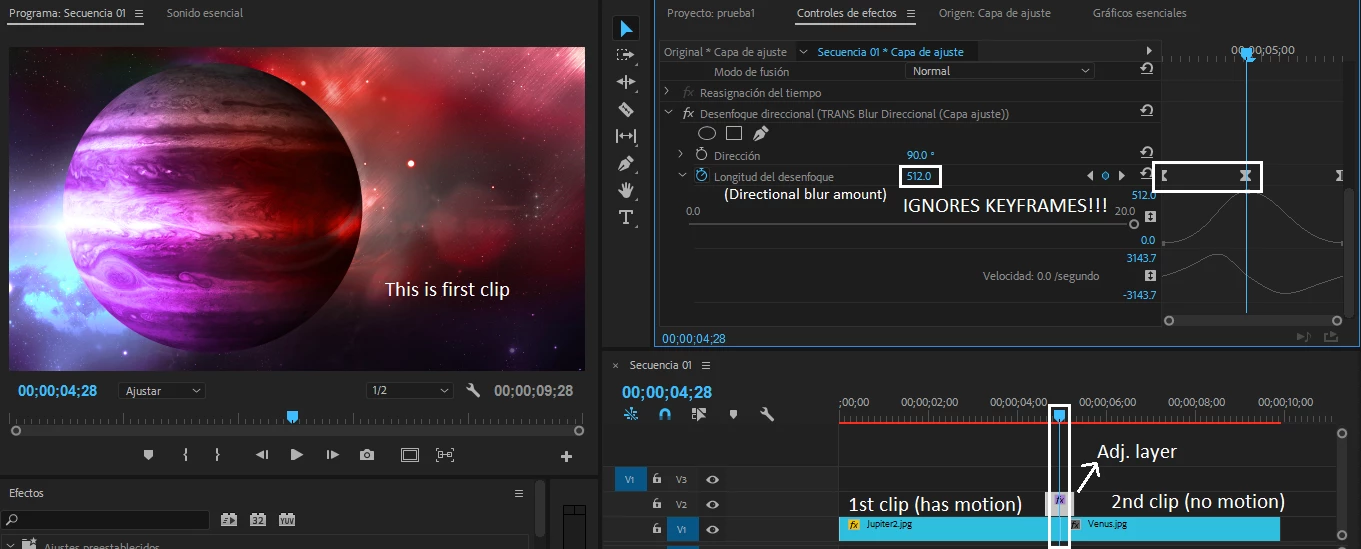
Since certain amount of time, adjustment layers started to get buggy. I actually have some presets for apply transitions in my projects, but adjustment layer sometimes don't work properly with keyframes. To reproduce this bug, I must to have one or two picture clips with motion keyframes under the adjustment layer. When adjustment layer has keyframes too, starts to ignore it.
For example, if the first clip has motion and the second clip doesn't has motion, adjustment layer ignores keyframes that exists at the same time of the first clip.
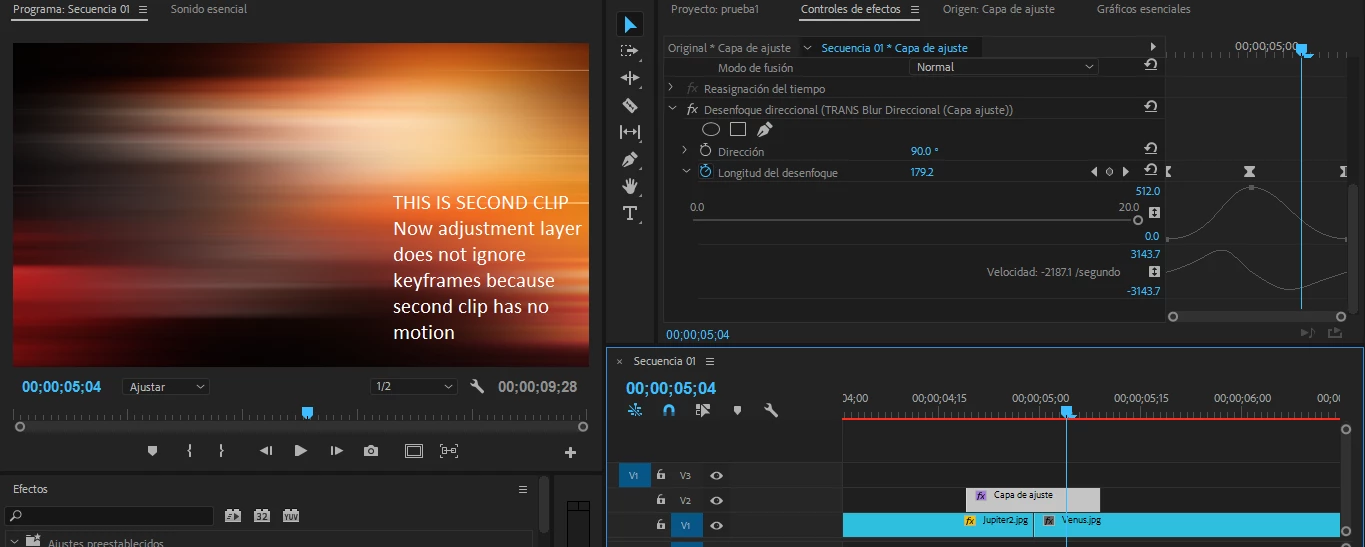
But surprisingly, when I add motion to second clip, there is no change.
I do not know why this bug occurs. I am using CPU acceleration, so that probably does not matter. When I render my transition the bug persists.
Curiously, when I put a Dissolve/cross transition between the two clips at bottom, the adjustment layer works properly (only until transition duration).
You can experiment with this bug (if you can reproduce it) because is a little unpredictible.
I tried nesting the first clip and it works, but I do not want to do this at every transition that I will do. Actually I am using the dissolve/cross transition to avoid this bug, but I wanted to do a more "choppy" transition.
Can you reproduce this bug? There is any form to solve it? I suspect that something are wrong with my Premiere, because adjustment layers worked properly when I do the presets, and actually does not works well.
Sorry for my little broken english  .
.
 AdChoices