
Participating Frequently
November 13, 2019
Answered

Adjustment Layer Not Working With Transition

  • November 13, 2019
  • 4 replies
  • 7125 views

I add two video clips to my timeline, I then drag and drop a transition, that I purchased, on the cut of the two clips. It works perfect. The zoom in/out effect looks great. Until...

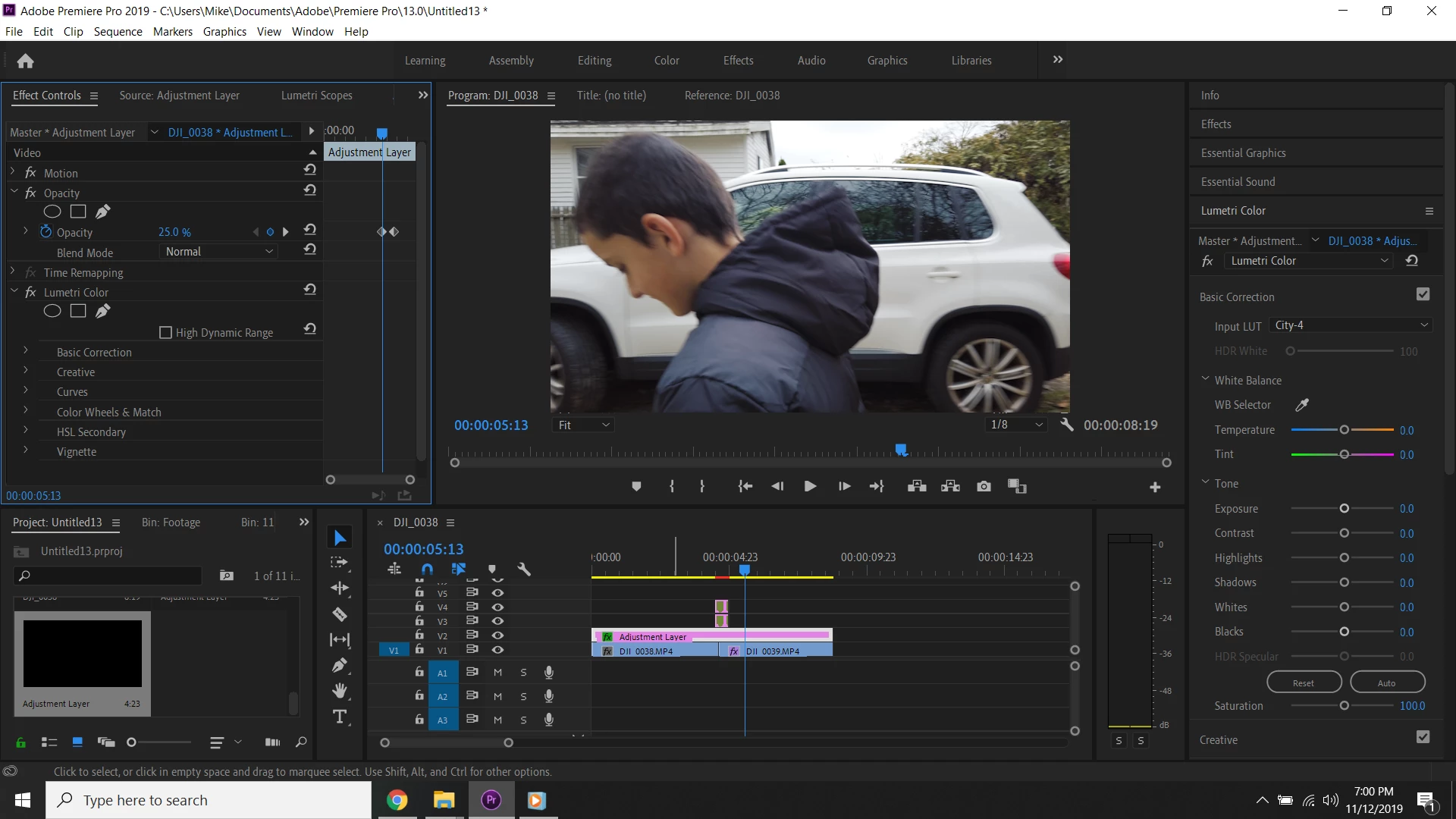
I then add an adjustment layer and add a LUT to it. I decrease the opacity of the LUT in Effects Control down to 40%, for example, because the LUT at 100% is too strong. As soon as I change the opacity on the adjustment layer, and play the video, the transition no longer works.

If I leave the opacity of the adjustment layer at 100%, the transition works fine. Change it to 99.9%, or 10%, or 25%, etc., the transition gets ruined.

I provided a screenshot. I've been trying to figure this out for days with no solution. I'm new to Premiere Pro and thanks for your help if you can help me! I'm desperate! If I can't figure this out soon, I feel I'll have to cancel my subscription and try another program.
This topic has been closed for replies.
Correct answer Meg The Dog

GPU Accerlation Cuda

And I bought 2500+ Drag and Drop Transitions from eBay. I followed the directions and they work perfect, expect when I add and adjustment layer and change the opacity, whether anything is in the adjustment layer or not.


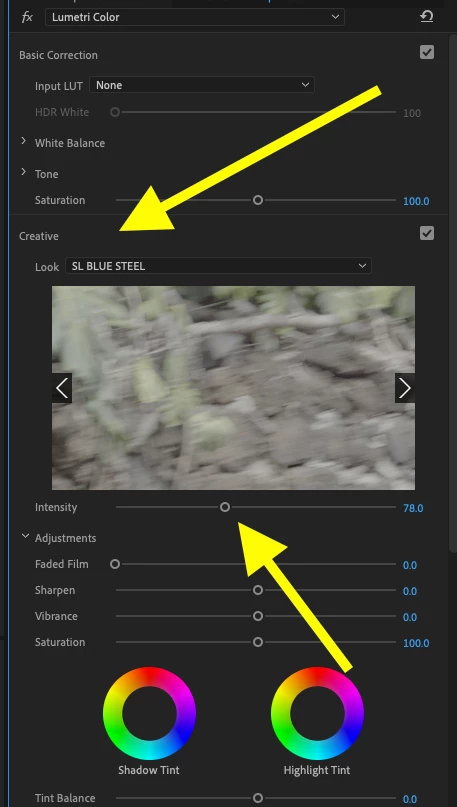
You are using the Opacity to control the amount of LUT in the mix? What if you leave the adjustment layer opacity at 100% and install the Lut in Lumetri under the Creative Tab and vary the intensity there:

Make sure you set the input LUT to none.

Does that work?

MtD

4 replies

MyerPj
Community Expert
Community Expert
November 13, 2019

What happens if you remove the adjustment layer?

Participating Frequently
November 13, 2019

If I remove it, the transition works fine. If I add another Adjustment Layer, again, the transition still works fine. But once I change the opacity of the adjustment layer, which I have to when using a LUT, because 100% is too strong, the transition stops working again.


Even if I add an adjustment layer and change the opacity without applying anything to the adjustment layer, the transition still doesn't work. The transition only works if the opacity of the adjustment layer is untouched and kept at 100%.

Participating Frequently
November 13, 2019

Is there a setting I can change that will not affect the transition when changing the opacity of the Adjustment Layer? Possibly. I wish I knew! lol

Inspiring
November 13, 2019

Just render the portion of the timeline that is not displaying correctly. You may have exceeded the ability of your computer to display (in real time playback) the combination of effects you are applying at that point in the timeline. If that happens, Premiere will attempt to play what it can.

Mark an In point slightly ahead of the transition, and and an Out point slightly after it. Go to the Menu Sequence > Render In to Out, let it render that portion and see if it plays back as you expect then.

MtD


Participating Frequently
November 13, 2019

The timeline shows a red line when I add the transition, but still plays fine. I usually don't render anything like that because I have a graphics card that handles it fine without rendering.


The transition I drop to my timeline sits above the adjustment layer, so changing the opacity on the adjustment layer shouldn't affect the transition. It makes no sense to me.

Inspiring
November 13, 2019

Have you tried rendering the transition?

MtD

Participating Frequently
November 13, 2019

Render the video as it sits and see if it works, even though it doesn't on the timeline? Is that what you mean?

Brandon Loshe
Legend
November 13, 2019

Hi mikelish24,


What happens if you nest those two clips on Track 3 and Track 4 (highlight both clips, right-click, and select "Nest"), and then apply your purchased transition? I'm curious if your purchased transition will work better being applied just once to a nested sequence than twice on two seperate clips. Can you try this out and report back on if that works any better?

Participating Frequently
November 13, 2019

The clips on 3 and 4 are the transition.

Participating Frequently
November 13, 2019

And each time I try to nest something, it combines whatever I nested and when play back, shows a black screen over that part?