
simon_hardenne
Participating Frequently
May 4, 2020
Answered

Adjustment layer Problem

  • May 4, 2020
  • 2 replies
  • 3724 views

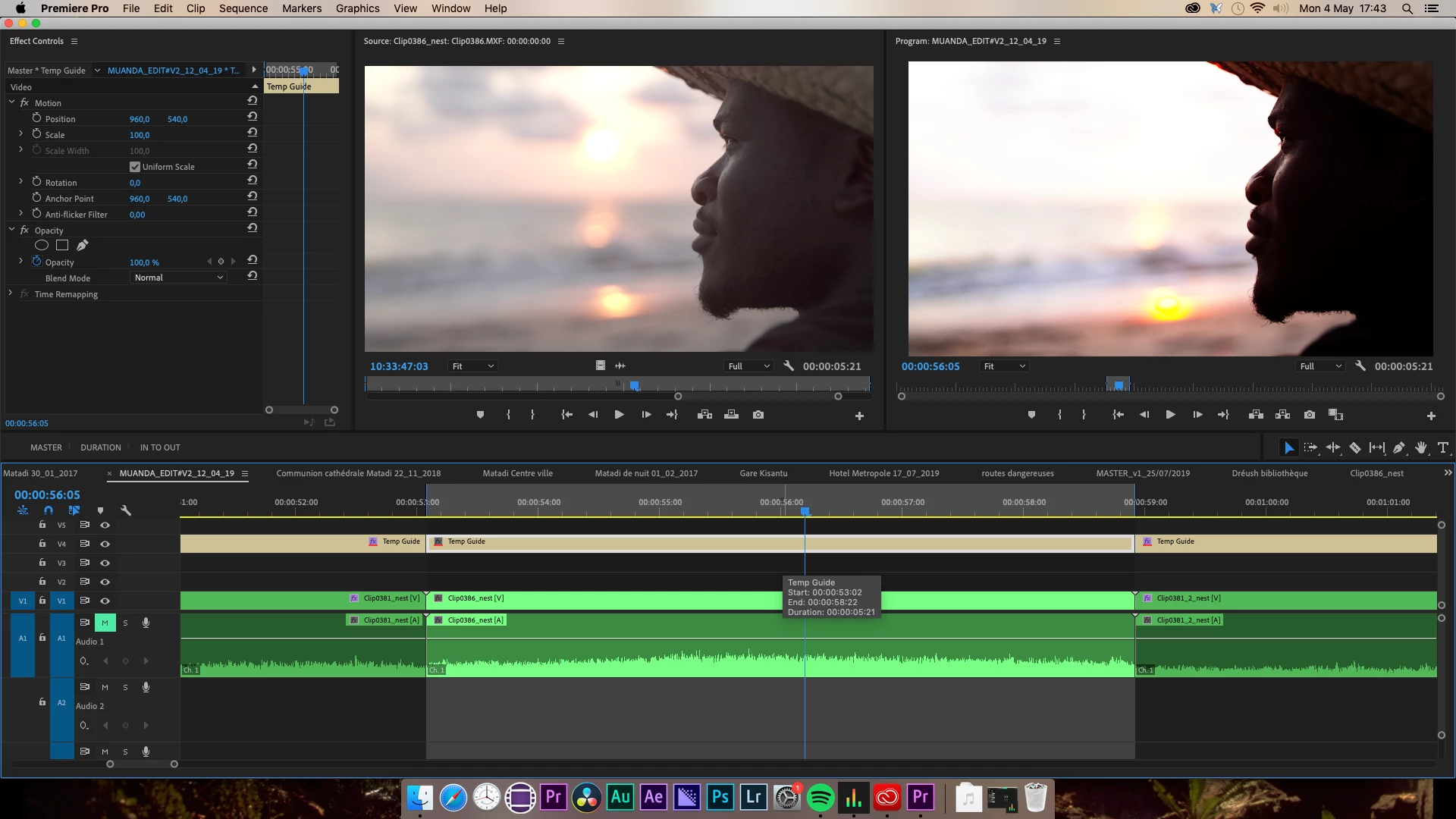
It's a convert project (from Premiere cc2019) open in the cc2020 version. When I put a blank Adjustment Layer on the top of a shot, it contrast my footage even if there is no color correction yet applied. When selecting the Adjustment layer, in the Effect Control panel it's blank, no Lumetri Color or other color corrections effects are applied.


Both shots are supposed to be the same, both ungraded.

 It's a weird bug, it's like the Adjustment layer has a predefined "color correction or LUT" not visible...
 

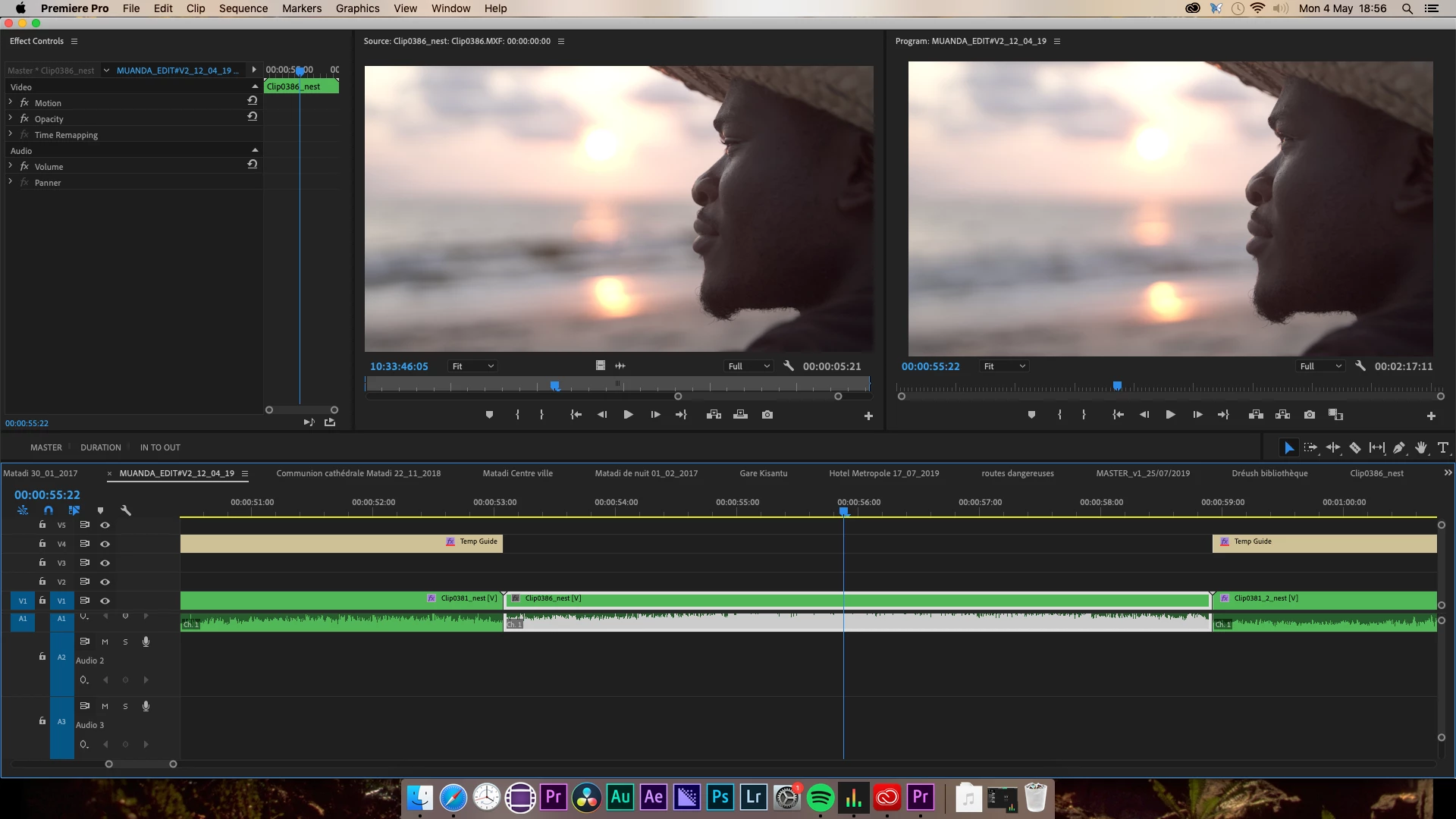
When I deleted this blank Adjustment layer, the colors of the Program Monitor and Source Monitor are identical.


Working on a MacPro (late 2013, OS X Mojave), AMD Pro D700 graphics cards.

Does anyone have the same issue? Any solutions? Thank you very much!

This topic has been closed for replies.
Correct answer Mike Dziennik

You have a master clip effect on the adjustment layer - I can tell because the tiny icon on the sequence clip has a red line under it. In the Effects Controls panel click on the tab on the left that says 'Master * Temp Guide'.

2 replies

Mike Dziennik
Community Expert
Mike DziennikCommunity ExpertCorrect answer
Community Expert
May 4, 2020

You have a master clip effect on the adjustment layer - I can tell because the tiny icon on the sequence clip has a red line under it. In the Effects Controls panel click on the tab on the left that says 'Master * Temp Guide'.

simon_hardenne
Participating Frequently
May 5, 2020

Thank you very much Ann Bens & Mike_Dziennik!! It's my mistake!

Ann Bens
Community Expert
Community Expert
May 4, 2020

You have added an effect to the master clip of the adjustment layer.

See the little red stripe under the gray FX icon.