

jarellh18189860
Known Participant
September 10, 2021
Question

Adobe Media Encoder Errors / Error Compiling Movie

  • September 10, 2021
  • 2 replies
  • 1303 views

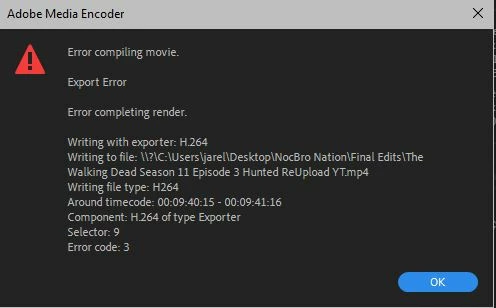
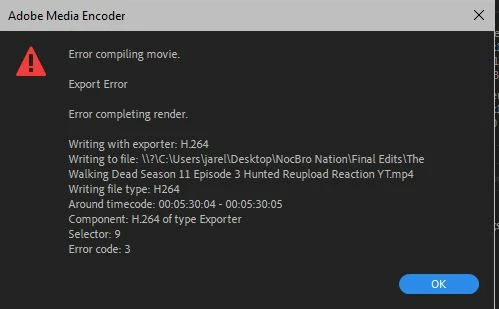
Can anyone help as to why I'm getting these Media Encoder Errors during exporting?  Happens at different points during the export.  I've even rolled back Adobe Premiere & Media Encoder to 15.4.  I've tried disabling H265/HEVC hardware accelerated decoding, I've cleared all Media Cache. This has only start happening today.
 

This topic has been closed for replies.

2 replies

Kartika Rawat
Community Manager
Community Manager
September 14, 2021

Hi there!

Sorry for the Error compiling movie. We have an article that shows some suggestions: 
https://helpx.adobe.com/in/premiere-pro/kb/error-compiling-movie-rendering-or.html


Let us know how it goes.

Thanks,

Kartika

gerikp
Community Expert
Community Expert
September 10, 2021

There's something happening on the specific frames indecated in the "Around Timecode" area of the dialog box. You'll need to start trouble shooting by going to that section of timecode in your timeline and see what is there. It could be an effect you are using. It could be a third-party plugin affect you are using. You'll have to expirement by turning effects on and off perhaps. Another thing to try is exporting as a Quicktime MOV or DNxHR first and if you get a good export, then export that file as your H264. Those are just a few ideas on how to trouble shoot something like this. I'm sure others will have some more.

jarellh18189860
Known Participant
September 11, 2021

There isn't anything specific on those timecodes it's just a video playing.  No video transitions, just a simple Constant Power audio transition.  The timecodes are so short like just seconds.  I've already fully rendered the video in and out prior to exporting so that should already be rendered.  I think Adobe is having issues with the Mercury GPU acceleration because when I export it without GPU Acceleration it works.