Adobe premier pro CC not recognising 2 audio track video
Hi to all!
I've recorded a clip using a program called Streamlabs OBS. That recording program is able to produce multi-track audio for the clips been recorded. I have done this before on previous projects and premier pro has recognised it before.
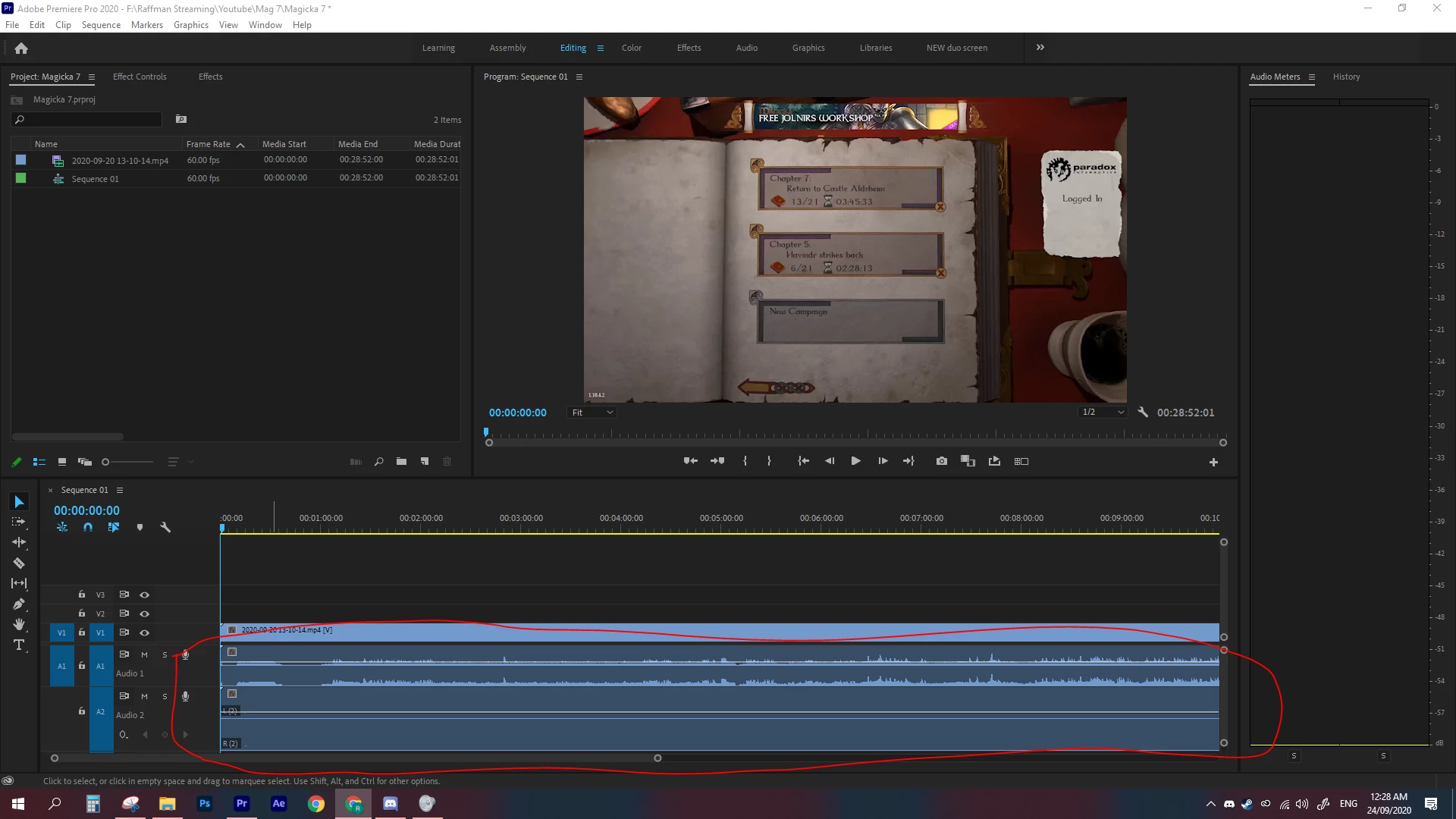
Now I'm importing the clip to timeline and it is showing no audio on second track (see example A). Premier pro is detecting a second track but theres no audio on it.
I have tried to pick different sequence settings. No audio is still not shown, but can detect theres 2 audio tracks.
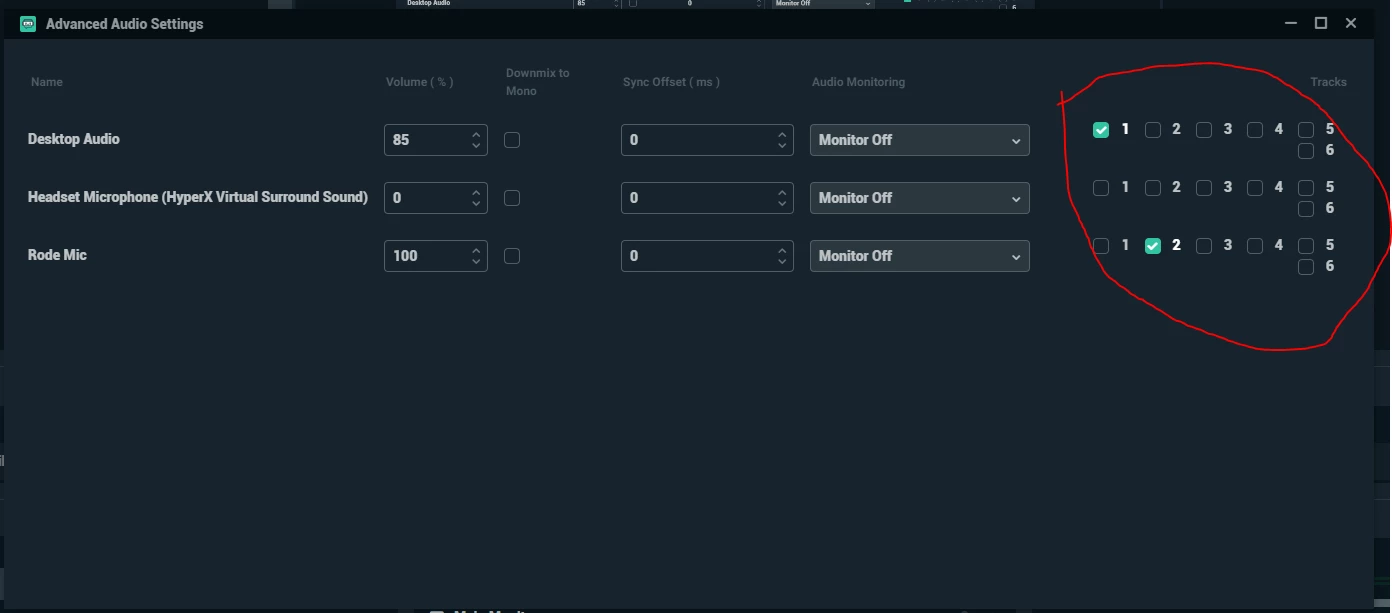
I have double check the settings of Streamlabs OBS and it is clearly i picked 2 track (see example B). The results are the same. It can detect the desktop audio but not my voice that is supposed to be on second track.
I haven't changed the way i've been making these videos. As said before. It has worked before but i don't know what has changed.
(Example A)
(Example B)
 AdChoices