
Inspiring
June 22, 2025
Question

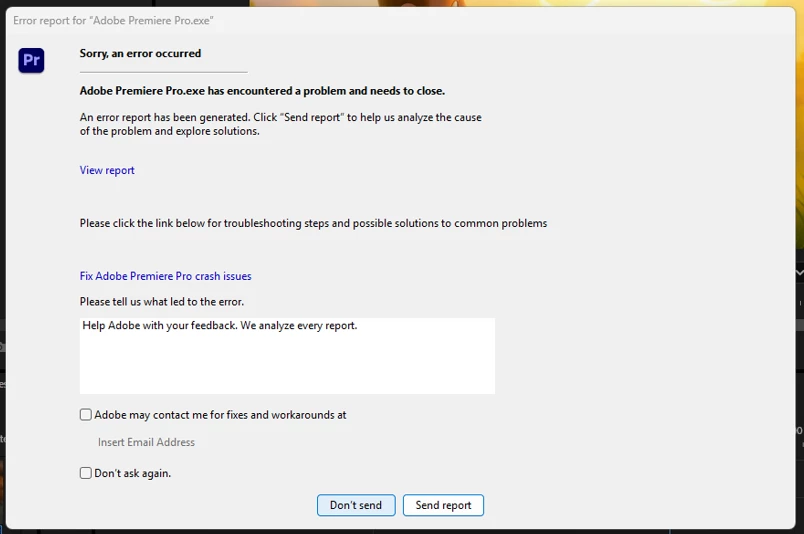
Adobe Premier Pro.exe has encountered a problem and needs to close
  • June 22, 2025
  • 3 replies
  • 685 views

I get this message about every half an hour and then Adobe Premier Pro just close itself. It doesnt happen when i first open the application only while working Adobe Premiere Pro. Does someone have a fix for this please?

3 replies

John T Smith
Community Expert
Community Expert
June 22, 2025

Do not count on Windows to be fully up to date when it comes to device drivers
Go to the vendor site to be sure you have an updated driver for your graphic adapter
Also check (copied link) https://www.tomshardware.com/reviews/gpu-hierarchy,4388.html
.
nVidia Driver Downloads https://www.nvidia.com/Download/index.aspx?lang=en-us
-for all Adobe programs use the STUDIO driver, not the GAMING driver
-To achieve the highest level of reliability, Studio Drivers undergo extensive
-testing against multi-app creator workflows and multiple revisions of the top
-creative applications from Adobe to Autodesk and beyond
.
If you have a laptop you MAY also need to check for a laptop specific nVidia driver
-SOME laptops require an approved driver from the laptop company, not nVidia
.
AMD/ATI Driver https://www.amd.com/en/support
.
Intel https://downloadcenter.intel.com/product/211969/Intel-HD-Graphics-Family
https://www.askwoody.com/newsletter/free-edition-working-with-the-intel-driver-support-assistant/

Inspiring
June 22, 2025

Sorry, that is really poor advice. The laptop doesn't a an Nvidia card and also, this only started to happen recently. An I can guarantee you the laptop is fully uptodate. What can we do to fix this.

John T Smith
Community Expert
Community Expert
June 22, 2025

I posted links for THREE different video adapters, not just nVidia


Have you checked the other two links (as appropriate for your unspecified hardware) for updates?

Community Manager
June 22, 2025

Hi quintus_8906,

Sorry to hear about this. Is it crashing while doing anything specific, or is it random? Do you have any third-party plugins or effects installed?


Thanks,

Sumeet

Inspiring
June 22, 2025

Hi Sumeet.
No it is random as far as i can tell.
No I am running it as is.

Community Expert
June 22, 2025

Help us to help you:

system specs

premiere pro version

try to reset the preferences ... are you on a paid CC subscription anyway?

Inspiring
June 22, 2025

Hi Carlos,

Specs: Latitude 5400, i7-8665U, 32GB RAM. Win 11


PP version: 25.3.0( Build 84)

Yes, It's a paid student subscription on CC - how do you reset the prefs?