
Participant
February 14, 2024
Question

Adobe Premier Pro incorrectly identifies missing media that are actually in the correct directory

  • February 14, 2024
  • 2 replies
  • 707 views

Hello,
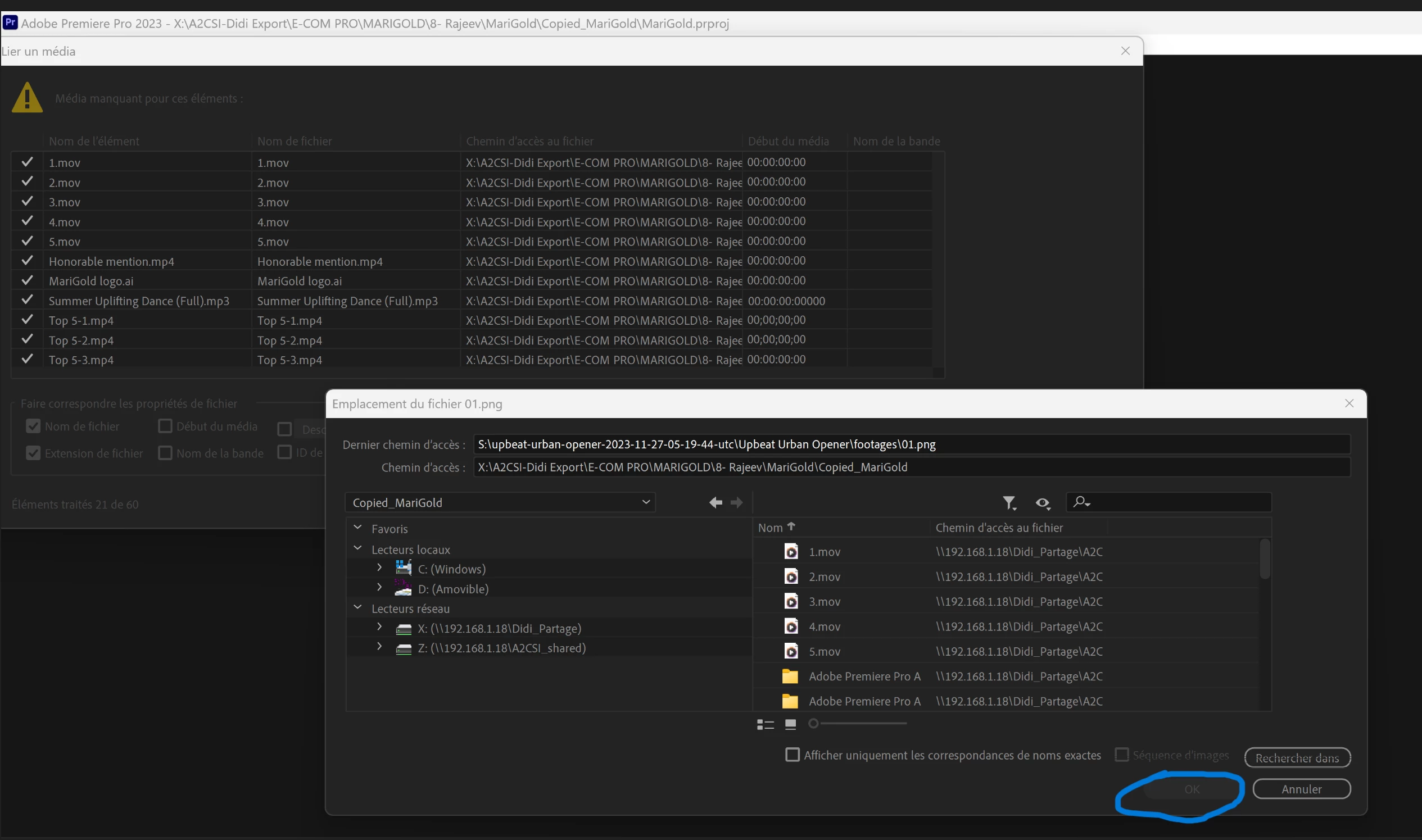
I'm asking for your help because Adobe Premier Pro incorrectly identifies missing media that are actually present in the correct directory. For example, in the attached screenshot, the Ok button circled in blue is not activated even though the files (identified as missing) have been located. Can you help me solve this problem? I've spent a lot of time trying to fix it myself without success.
I've also attached a video demonstration of an attempt to load an adobe premier pro project. 

Please attached des recording of my screen. I desperately need your help 🙏
 

This topic has been closed for replies.

2 replies

Jeff Bugbee
Community Expert
Community Expert
February 15, 2024

Look at the "last path" field, it's showing 01.png. Look for that file and select it.

Participant
February 15, 2024

This last path is not editable. 

Jeff Bugbee
Community Expert
Community Expert
February 15, 2024

It's not supposed to be editable: that only shows you the path where that file existed when you last saved the project. Use the browser interface, navigate to that same file in the new location and select it.

R Neil Haugen
Legend
February 14, 2024

Have you tried clicking the top file?

Everyone's mileage always varies ...
Participant
February 15, 2024

Yes, you can only select one file but not the set of files already present in the directory : X:\A2CSI-Didi Export\E-COM PRO\MARIGOLD\8- Rajeev\MariGold\Copied_MariGold