
Participant
April 20, 2020
Question

Adobe Premiere 2018/20 Lagging (Not only Playback)

  • April 20, 2020
  • 3 replies
  • 776 views

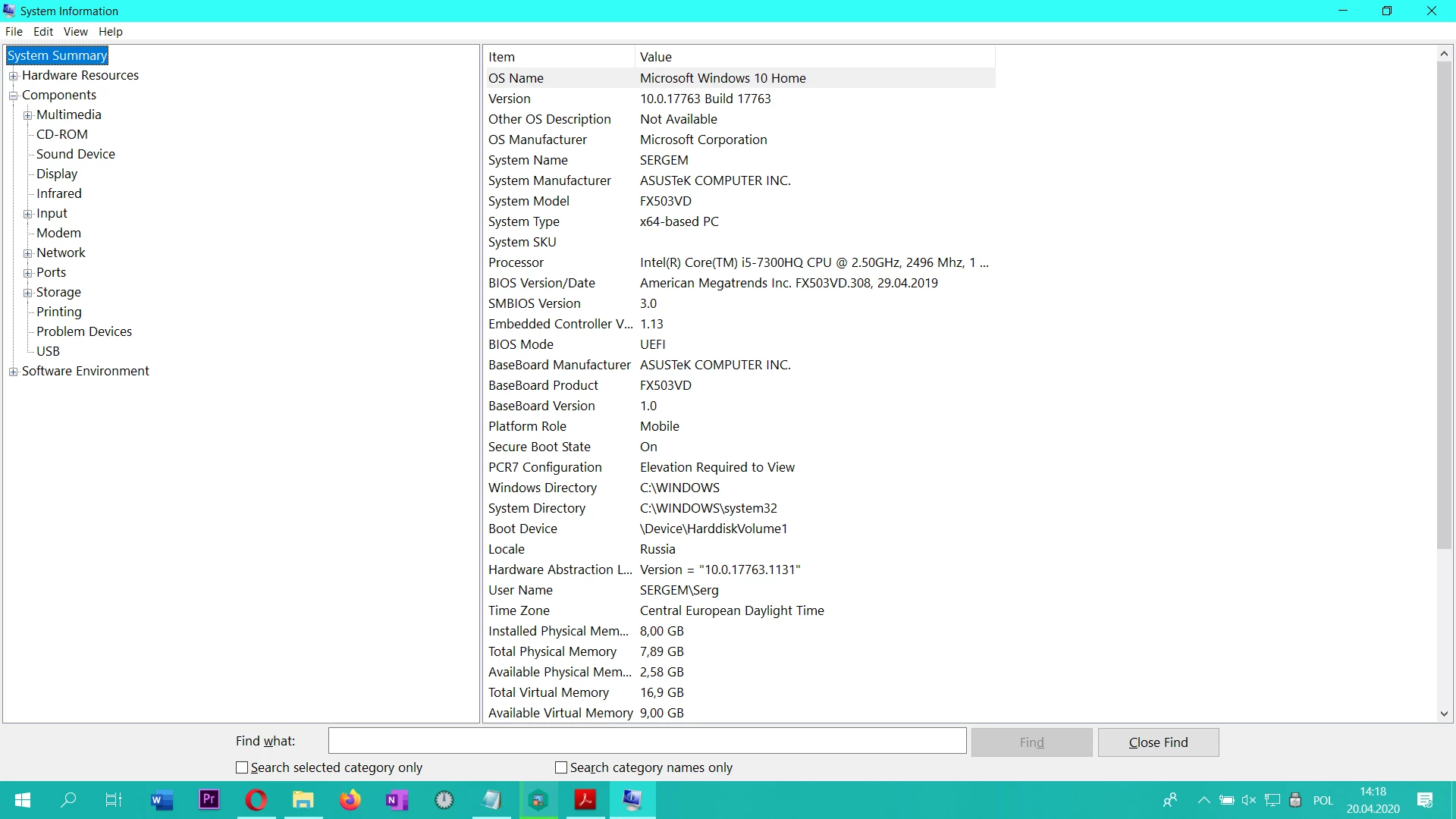
Hey  guys , My Adobe Premiere 2018 or even my 2020 version started lagging , sometimes it is skipping frames , the preview looks like a slide show (without skipping frames)  , and even when i finished rendering , in exported video it is still running the same as in the preview (slowly and laggy) .

Tried everything from changing/updating /reinstalling  driver to adjusting Adobe audio , now running virus check , will see what ll happend .

Windows 10 x64

Asus FX503V

GeForce 1050 4 g

Ram 8 g 

Intel core I5

Need some help  


UPDATE : Noticed that my CPI is throttling from `20% to 100 for a short period of time 
 

This topic has been closed for replies.

3 replies

Ann Bens
Community Expert
Community Expert
April 20, 2020

An i5/8 gig ram is not that great for running Premiere 2018 or 2020.

Might want to share info on media used.

ZiemniakiAuthor
Participant
April 21, 2020

Maybe it is but not as much i put any kind of video small big or other and it make a slide show  from it , earlier i did not have this problem


Jeff Bugbee
Community Expert
Community Expert
April 20, 2020

Check Task Manager, are any other processes taking over your CPU or RAM?

ZiemniakiAuthor
Participant
April 21, 2020

Not it s looks quite normal (update Noticed that it s going for a short period of time from 20 % to 100)


Community Expert
April 20, 2020

Has the issue been happening with a specific project? I had an issue with certain videos that Premiere did not like. They did not play well in Premiere. After reformatting the videos (outside of Premiere, all went back to normal in Premiere.

So, one thing to check if the issue is happing with other videos or other projects. Just a thing to elimate if it is not the cause.

ZiemniakiAuthor
Participant
April 21, 2020

Does not depend on video or project, in fact when you put the any video in a timeline and then render it will be a fkn slajd show 

Community Expert
April 21, 2020

Have a look at this Technote:
Troubleshoot issues related to playback and performance in Premiere Pro
https://helpx.adobe.com/premiere-pro/kb/troubleshoot_playback_performance.html


It has a section on choppy videos and things to try.