Participant
December 15, 2020
Answered

Adobe Premiere Pro creates lag in Windows explorer

  • December 15, 2020
  • 5 replies
  • 983 views

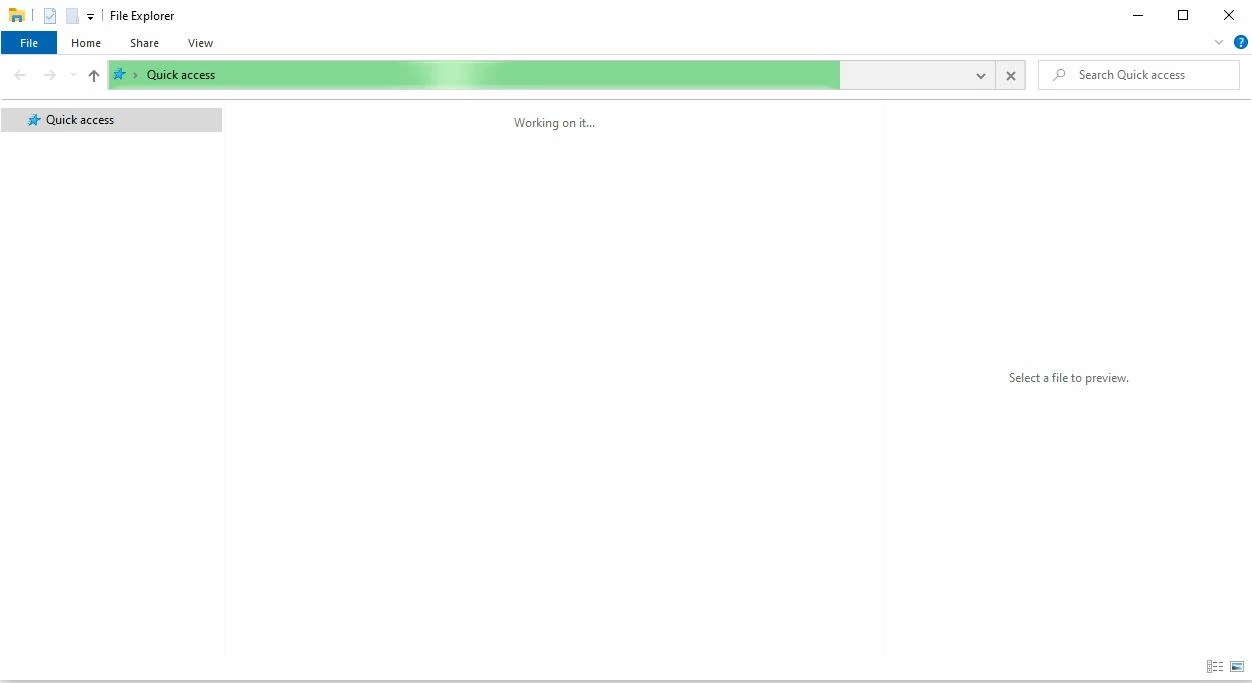
Since installing Adobe Premiere 48 hours ago, my Windows 10 file explorer has become useless. When opening a folder the green bar at the top just freezes near the end and the screen remains blank. Additionally, the view preview pane within file explorer no longer works. I used an old copy of Premiere on my desktop for years so I am guessing this has something to do with the cloud/sync function but dont know how to turn that off.
    This topic has been closed for replies.
    Correct answer Bradley5F97

    The issue was the Creative Cloud App and file syncing. As soon as I turned that off, everything worked great again.

    5 replies

    Bradley5F97AuthorCorrect answer
    Participant
    December 15, 2020

    The issue was the Creative Cloud App and file syncing. As soon as I turned that off, everything worked great again.

    Jeff Bellune
    Legend
    December 15, 2020

    Good job finding the solution. Thanks for posting back; it will help others later on. Cheers.

    Jeff Bellune
    Legend
    December 15, 2020

    Run this tool: Creative Cloud Cleaner Tool


    Restart your computer after, then reinstall current CC apps. Hopefully all the dregs of old Pr software will be gone and File Explorer will work normally again.

    Peru Bob
    Community Expert
    Community Expert
    December 15, 2020

    I've moved this from the Using the Community forum (which is the forum for issues using the forums) to the Premiere Pro forum.

    Peru Bob
    Community Expert
    Community Expert
    December 15, 2020

    What are the complete computer specs, including hard drives (how many, what kind, what is on each, and how full)?