
Participant
February 5, 2019
Answered

Adobe Premiere Pro: Files not updating that I am attempting to work in simple time rather than frames.

  • February 5, 2019
  • 1 reply
  • 534 views

For Adobe Premiere Pro:

Sorry if my title is a bit confusing, I'm trying to have my files on the timeline show their time property rather than frames.

My files are not showcasing the actual time of each file when I go to adjust the speed or duration on the files, I know it is better to work in frames, however, I find it much easier to work this way.
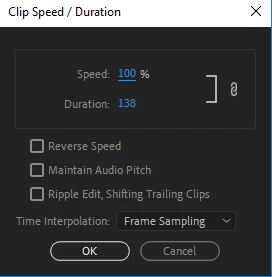
The duration says 138 when the file itself is slightly less than five seconds. These are some of my current settings which may help showcase what I might be doing wrong.
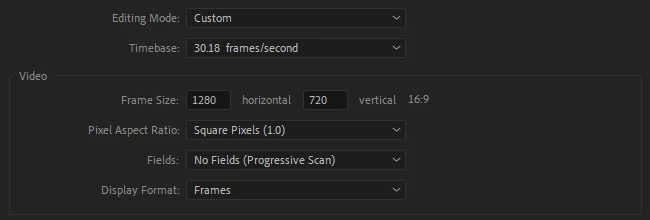
I've also updated the timecode to showcase that I am working in time and not only just frames

It's not high priority, but it is slightly bugging me, if you have any solutions it would be extremely helpful. Thank you.

This topic has been closed for replies.
Correct answer jasontcox

Easy fix! Two things. In your Sequence Settings, change your Display Format back to 24fps or 29.97 fps, depending on your needs. And if you're still seeing the colon followed by 5 zeros in the timeline ruler, you also need to turn off "Show Audio Time Units" by going to the Settings (looks like a wrench) icon in the Program Monitor and deselecting it.

1 reply

jasontcox
jasontcoxCorrect answer
Inspiring
February 5, 2019

Easy fix! Two things. In your Sequence Settings, change your Display Format back to 24fps or 29.97 fps, depending on your needs. And if you're still seeing the colon followed by 5 zeros in the timeline ruler, you also need to turn off "Show Audio Time Units" by going to the Settings (looks like a wrench) icon in the Program Monitor and deselecting it.