Hi,
The OP never returned to their post. Since it's been abandoned, it has picked up a lot of unrelated posts and is causing search problems.
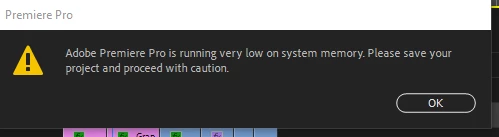
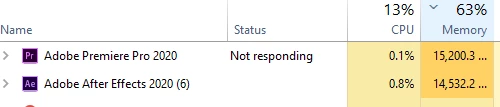
Here is the guidance I would give: if your project shows signs of corruption, like a memory leak, take action.
- Check the Auto-Save folder. Check for a backup project file in the Auto-Save folder. Is there a recent one there? If not, enable it in Preferences > Auto Save to avoid future problems.
- Enable the option to save a copy in your Creative Cloud folder.
- Enable the option to save the current project.
- Check your project backups folder: Do you have any backups of your project file?
- Many editors create a discrete set of backup project files daily at a minimum. You do this manually.
- Saving backups is done in case the Auto Save function does not work as expected.
- Use File Save A Copy for this function.
This case from the OP sounds like a project-specific problem that can occur with corrupt projects. You need to work with a backup project file (unfortunately, some of your work will be lost, and you will need to redo that part).
If you do not have a backup from the Auto Save folder or a discrete backup you saved, the advice is to create a new project and import the older items into it from the corrupt project file.
If you are experiencing similar issues, please try that step.
If that does not work, create a new thread. This thread is now locked.
Thanks,
Kevin




 AdChoices