Inspiring
July 25, 2026
Answered

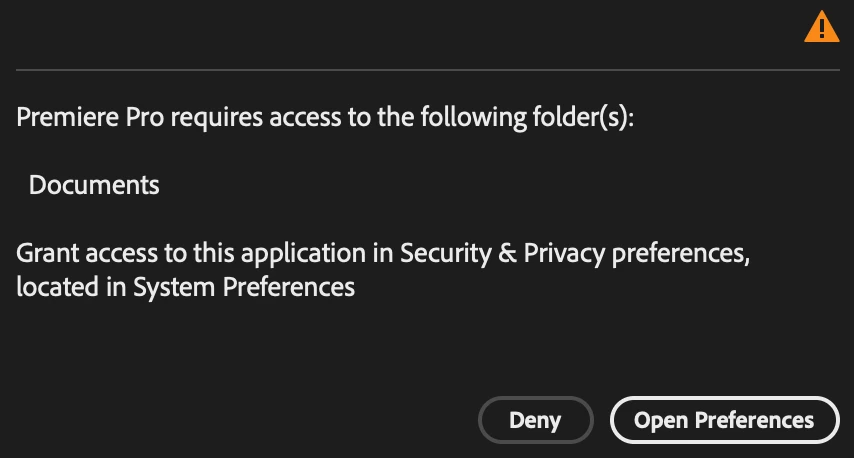
Adobe Premiere Pro suddenly wants Documents folder access

  • July 25, 2026
  • 1 reply
  • 15 views

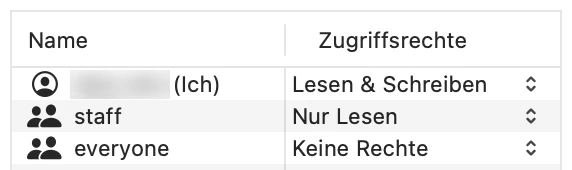
When I then open macOS System Preferences, Adobe Premiere Pro shows full disk access, but it’s greyed out, and my Home folder has read and write permissions. Why did this happen between closing and opening the program, and how can I get back to using the program again?

 

    Correct answer UselessUser

    Permissions were set as they should be. I finally found the solution on Reddit. What I had to do was to close Premiere Pro, then, in macOS System Settings, remove Premiere Pro from both Files & Folders and Full Disk Access by clicking the minus icon at the bottom, then re-launch Premiere Pro. Then I can allow access to Documents, and all is well.

    1 reply

    Community Expert
    July 27, 2026

    Check that your Documents folder has read and write permissions. Then open System Settings > Privacy & Security and confirm that Premiere Pro is enabled for both Full Disk Access and Files and Folders.

    If the entry is stuck or greyed out, sign out and back in, or restart the Mac, then check again.

    This usually happens because macOS is no longer treating Premiere Pro's permission as valid for the item it actually needs, even though the app still appears in the privacy list. Premiere Pro can lose access to a specific protected folder between launches, so the app can look allowed while still being blocked.

    UselessUserAuthorCorrect answer
    Inspiring
    July 27, 2026

    Permissions were set as they should be. I finally found the solution on Reddit. What I had to do was to close Premiere Pro, then, in macOS System Settings, remove Premiere Pro from both Files & Folders and Full Disk Access by clicking the minus icon at the bottom, then re-launch Premiere Pro. Then I can allow access to Documents, and all is well.