
Participant
February 12, 2024
Question

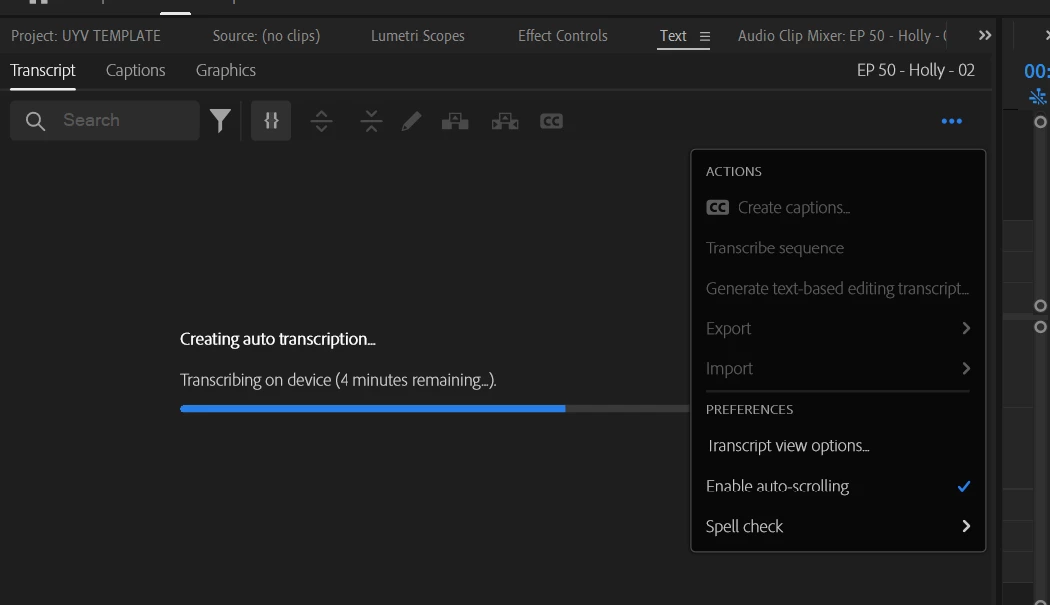
Adobe Premiere Pro - Transcribe button is not visible

  • February 12, 2024
  • 2 replies
  • 492 views

The "Transcribe" button is completely gone.  The version I have is updated - 24.1.  


I've been able to go onto Settings to start the auto-transcription, but it's taking extremely long.  I wanted to use the new feature to remove filler words and use the latest text-based editing tool.   


This topic has been closed for replies.

2 replies

Kevin J. Monahan Jr.
Legend
February 13, 2024

Hi @Avi30090780swfa,

Thanks for the screenshot and notes. You say that you do not have a transcribe button, but it appears that you have a transcription working in your screenshot. Then, you said that it's taking too long, right? May I ask what kind of video file you are working with? Can you give us more info about your computer, such as, the CPU, the GPU, the RAM, and the HD? I hope we can help you.


Thanks,
Kevin

Kevin Monahan - Sr. Community and Engagement Strategist – Adobe Pro Video and Audio
kglad
Community Expert
Community Expert
February 13, 2024

in the future, to find the best place to post your message, use the list here, https://community.adobe.com/

p.s. i don't think the adobe website, and forums in particular, are easy to navigate, so don't spend a lot of time searching that forum list. do your best and we'll move the post (like this one has already been moved) if it helps you get responses.


<"moved from using the community bugs">