Participant
April 24, 2024
Question

Adobe premiere screen not shown in full

  • April 24, 2024
  • 3 replies
  • 384 views

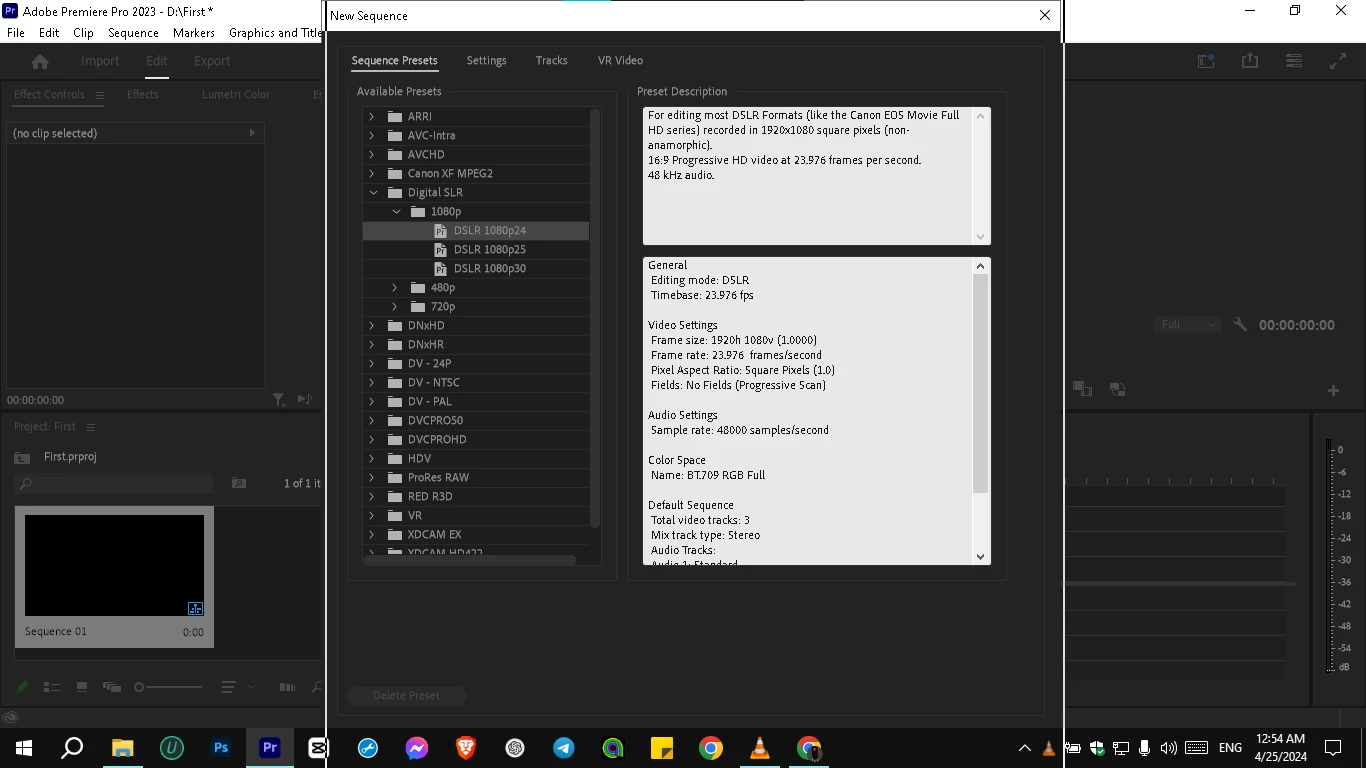
Hey guys, my adobe pr does not show the entire screen, there is a missing part under the taskbar or i don't know where that it's hidden i cant click save  or undo  as i can not find the buttons
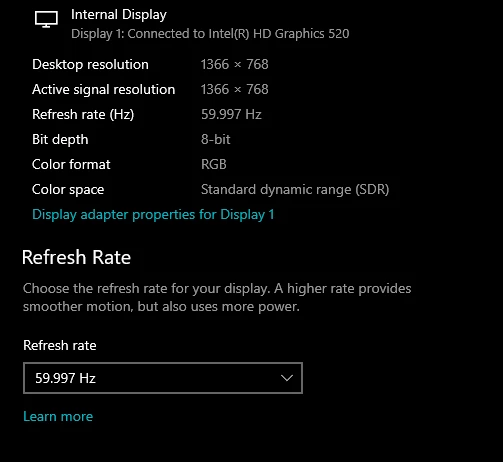
this my display settings.


    This topic has been closed for replies.

    3 replies

    Community Expert
    April 25, 2024

    Even if you have a screen with a small resolution size, when you first open Premiere Pro it warns you that you need a screen with at least 1920 x 1080 pixels. Surely he warned you but you must have overlooked him.

    Byron.
    Peru Bob
    Community Expert
    Community Expert
    April 24, 2024

    You need to change the display resolution.

    1920 X 1080 is the minimum required:

    https://helpx.adobe.com/premiere-pro/system-requirements.html

    kglad
    Community Expert
    Community Expert
    April 24, 2024

    in the future, to find the best place to post your message, use the list here, https://community.adobe.com/

    p.s. i don't think the adobe website, and forums in particular, are easy to navigate, so don't spend a lot of time searching that forum list. do your best and we'll move the post (like this one has already been moved) if it helps you get responses.


    <"moved from using the community">