
Answered
Adobe Premiere Software render error
Hoping you can help me sort this out.
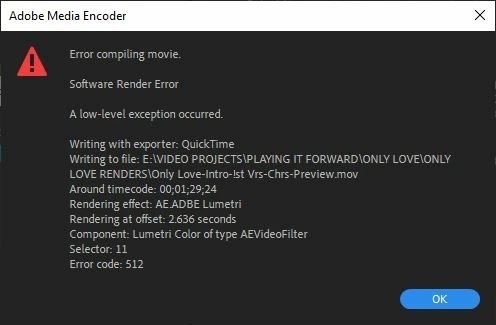

Hoping you can help me sort this out.
Look at the effect applied at the time it says to look at. Remove it, try to rerender. If it works, it was the effect. This is a pain as I've dealt with it too where I have to remove color correction (looks like you have Lumetri). Try taking it off the clip and make an adjustement layer and apply it to that. If you've done that then do the opposite and rerender.
Already have an account? Login
No account yet? Create an account
Enter your E-mail address. We'll send you an e-mail with instructions to reset your password.


 AdChoices