

Question
Adobe Story FAQ: How to export as .PDF?
Follow this step by step guide to know how to export your script as PDF.
1. When you're ready to export, choose File > Print
2. You'll see the following window:
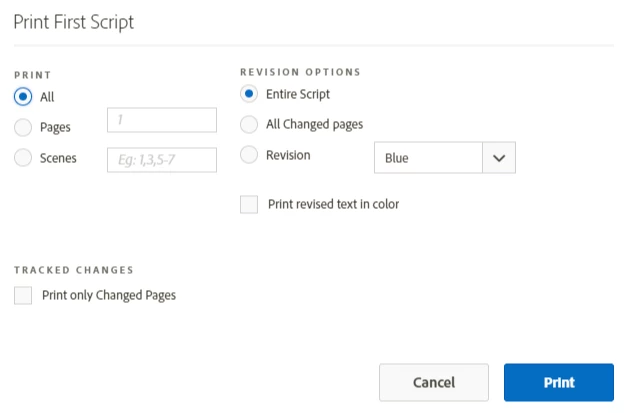
3. Click Print
4. A browser window will open with the Print Preview as shown below
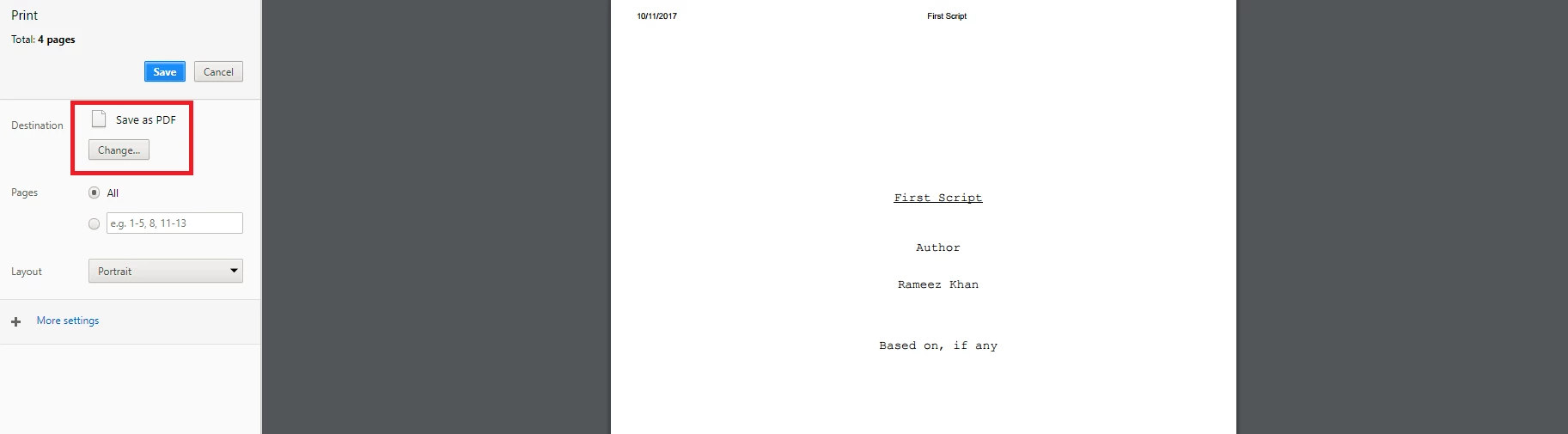
5. Change the destination of the printer to Save as PDF
6. Click Save, choose the location on your computer and click Save
 AdChoices