Inspiring
November 30, 2025
Answered

advancing a set number of frames?

  • November 30, 2025
  • 3 replies
  • 397 views

So... seems inputting a number w/ 3 digits implies the 1st digit is seconds, and the other digits are number of frames?


E.g., in my sequence @ 25fps, inputting +231 results in jumping forward 2s + 31f.. which is 3s + 6 frames


How would explicitly move forward 231 frames without having to math first?

866923iFFFADA2C016D94AA.png


Correct answer ThioJoe

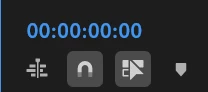
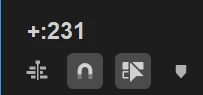
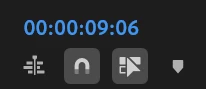
Not sure if this is documented, but it seems if you put a colon between the "+" and frame number, you can advance by frame number without having to switch to frame mode.

So for your example on a 25 fps timeline you can do:

+:231


866955i054B41D05A55DF4C.png  866956i75CA3FA69A7FA745.png  866957i8C50CEA9E9A2C7ED.png


I assume it's still parsing it as timecode, so the colon is a bit of a quirk where fortunately it recognizes it as frames, but in any case it does seem to work.


3 replies

ThioJoe
Community Expert
ThioJoeCommunity ExpertCorrect answer
Community Expert
November 30, 2025

Not sure if this is documented, but it seems if you put a colon between the "+" and frame number, you can advance by frame number without having to switch to frame mode.

So for your example on a 25 fps timeline you can do:

+:231


866955i054B41D05A55DF4C.png  866956i75CA3FA69A7FA745.png  866957i8C50CEA9E9A2C7ED.png


I assume it's still parsing it as timecode, so the colon is a bit of a quirk where fortunately it recognizes it as frames, but in any case it does seem to work.


Mathias Moehl
Community Expert
Community Expert
November 30, 2025

If you look for a convenient way to do this without changing the timecode, I just wrote this script for my (paid) extension Automation Blocks for you:

866941i1BCE95844A4D18BA.png


You can download the script from our Community Library - here is the direct link:

Sequence/Playhead/Move Playhead X Frames.xml

If you need it frequently, you can even bind Automation Blocks scripts to keyboard shortcuts or input devices like Streamdeck as described here:
https://docs.mamoworld.com/automation-blocks/remoteExecution

Mathias Möhl - Developer of tools like BeatEdit and Automation Blocks for Premiere Pro and After Effects
Ann Bens
Community Expert
Community Expert
November 30, 2025

If you type with the + (or -) it means total number of frames.

If you type say 030512 (without the + {or -}) the playhead will jump to 03:05:12 in the timeline as in 3 min 5 second and 12 frames.

Inspiring
November 30, 2025

@Ann Bens  - please clarify.. see image attachment.. I entered +231, and it advanced 3s and 6 frames... which is not 231 frames.... at 25fps, 3s6f = 81 frames.....  or 231f = 9s6f... which is what I expected.. but am not getting.


Ann Bens
Community Expert
Community Expert
November 30, 2025

I dont think I was very clear

 for frames, you have to be in frame mode.

+231 will add to the position of the playhead in this case from 0 to 231.

If you type in +10 it will add 10 frames > 241, 

type in -20 it will set to 221.

In timecode it's min, sec, frames


231 in timecode means 2 seconds and 31 frames but as it is a 25 fps sequence its 31–25 = 6 frames

2 + 1 second and 6 frames = 3 seconds and 6 frames.