
Participating Frequently
September 18, 2024
Question

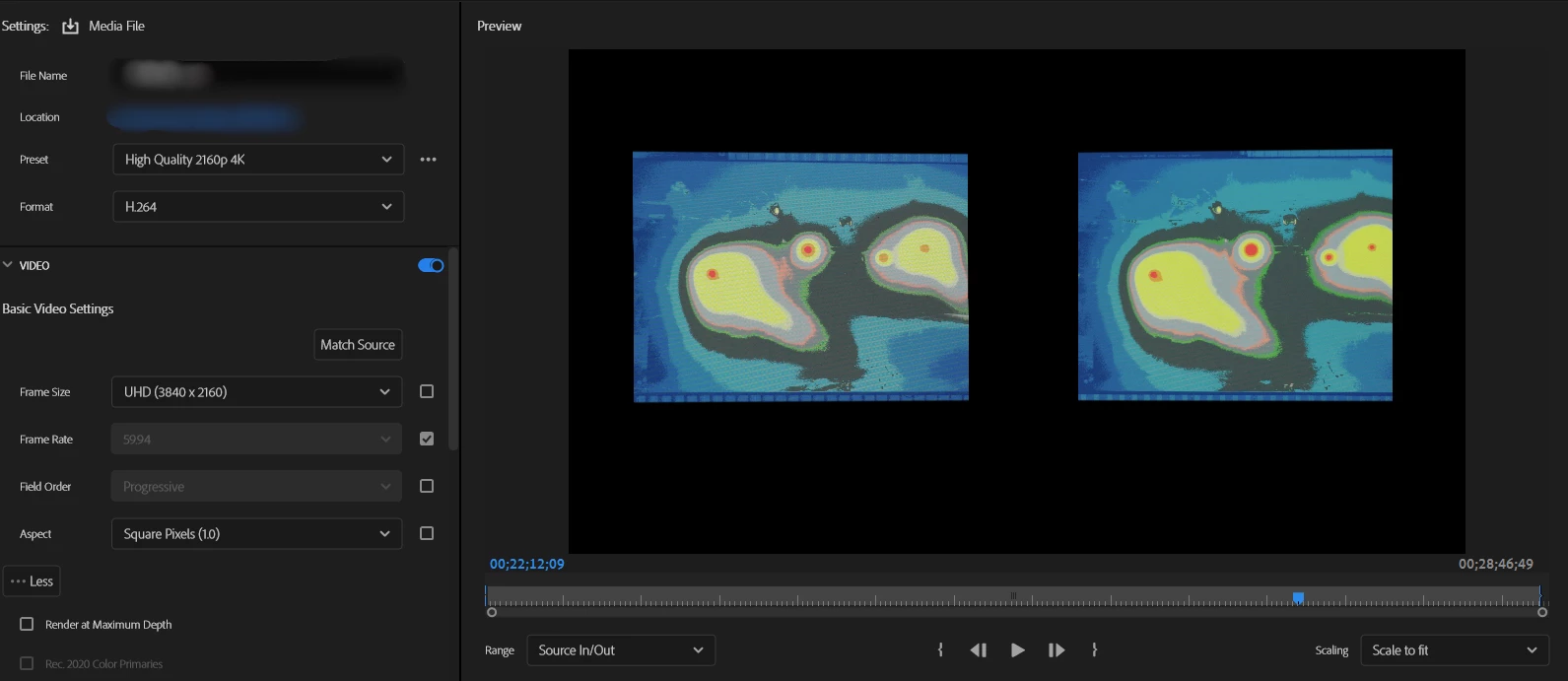
After applying the mask effect, the mask becomes distorted after exporting

  • September 18, 2024
  • 3 replies
  • 611 views

Hello, good afternoon.

I’m encountering some issues with exporting a video. I previously used the same method for exporting and didn’t encounter this problem. In this sequence, I used masks and the Basic 3D effect on the video. The preview in Premiere looks fine, but in the export preview, the shape of the mask is distorted. How can I correct this issue? Thank you.

 

This topic has been closed for replies.

3 replies

MyerPj
Community Expert
Community Expert
September 18, 2024

As Neil says, normally you would have a UHD sequence and export to HD, or use an HD sequence to HD. The main thing is the proxies, they don't determine the sequence size. Have you imported the proxies so that you can actually see them in the project?

Participating Frequently
September 18, 2024

Yes, I have imported the proxies. This issue only occurs with this particular clip during export; the other clips export normally at a resolution of 3840x2160.

MyerPj
Community Expert
Community Expert
September 18, 2024

That's what I was thinking. So to work with PP proxies, they don't get imported into the project, the actuall clips are imported / dropped into the project, then with a right-click to the actuall file in the bin, you can Proxy/Attach Proxies, or of course you can create them at that point Proxy/Create Proxies.


The proxies do not show in the project and you can turn then on/off for use with the Proxy button on the program monitor. So, some part of the basic workflow seems off, as do the exports.

R Neil Haugen
Legend
September 18, 2024

That's an HD 1920x1080 sequence, exported to a UHD framesize. Intriguing. Why?


And what scaling if any is used on the image on the sequence?

Everyone's mileage always varies ...
Participating Frequently
September 18, 2024

The sequence size is 1920x1080 because I used proxies, but the original video was recorded in 3840x2160.

In the sequence, I only adjusted the size and opacity, created masks, and applied the Basic 3D effect.


R Neil Haugen
Legend
September 18, 2024

That's maybe a bit of reversal from typical proxy working. Where the sequence matches the original media, so any effects are scaled naturally and correctly both for creating things and the export.

Everyone's mileage always varies ...
MyerPj
Community Expert
Community Expert
September 18, 2024

Can you post a complete shot of the export screen. The object appears to be much further apart in the 2nd screenshot, so I'm not sure what we are looking at?

Participating Frequently
September 18, 2024

Sorry, the screenshot wasn't complete. The image below is a newly captured photo. You can see that the object's proportions are intact in the editing interface. However, once you move to the export interface, the object appears to be cropped.
Editing interface

Export interface