
Participant
November 17, 2021
Answered

After Effects Sequence Not Filling Screen In Premiere Timeline

  • November 17, 2021
  • 2 replies
  • 733 views

I'm trying to import an After Effects sequence into Premiere using the method of opening the AE project from Premiere and then selecting the timeline I want to import. Once imported and added to the sequence, the content only fills about 1/4 or less of the screen in the top left.
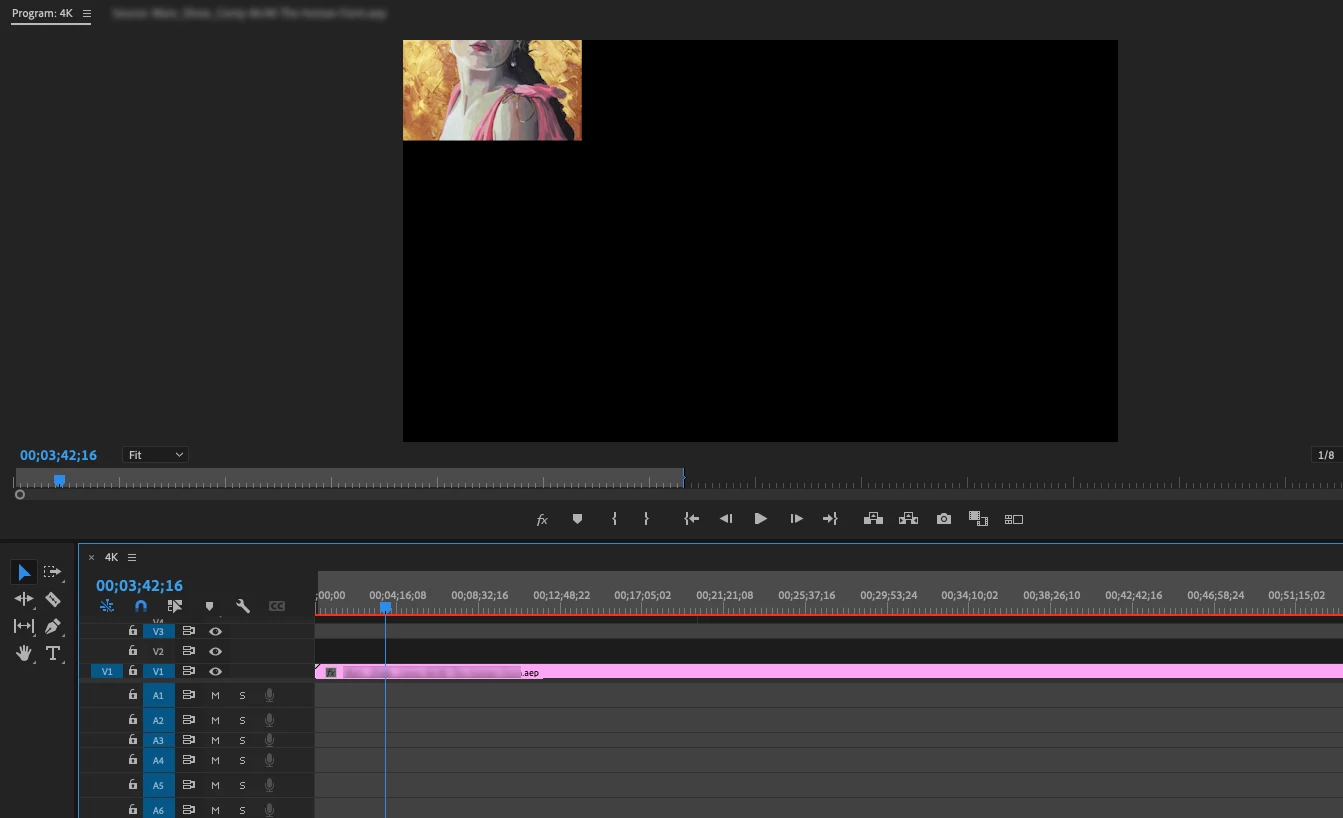
 

When I scrub through the content gets very large in the monitor, but when stopping it reverts back to small. Even though the sequences all match it won't fill the screen. I tried outputting in case it was just a glitch but the output file is imporerly framed as well. 


Using AE & Premiere v22 on Mac Mini w/ M1. It seems to happen on both the Silicon and Intel options. I've also tried it on a PC running an older version of both and the same thing happens. It worked without any issues a few times last week on the Mac Mini but it seems to be arbitray whether it will link correctly or not.

This topic has been closed for replies.
Correct answer defaultxz7gzfcnmkqa

I actually found the fix, thank you. The preview quality on AE needs to be set to Full. If it's set to 1/8 or 1/4, that's what the Dynamic Link is pulling into the timeline. 

2 replies

Harold Silva
Community Expert
Community Expert
November 17, 2021

El problema es la resolcuion que estas usando para poder visualizar los proyectos posiblemenet sea 1/4 o 1/8 
y es por ello el error.
saludos

Harold Silva B.
Peru Bob
Community Expert
Community Expert
November 17, 2021

Try pressing Enter to render the timeline and turn the red line above the timeline to green.

defaultxz7gzfcnmkqaAuthorCorrect answer
Participant
November 17, 2021

I actually found the fix, thank you. The preview quality on AE needs to be set to Full. If it's set to 1/8 or 1/4, that's what the Dynamic Link is pulling into the timeline.