Participating Frequently
September 19, 2019
Question

After I export my timeline (vertical video, shoot with Samsung Note 9) video gets distorted

  • September 19, 2019
  • 5 replies
  • 1116 views

Hi, 


I am having an issue with my video becoming zoomed in and strectched vertically after rendering it in my timeline. 
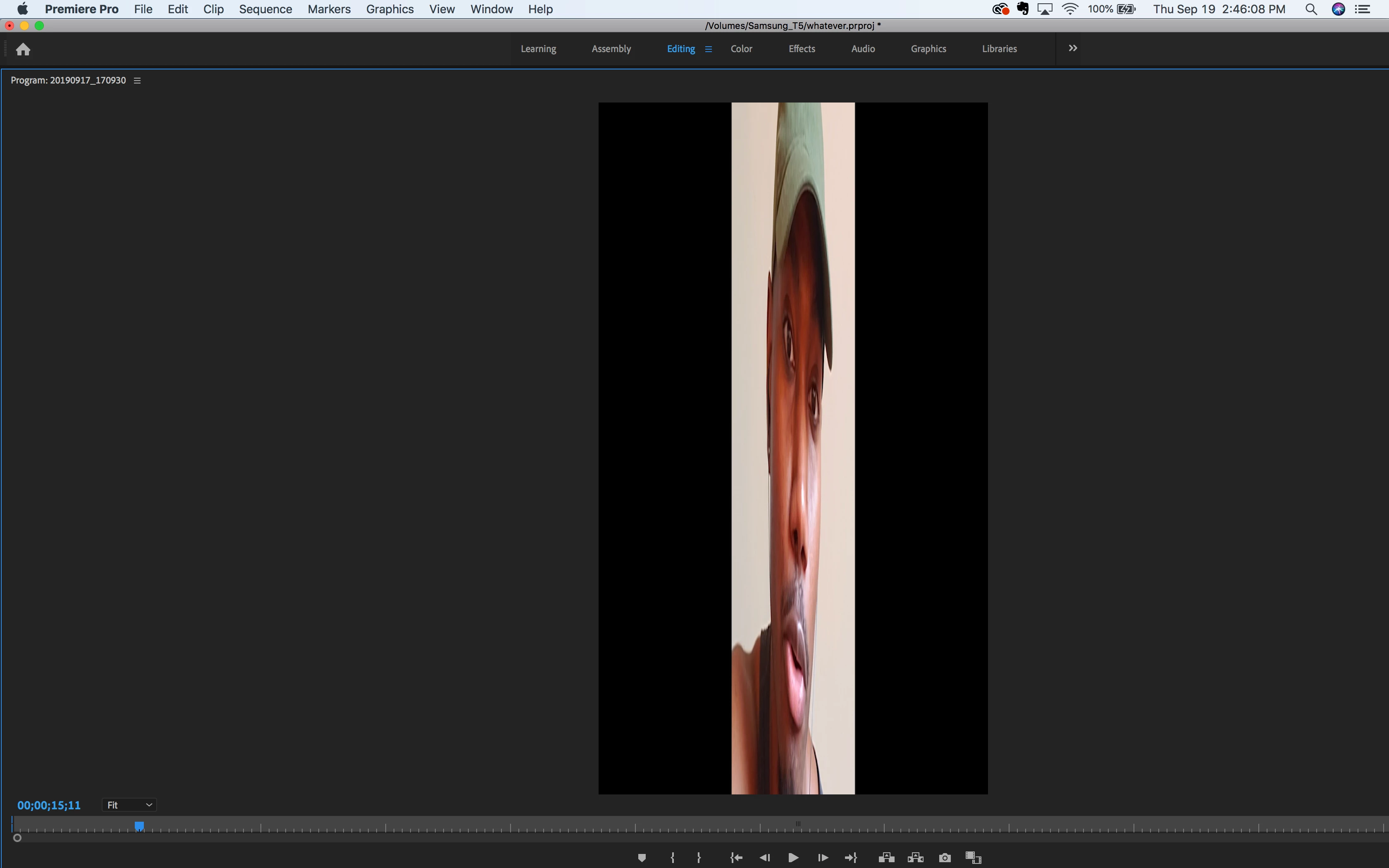
Everything looks normal proir to rendering it. I've tried copying and paste in to a new timeline, then rendering. Clearing Media Cache. Playing with the sequence settings. Nothing seems to help. The footage is shot vertcially with a Samsung Note 9(not sure if this matters). 

Here current sequence settings.
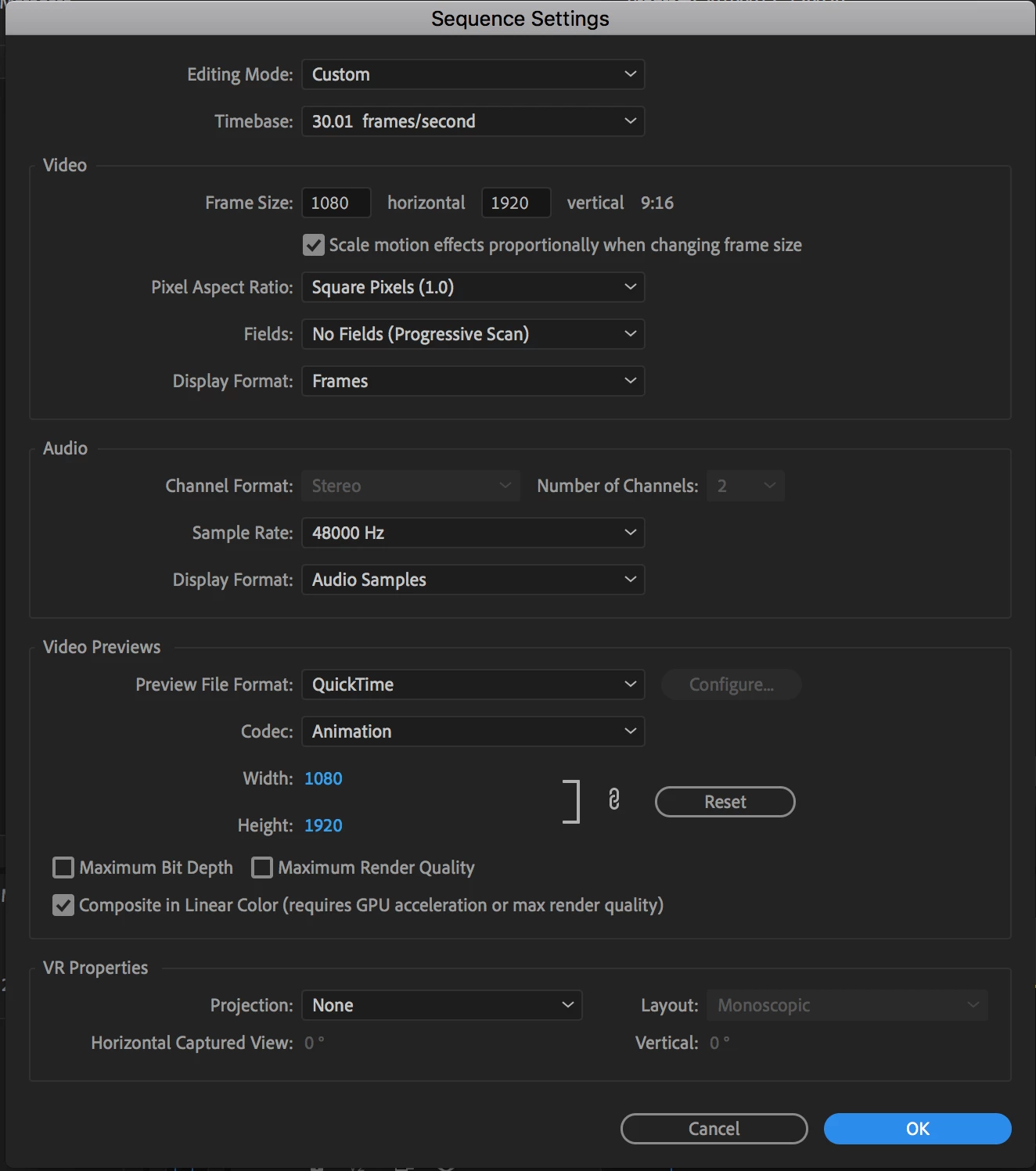
If anyone has any suggestions, its greatly appreciated! I've searched on Google for hours and have gotten nowhere.

Thanks in advance!


This topic has been closed for replies.

5 replies

Ann Bens
Community Expert
Community Expert
September 19, 2019

Footage also has VFR, AME cannot handle this. Handbrake can.

Participating Frequently
September 24, 2019
Thanks for your help!
Warren Heaton
Community Expert
Community Expert
September 19, 2019

Transcode your camera orignal clips to Apple ProRes422 (LT) and then you should be good.  Also, change your Video Previews CODEC to Apple ProRes422 (LT).  ProRes422 (HQ) is an option, but it's overkill for source footage from a mobile device.


You could transcode to Animation, but your files will be larger than they need to be.


-Warren

Participating Frequently
September 24, 2019
Transcoding the video worked!! Thanks for taking the time to help!\
Participating Frequently
September 19, 2019

Community Expert
September 19, 2019
Transcode that video to another format with Handbrake for example because I can't any issue https://handbrake.fr
Byron.
Participating Frequently
September 24, 2019
Transcoding the video worked!! Thanks for taking the time to help!
Community Expert
September 19, 2019

Show us the Interpret Footage windows of the clip making right clic/Modify/Interpret Footage... on the clip in Project panel.


Byron.
Community Expert
September 19, 2019
Maybe for some reason you modify the Pixel Aspect Ratio or with your cellphone you records with an App a non-square pixels video. Ensure that the video have Square Pixels 1.0
Byron.
Participating Frequently
September 19, 2019
Thanks for the reply! Video has a square pixel.
Ann Bens
Community Expert
Community Expert
September 19, 2019

Any effects applied?

Participating Frequently
September 19, 2019
No effects applied