Participant
October 28, 2020
Question

Alexa Footage Imported with AUTO LUT. Alexa Mini embed LUT can't be deleted.

  • October 28, 2020
  • 2 replies
  • 9655 views

Hi, I'm working with Alexa Mini footage, and by default the footage has LUT applied to it once imported. I have tried "Disable Masterclip Effects", disable Lumetri Color(Both on Master and single clip), follow the correct answer from this post(Set the LUT to something else and then NONE):

https://community.adobe.com/t5/premiere-pro/premiere-2015-how-to-remove-auto-lut-from-multiple-master-clips/td-p/7450277?page=1

None of these work. 

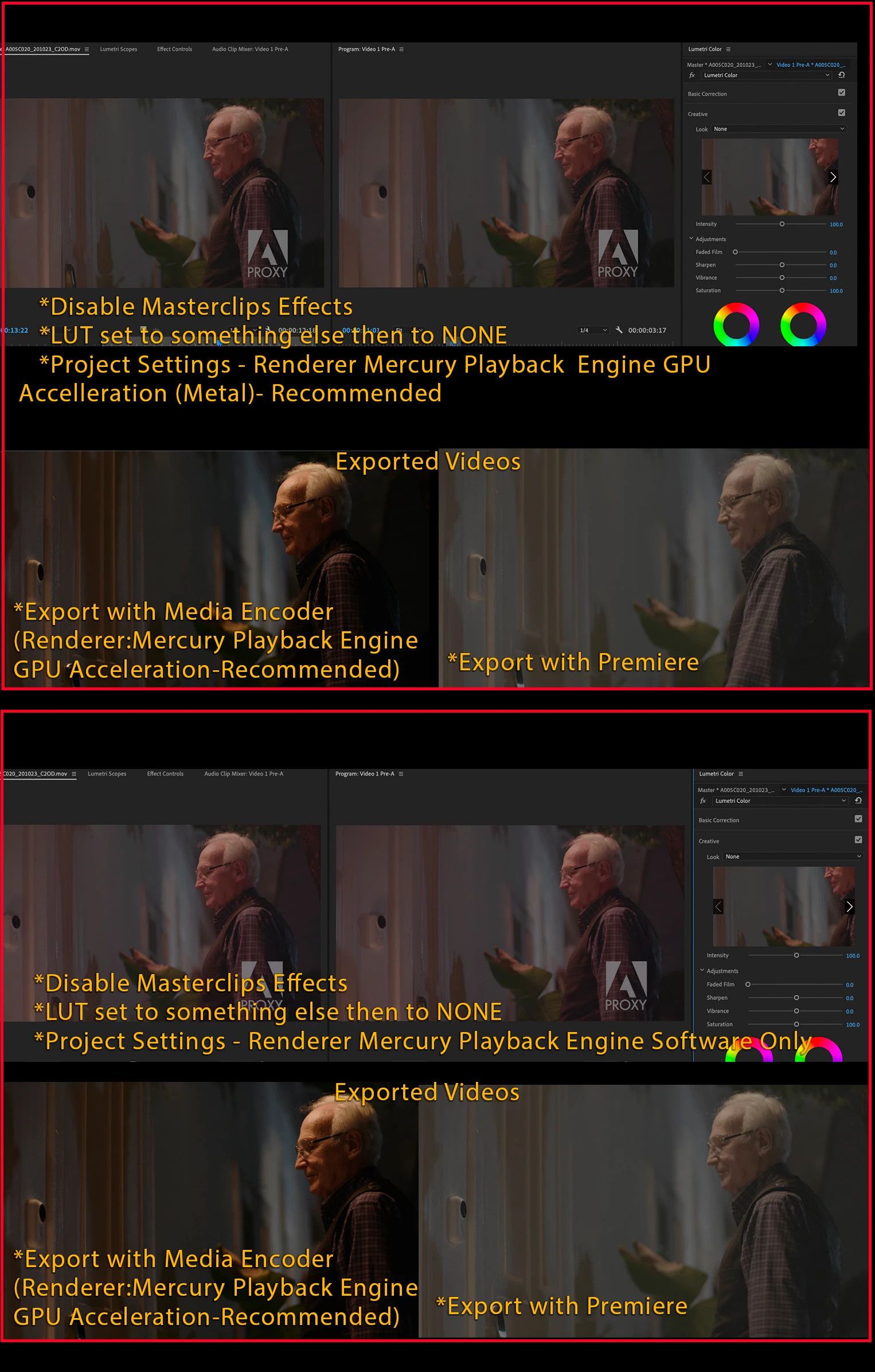
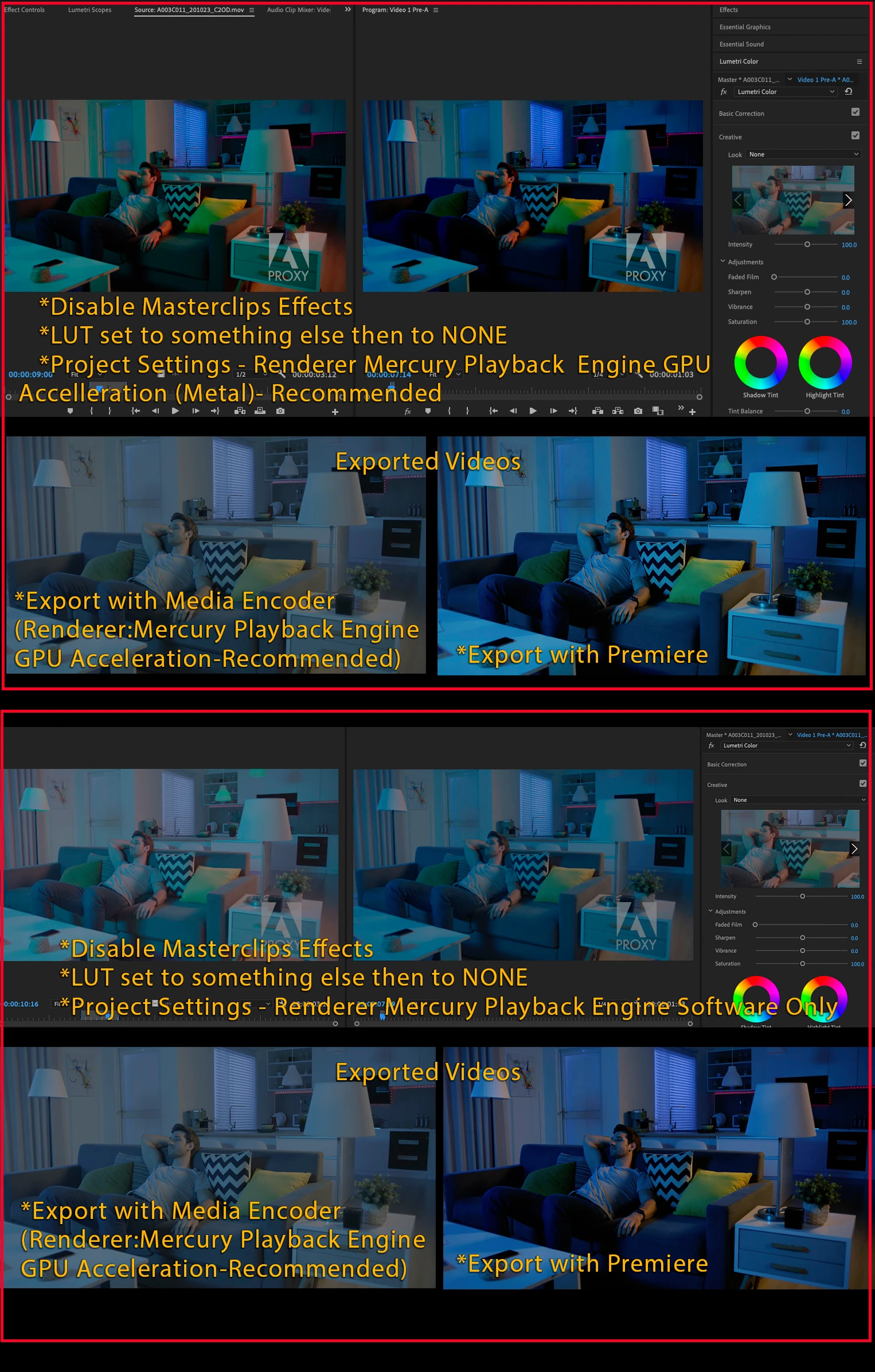
And the colors look different with different footage(shot on the same camera) and settings and renderers. Please check the screenshots below. I have listed every scenario and the result.

It's making me very frustrated. It's impossible to work like this...
This topic has been closed for replies.

2 replies

Known Participant
October 12, 2021

I just figured out how to batch disable the auto LUT. Select a batch of clips > right click > Disable source clip effects. 


Previously, it was a look hack in lumetri. Then it was right click > modify > interpret footage > none. Then it was select single clip > In Lumetri Color Panel > dropdown to Clear. This last one was not batch-able. 


Doing a notch conform for a 2 hour feature and have to conform for master QT. Reimporting any Alexa footage in ProRes auto LUTs over and over. So annoying and a huge waste of valuable time. 


Adobe, please kill this feature altogether, or at least give us the option to disable universally. 


Thanks,

J

Known Participant
October 12, 2021

Forgot to add that although you can disable source clip effects, in Lumetri Color panel and Effects panel when you load a clip into the Source window, is still set to the Amira auto LUT, but the entire effect is turned off.


When you load a clip into the source window, and go to Lumetri Color Panel and click on Amira LUT and select Clear, it effectively removes the effect entirely. Only problem is you can only do this one clip at a freaking time. 

Participant
December 1, 2020

I had this happening to my Alex ProRes footage. I found a simple solution. 

Reveal the clip in your project, right click and scroll to Modify > Interpret footage

In the interpret window, you'll see the Color Management section at the bottom has Input LUT: Alexa/Amira default. - change it to none. 


Participant
January 12, 2021

Thanks for this.