
Answered
Align the start of the subtitles with the video stream.
I started using Premiere Pro two days ago.
With that important introduction out of the way, I am asking for help in solving the following problem.
In some cases, the automatic translation of the subtitle track into another language generates the result shown in the screenshot.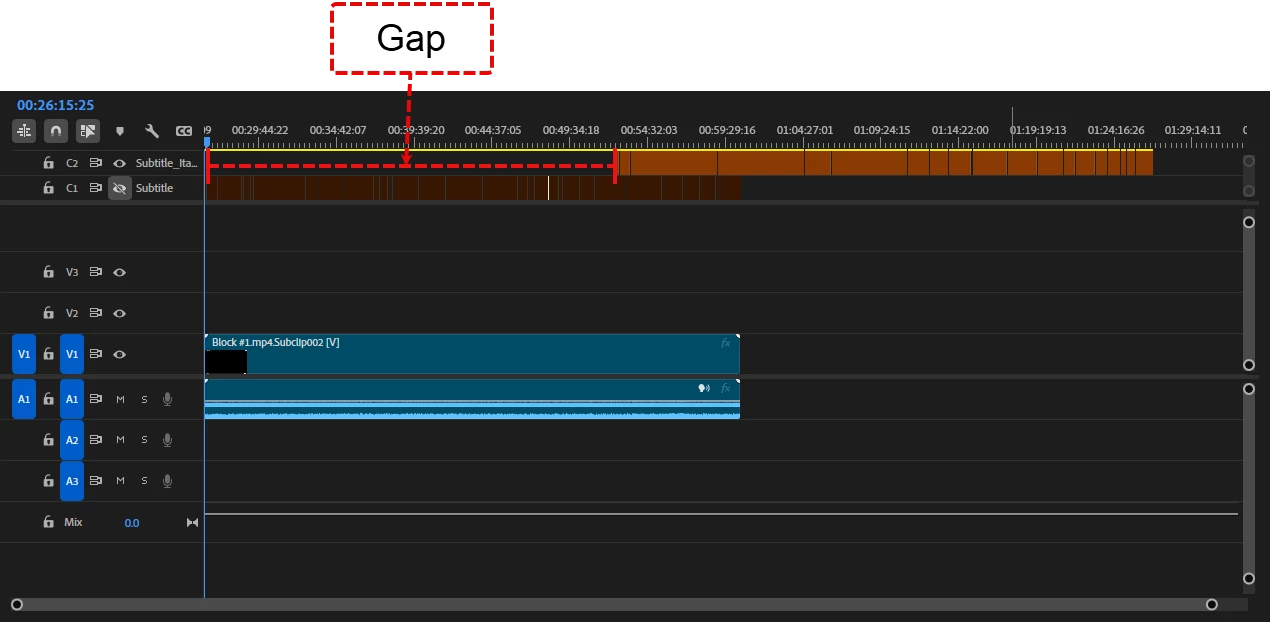
To eliminate the gap, I tried the following methods:
“Ripple Delete,” but it is not available.
Select and drag manually, but I cannot select the entire subtitle.
I don't know of any other methods. How can I eliminate the gap so that the subtitles start at the same time as the video stream?
Translated with DeepL.com (free version)
Thanks



 AdChoices