Participant
December 27, 2023
Question

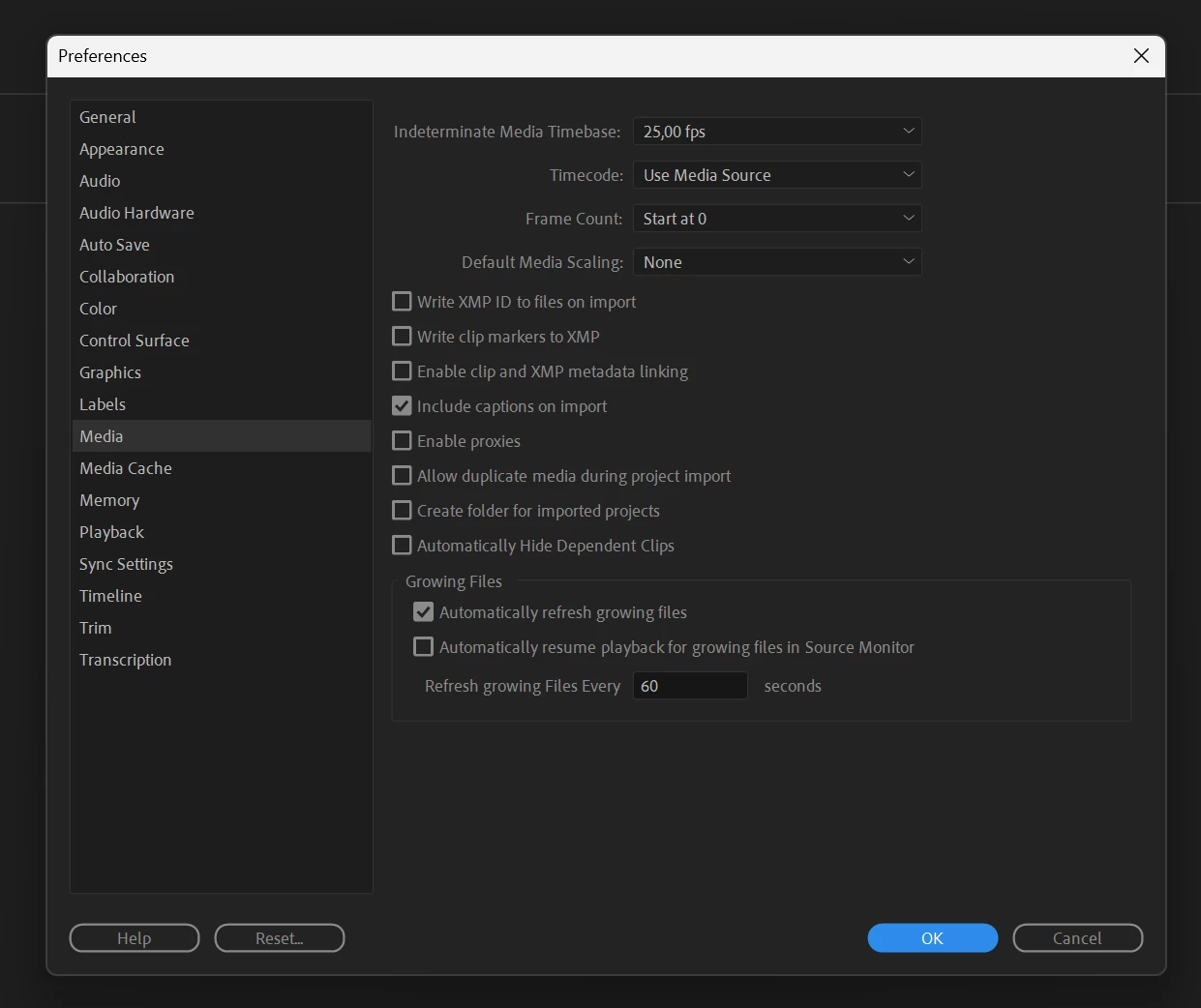
AMD setup missing HEVC/H262 hardware accelerated encoding/decoding

  • December 27, 2023
  • 6 replies
  • 2326 views

Hi there.

I am in desperate need of help, I'm currently on a brand-new AMD Radeon RX 7900 XTX / CPU
AMD Ryzen 9 7950X3D system, but cannot get H264/HEVC hardware accelerated encoding/decoding to function.

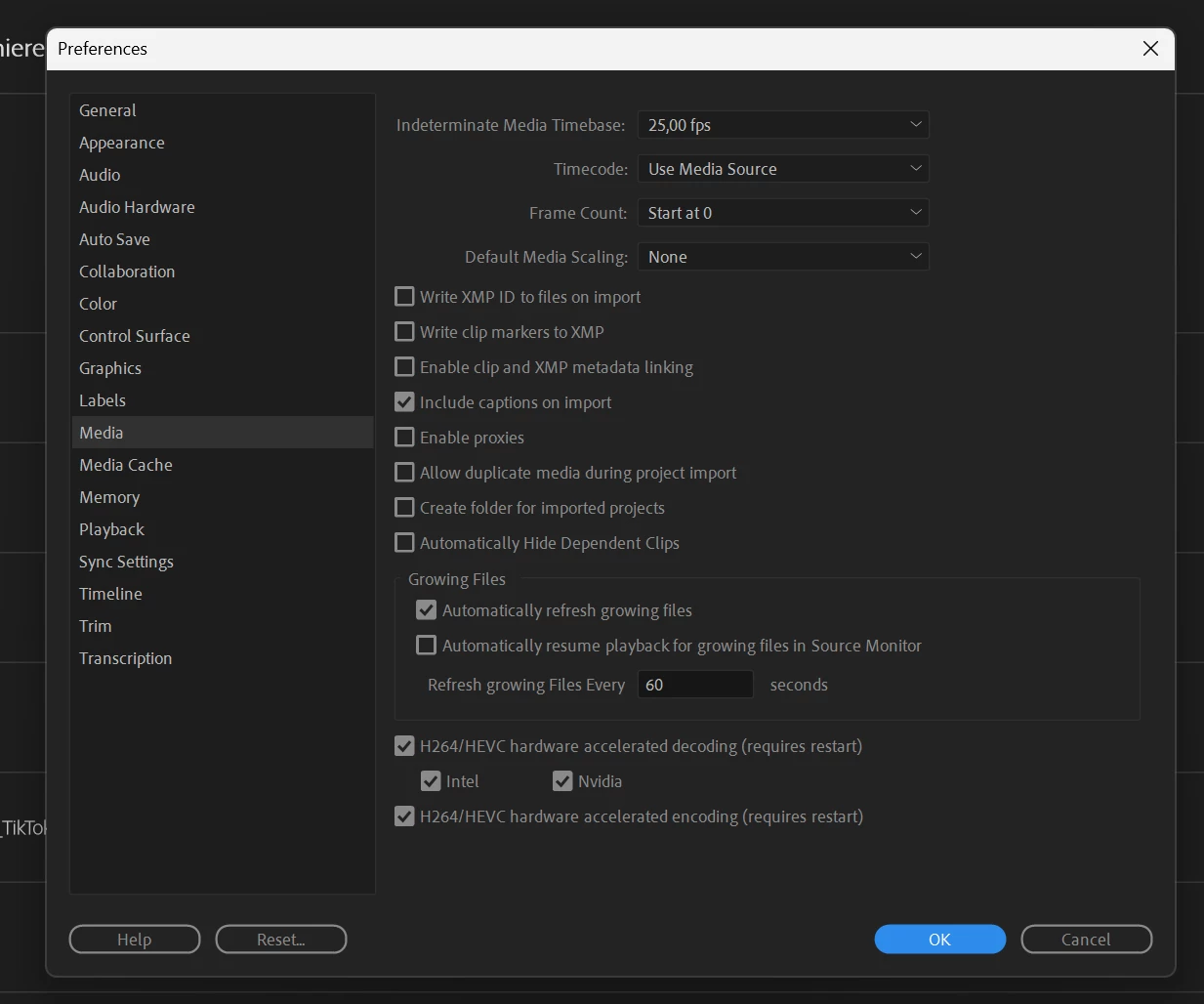
All the latest drivers, and updated Premiere Pro are installed. For reference, I have attached a screenshot of my Intel / Nvidia PC, where hardware encoding/decoding is available.

Has anyone experienced this, or anyone who has a solution for this issue?
need of help.
This topic has been closed for replies.

6 replies

Mia SandAuthor
Participant
December 28, 2023

Har lesson learned. and expensive, sigh.

Thank you for the clarification, guess my oldest son just earned himself one hell of a gaming machine.

Mia SandAuthor
Participant
December 28, 2023

I already tried installing drivers only, without Adrenaline software on top, but that didn't help either.

Legend
December 28, 2023

It appears that you either relied solely on Microsoft Windows Update to update your GPU driver, or you installed the AMD driver improperly. My all-AMD system did show the hardware decoding and encoding checkboxes in the Media window, with the AMD option in the decoding section checked and grayed.


To fix that problem, please go directly to the AMD Web site, and download the latest driver for your RX 7900 XTX. Then, when you run the setup program, please choose the "Upgrade" installation option, and select either the "Minimal install" or the "Driver only" option in the drop box. The default "Full installation" option installs the gaming-enhancing features that actually interfere with the proper functioning of content creation programs.

R Neil Haugen
Legend
December 27, 2023

My first video processing computer was built for me by a guy who was awesome at building gaming machines. All AMD. And ... tanked in Premiere.


I learned after that, to check what Premiere (and Resolve and AfterEffects) like, prior to ordering a machine. Expensive lesson. I used that for only three months before passing it onto the wife to use for her pro stills work. Sigh. And bought another new computer.

Everyone's mileage always varies ...
Participant
December 27, 2023

Breaks my heart, but got the answer I needed, thank you, appreciated.

R Neil Haugen
Legend
December 27, 2023

Unfortunately, AMD does not make any hardware parts needed for "hardware acceleration" of long-GOP mp4 files ... at all. So that is why you don't have that available for long-GOP codecs.


Intel's H and K CPUs have the "QuickSync" hardware built in to them. Their F CPUs do not.


So for any hardware acceleration of H.264, you need a moderately recent Intel H or K CPU.


My desktop is built around a 3960x, with 24 fast cores. Which I need more than H.264 encoding. What H.264/5 I do, if there's enough it's a problem, I can proxy or transcode.


I did stick with an Nvidia GPU ... Premiere prefers CUDA, over anything AMD has.

Everyone's mileage always varies ...