



Announcement: Support for the ARRI ALEXA 35
Update
With the the Adobe MAX 2022 release of Adobe's video apps, both ARRIRAW and ProRes files from the ALEXA 35 are now fully supported by version 23.x of Premiere Pro, After Effects, and Media Encoder.
In v23, playback of ARRIRAW files is not yet GPU accelerated, so higher frame rate and resolution ARRIRAW files may play back poorly. GPU acceleration of ARRIRAW is coming in v23.1 of Adobe's video applications and this version will be available before the end of 2022. A beta version is available now.
In addition to GPU acceleration of ARRIRAW, v23.1 will also add two ARRIRAW improvements:
1. The Lens Squeeze Ratio setting on all ARRI cameras is now correctly recognized by our video apps.
2. The correct log format - LogC3 or LogC4 - is displayed in Source Settings
Adobe and ARRI have worked together to publish a guide on the correct workflow for ALEXA 35 postproduction workflow. This guide is availabe on ARRI's website: https://www.arri.com/en/learn-help/learn-help-camera-system/alexa-35-workflows.
------
The ARRI ALEXA 35 is a 4K Super 35 camera, released by ARRI in August 2022. As with previous ALEXA cameras, the ALEXA 35 supports two recording formats:
- ARRIRAW - ARRI’s uncompressed raw format
- ProRes - Apple's compressed format
Adobe’s video applications - Premiere Pro, After Effects and Media Encoder - support both formats. However, as of September 2022, ALEXA 35 customers should be aware of some limitations.
ARRIRAW
The ALEXA 35 uses an updated version of ARRI’s ARRIRAW format. The updated format is not compatible with Adobe’s released video applications. The next version of Adobe’s applications will support the updated ARRIRAW format. Beta versions of the applications are already available via Adobe’s public beta program. More information about this program is here: https://helpx.adobe.com/x-productkb/global/creative-cloud-beta.html
ProRes
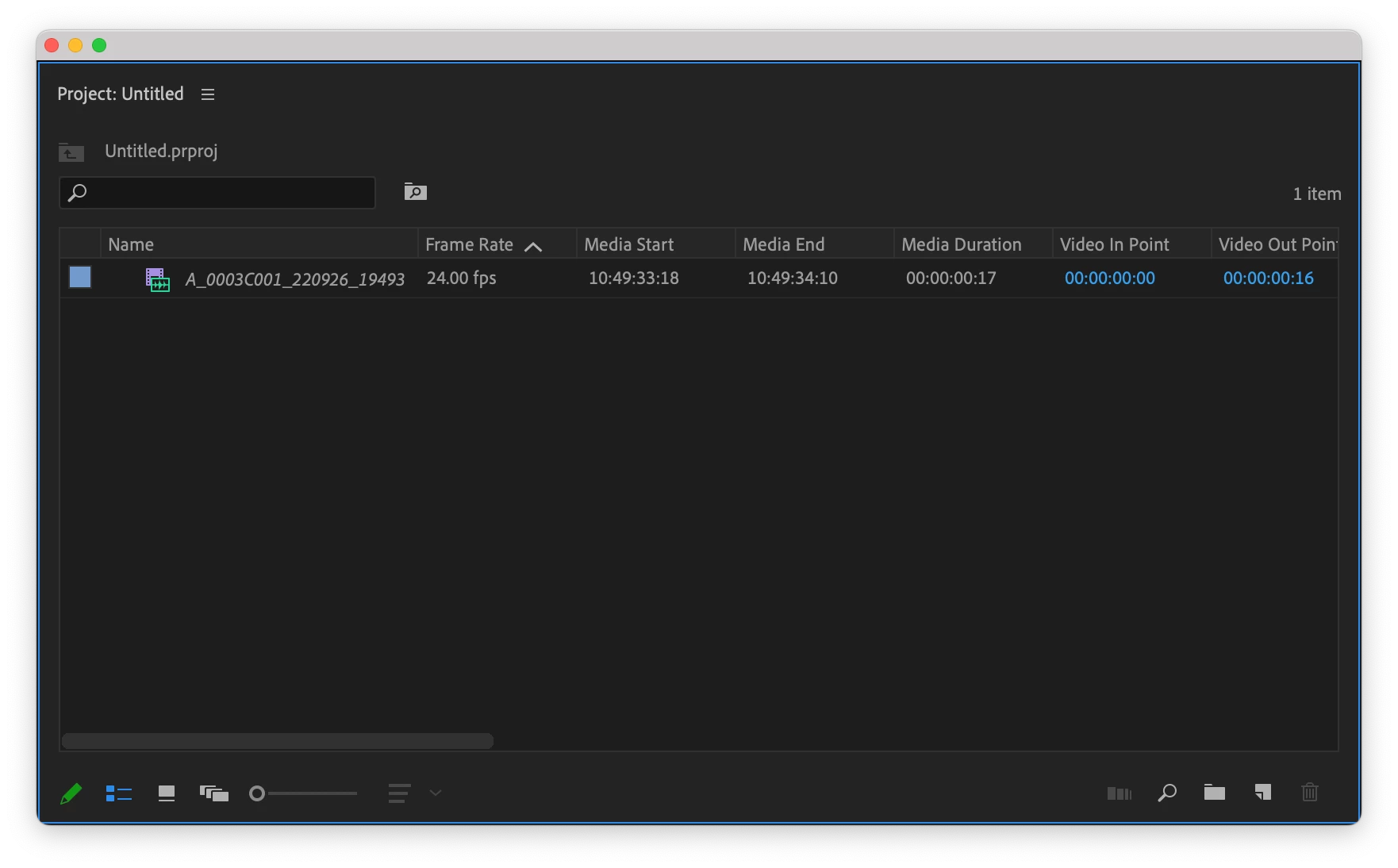
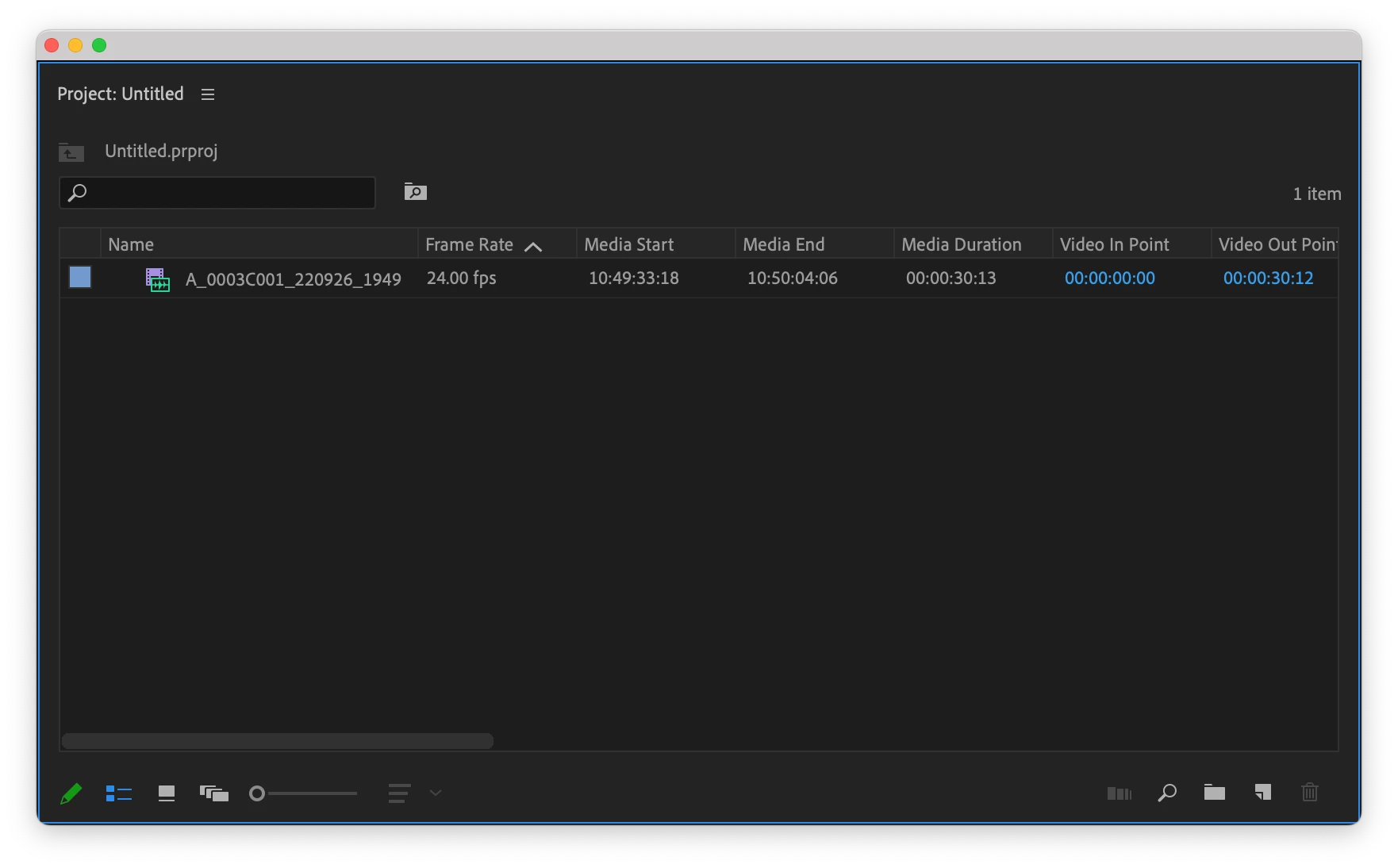
ProRes files created by the ALEXA 35 are compatible with Adobe’s video products. However, current versions may temporarily display these ProRes files with the incorrect media duration.
Immediately after importing a ProRes file from the ALEXA 35, the name of the clip will be displayed in italics. After a short time, the name will automatically update to be displayed normally, the media duration will increase, and the clip can be used without problem.
On import:
After update:
ProRes files from the ALEXA 35 use the MXF container, for including rich metadata about the file. With the ALEXA 35, ARRI metadata for both ProRes and ARRIRAW files now conforms to two SMPTE standards (RDD 54 and RDD 55).
This change in how metadata is stored causes Adobe products to initially interpret ALEXA 35 ProRes files with an incorrect duration. In the next version of Adobe’s apps, ALEXA 35 ProRes files will be interpreted correctly as soon as they are imported. Until then, customers should either ensure that they wait until ALEXA 35 ProRes clips have been interpreted correctly or use the beta versions of our video applications.
ARRI cameras before the ALEXA 35 stored metadata in a different way and already work correctly in Adobe products.
 AdChoices