
ninose11
Inspiring
September 16, 2025
Answered

any image i double click in my timeline shows up cropped in my source monitor - is this normal???

  • September 16, 2025
  • 1 reply
  • 83 views

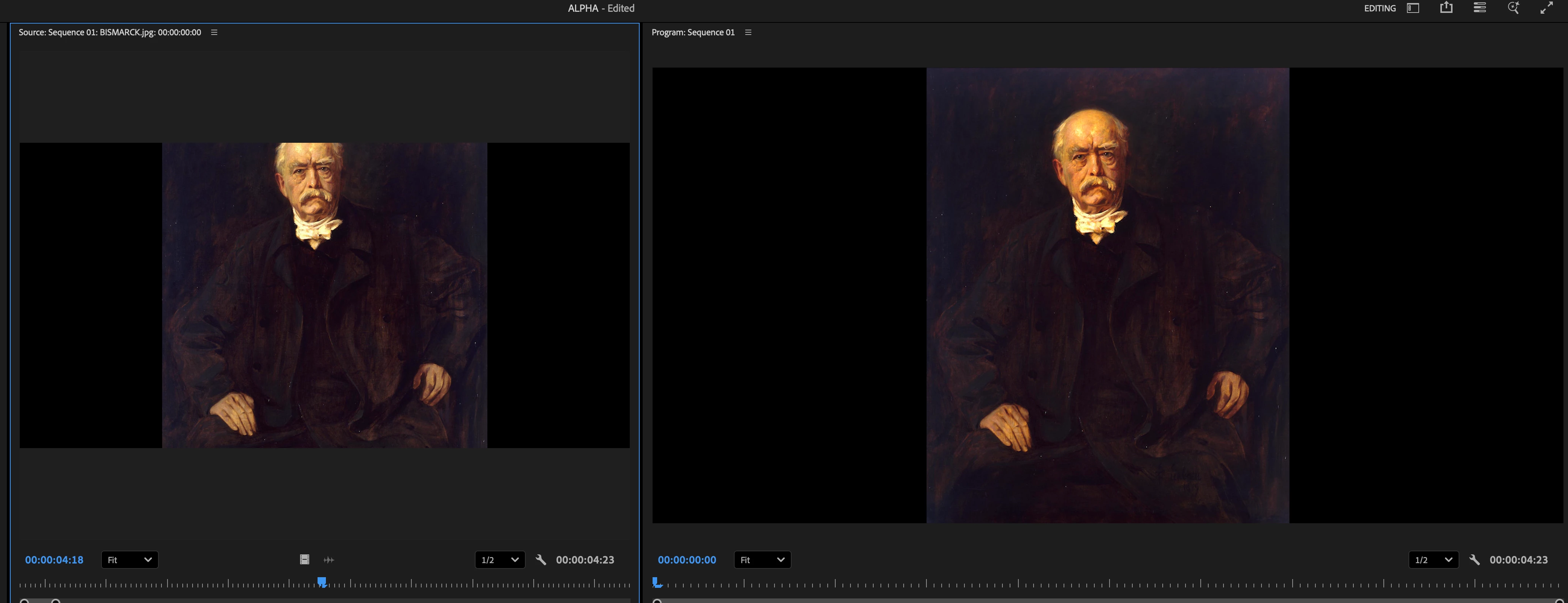
Not sure what's wrong with my setup but when i double click any image in my timeline, it shows up cropped in my Source Monitor. I've never seen this happen before, is this normal? How can I make sure that when I double click my images in the timeline, they show up in the source monitor fitted into the frame instead of cropped off?
 

Correct answer PaulMurphy

When you double-click an image in the timeline, you’re opening the sequence instance of that clip. This means it appears in the Source Monitor according to the sequence’s frame size and settings, not the file’s original dimensions.

If you want to view the clip in its original state, use Sequence > Match Frame (or simply press F). This will load the source clip into the Source Monitor with its native properties.

1 reply

PaulMurphyCommunity ExpertCorrect answer
Community Expert
September 17, 2025

When you double-click an image in the timeline, you’re opening the sequence instance of that clip. This means it appears in the Source Monitor according to the sequence’s frame size and settings, not the file’s original dimensions.

If you want to view the clip in its original state, use Sequence > Match Frame (or simply press F). This will load the source clip into the Source Monitor with its native properties.