
Participant
June 3, 2025
Question

Anyway to make "slow-mo" footage appear to play at normal speed?

  • June 3, 2025
  • 3 replies
  • 325 views

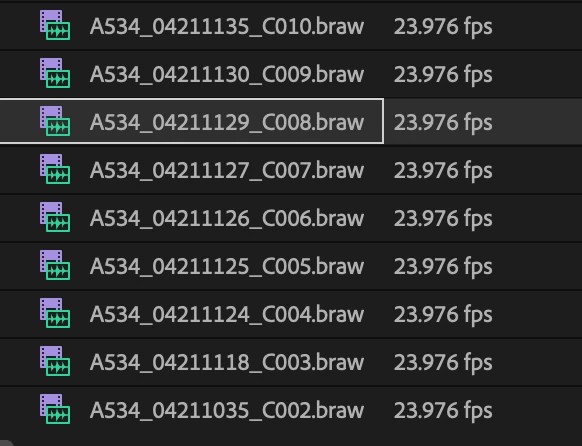
The footage should not be in slowmotion, nor should it have been shot in slow motion. I doubt this was what the DP was aiming for either, but I have no way to contact them. Premiere is reading the footage as 23.976 fps. I have to speed up the footage about ~250% to make it appear somewhat normal speed. This is making the footage such a pain to deal with. I tried changing the sequence settings to 60fps to see if that does anything, but unforuntately it doesn't. Any advice?
 

3 replies

R Neil Haugen
Legend
June 3, 2025

BlackMagic cameras have an HFR mode ... high framerate ... which the user can set to a speficif fr, then invoke by simply pushing a button. The DP may have had the camera on HFR without knowing it.


An easy way to figure out how much change you need is to put a new clip on a sequence, see where the audio file ends, as the audio is not sped up, and 'shorten' the video track to match the end of the audio track. That should get you a number, and you simply select all the other files, and apply that speed change to them.

Everyone's mileage always varies ...
Community Expert
June 3, 2025

It sounds like you've found a solution. You could nest it after you do the speed change and then bring the nest in from the project panel whenever you need it.

Peru Bob
Community Expert
Community Expert
June 3, 2025

Just a longshot:

Try Preferences > Audio Hardware and set Input to None.