

APC_INDEX_MISMATCH BSoD caused by Premiere Pro booting after updates
So I have a ASUS GL551JW-DS71 with GTX 960M Running Win8.1 and Premiere.
Monday night at 2am (PST) in the middle of an edit PP starts to slow down - which usually means CCloud is updating something in the background. In the past the solution was to close up everything, look for missing/updated drivers (I use Driver Manager) and start again.
Everything went smoothly - all updates done...then I tried to fire up PP - and during initialization:
BSoD: APC_INDEX_MISMATCH
Updated PP to latest version - same thing
Rolled back the updates - same thing
Uninstalled/Reinstalled PP and CCloud - same thing
Boot in safe mode - same thing
RESET THE WHOLE DAMN SYSTEM - 5 hours reloading programs, updated everything to latest drivers - same thing
Disable GPU - same thing
Illustrator works FINE - everything else FINE - Just PP and when I was of course on deadline (already cost me $2k in lost business)...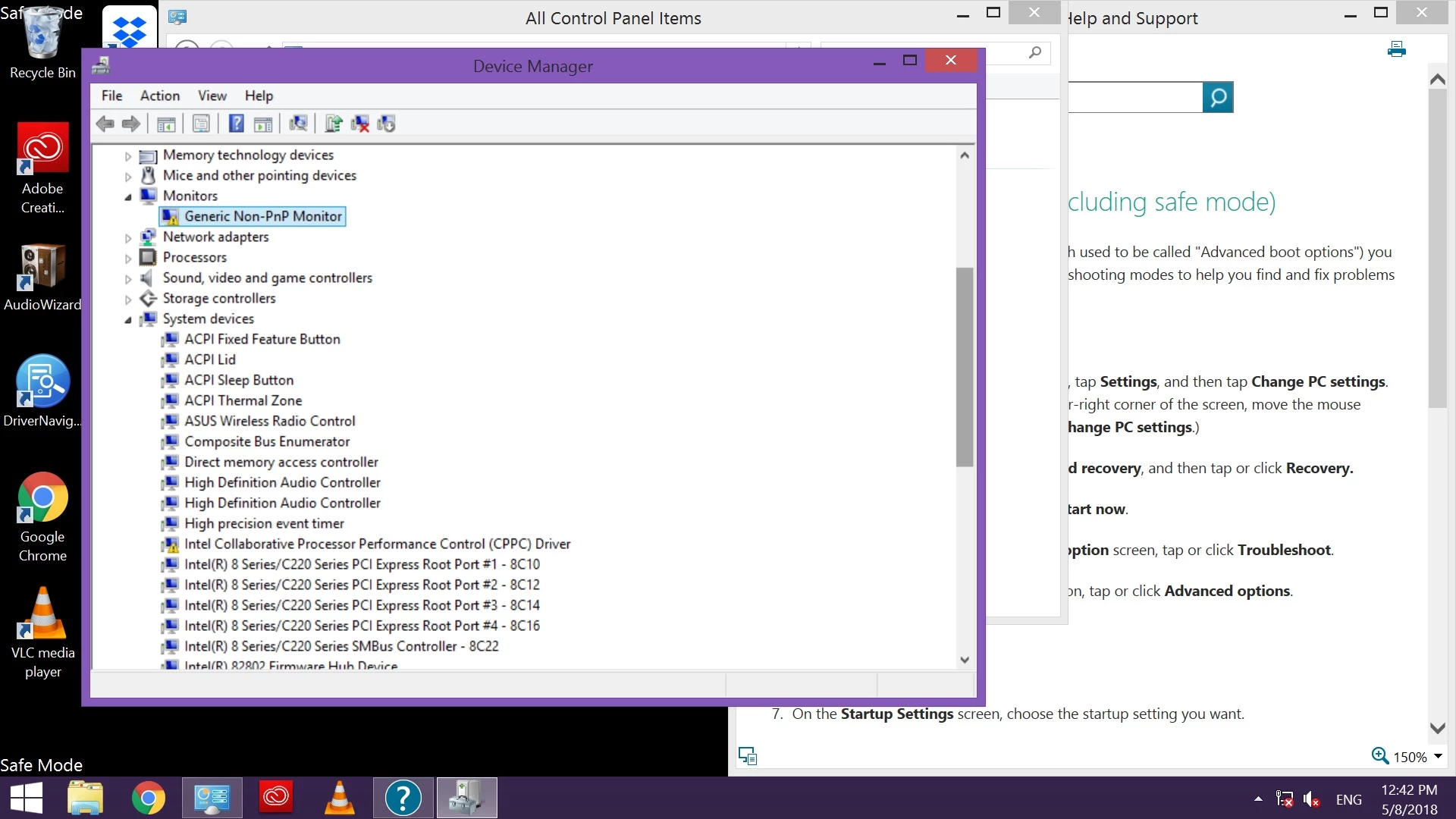
The ONLY thing I can see out of line is that when in Safe Mode there are two yellow exclaim marks saying that the 'Generic PnP monitor' and Intel Collaborative Process Performance Control (CPPC) need updates - when you try to update it says "drivers are up to date" - see above picture.
I spent 7 hours in 5 sessions on Windows help desk trying to fix...they're stumped and suggested Adobe help - but of course there isn't a human to talk to about this...
Is this a dead PC or just dead to Premiere? i7 Chipset, 16GB RAM, GTX 960M no longer enough to even fire up PP?
I'm going effing MENTAL here.
 AdChoices