Artifacts in HEVC/h.265 clips when exported to After Effects
Hello everyone,
just before the release of update 22, I was so happy with my Fujifilm XT4 and everything was going great, I was super satisfied with the 10 bit color depth and how much the f-log recorded files were giving.
But along came the 2022 update and I confidently installed it and watched in horror as the color depth of my clips seemed to go from 10-bit to 4-bit or less judging by the tremendous digital artifacts that appeared thereafter.
Anyway I read that there was some problem in the new update with HEVC color rendition and the proposed fix only worked in premiere. But clips exported to after effects still had the same problem. So I decided to uninstall the 2022 update and continue with the 2021 update with which everything was perfect.
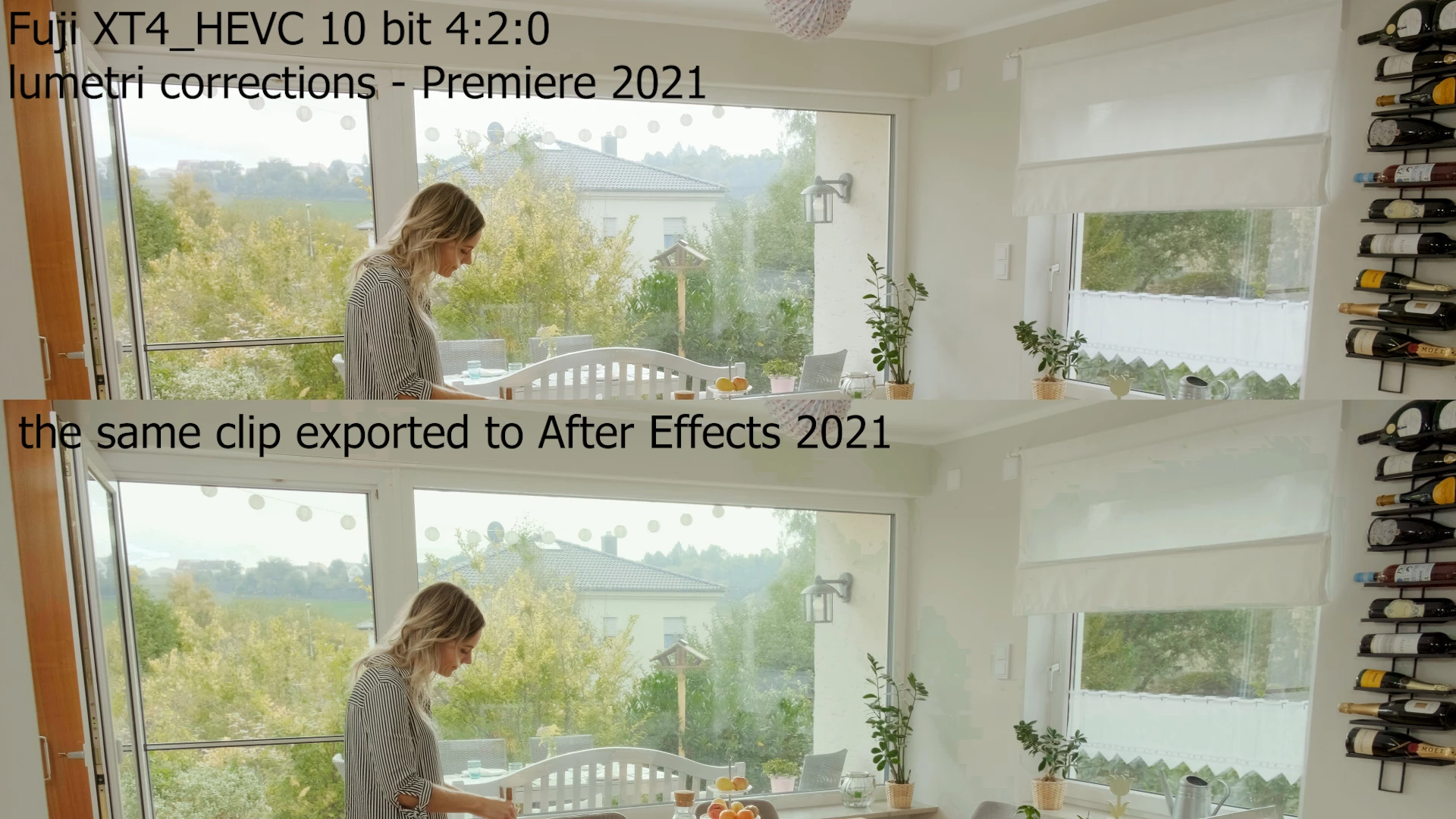
Surprisingly the problem is still there. The perfect image in premiere 2021 is full of artifacts when exported to After Effects, as you can see in the attached image.
So please help me to see how I can fix it. I wonder if anyone has encountered the same problem.
thank you all in advance
 AdChoices