Known Participant
November 2, 2016
Question

Attempting To Use Lemetri After Direct Link/Speedgrade Has Been Killed Off

  • November 2, 2016
  • 2 replies
  • 922 views

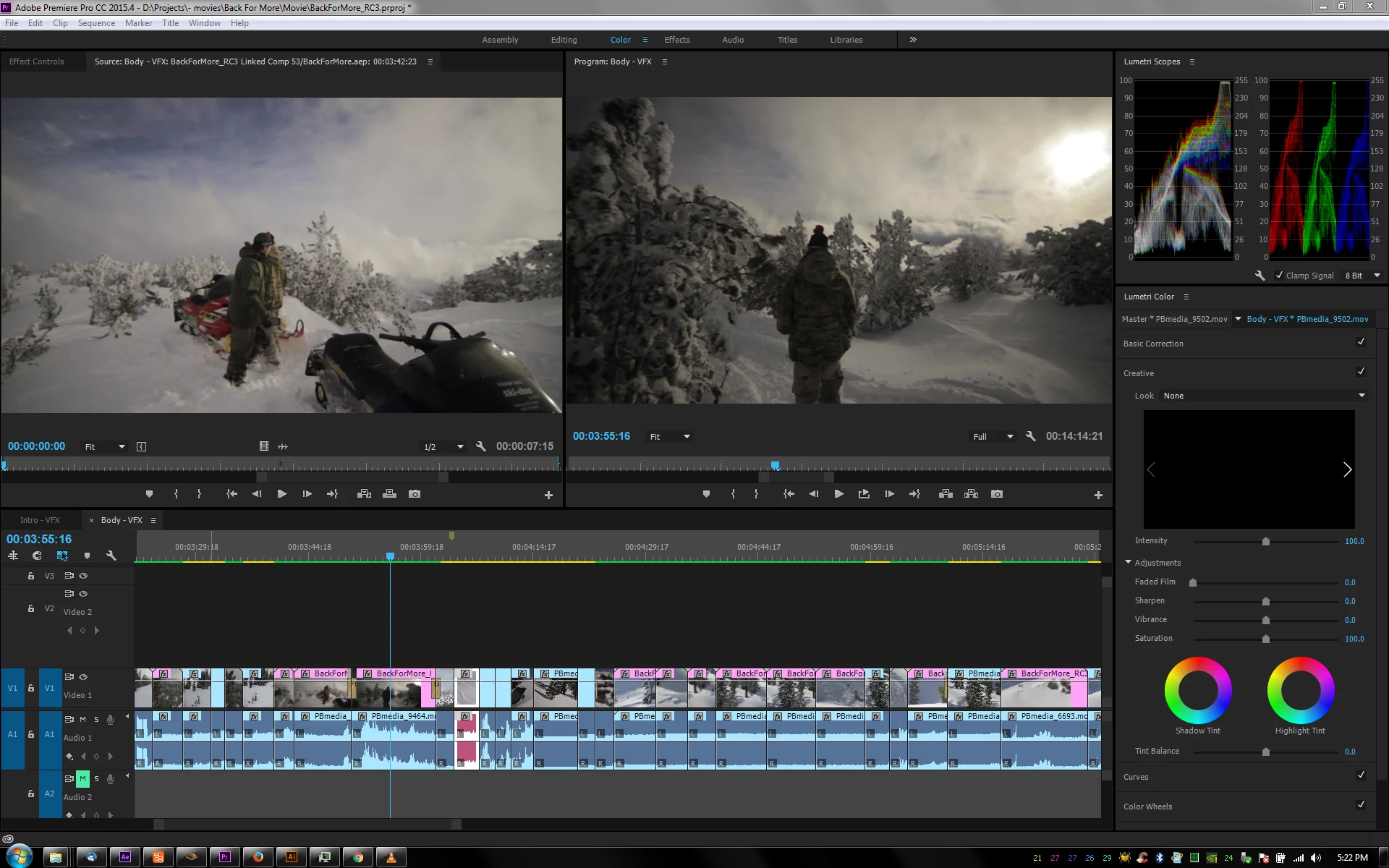
What makes me the most angry about this rude change in my workflow is that there is no 2up/3up views using Lumetri. I thought I found a workaround using the Reference Monitor, but it sucks.

I thought double clicking a clip in the sequence to send it to the source monitor would work, but it shows the original clip w/o effects. When you have the source monitor closed and instead try to use the reference monitor (which actually shows the clip with effects), double clicking a clip opens the original in the source monitor. So you have to do an extra click to change over to the reference monitor.

Is there a way to use the reference monitor only w/o the source monitor showing up?
Edited for content: don't use profanity, even when you only use initials.

This topic has been closed for replies.

2 replies

PatBranchAuthor
Known Participant
November 2, 2016

I just discovered that you can't add standard LUTs to the dropdown menu... you have to browse each time. According to this - https://mixinglight.com/portfolio/adding-technical-creative-luts-to-the-lumetri-color-panel/ , you can't just add them to the appdata folder because they have to be .look files.

R Neil Haugen
Legend
November 2, 2016

I'm using two monitors, and normally use the second (better) one for Program monitor. Had to create a custom workspace with a new panel that I put on that monitor full-screen, that has Source, Reference, and Program monitors on it. Source I only use for say showing a snapshot type thing, and normally keep very minimal. Reference is the shot I'm matching to, and Program the one being graded.

Have to turn off the second display option in the prefs to run this, but ok, takes a couple seconds.

With a single monitor you can set up both Ref and Program side-by-side and use that for the purpose. Just takes a bit of workspace customization.

No, it ain't great shot-matching, but it kinda sorta works. You can click in the Reference monitor and get the Lumetri scopes on that image, click back in the Program monitor and the scopes show that ....

Neil

Everyone's mileage always varies ...
chrisw44157881
Inspiring
November 2, 2016

it gets even better... you can't have scopes for two different things at the same time(to, you know, match things via scopes. I modified a windows capture program to create "virtual windows" in premiere. and to top it all off, lumetri doesn't have master hue rotation to fix skin tones...

PatBranchAuthor
Known Participant
November 2, 2016

Yeah, I noticed that...