


Participant
March 19, 2025
Answered

Audio Channel Turn Into Pink

  • March 19, 2025
  • 1 reply
  • 240 views

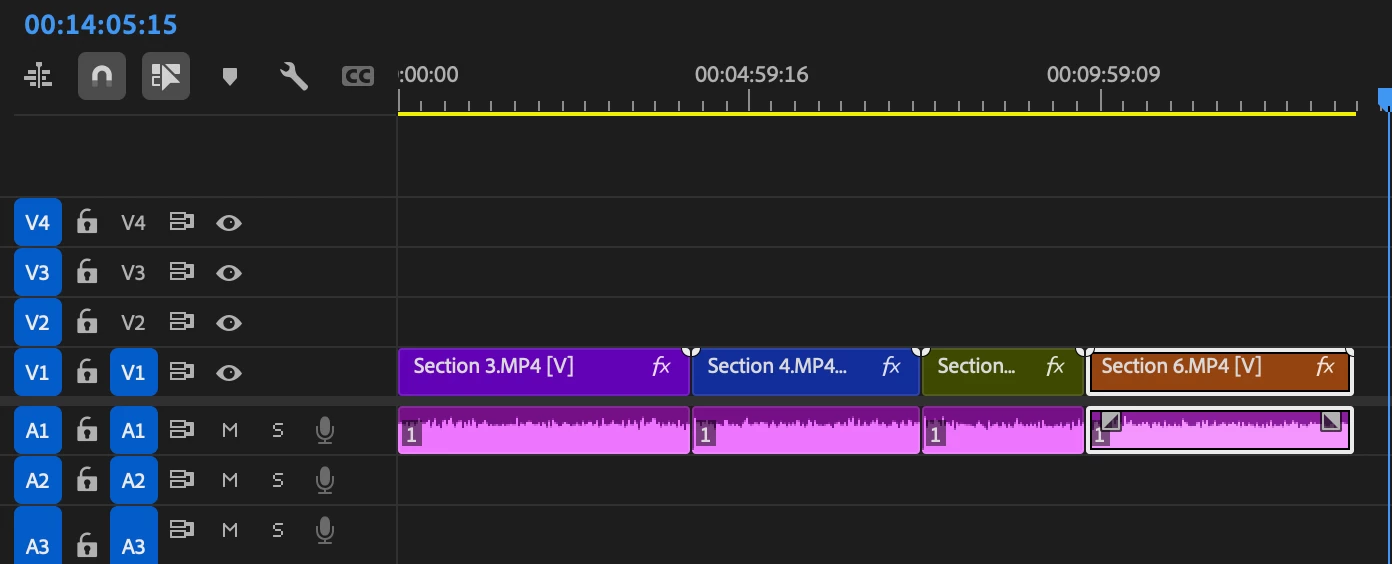
Hi I uploaded my footage to the timeline and give all of them different colors and there aro no effect, plug in etc on them (just lumetri color on the video) and once I use the razor tool and click for a cut it turns all my audio channel to this color, doesn't happen all the time though. Anyone has experienced this or have any solutions?
I am using Aode Premiere Pro Version 25.1.0

Correct answer Ann Bens

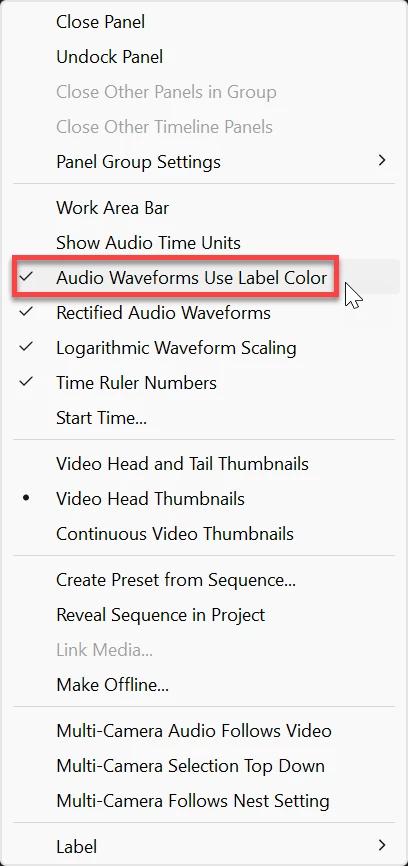
Hamburger menu timeline>


On a side note: you do not upload footage to Premiere or the timeline: you import or ingest.

Uploading means: Send files from your computer, smartphone, tablet or other digital device to a website on the Internet or to another device.


1 reply

Ann Bens
Community Expert
Ann BensCommunity ExpertCorrect answer
Community Expert
March 19, 2025

Hamburger menu timeline>


On a side note: you do not upload footage to Premiere or the timeline: you import or ingest.

Uploading means: Send files from your computer, smartphone, tablet or other digital device to a website on the Internet or to another device.


tubaakgunAuthor
Participant
March 19, 2025

Thank you for the help! And English is not my first language so little mistakes happen from time to time, thanks for the reminder!