

rasterblaster99
Inspiring
October 27, 2023
Question

AUDIO CHANNELS becomes MODIFY CLIP

  • October 27, 2023
  • 6 replies
  • 590 views

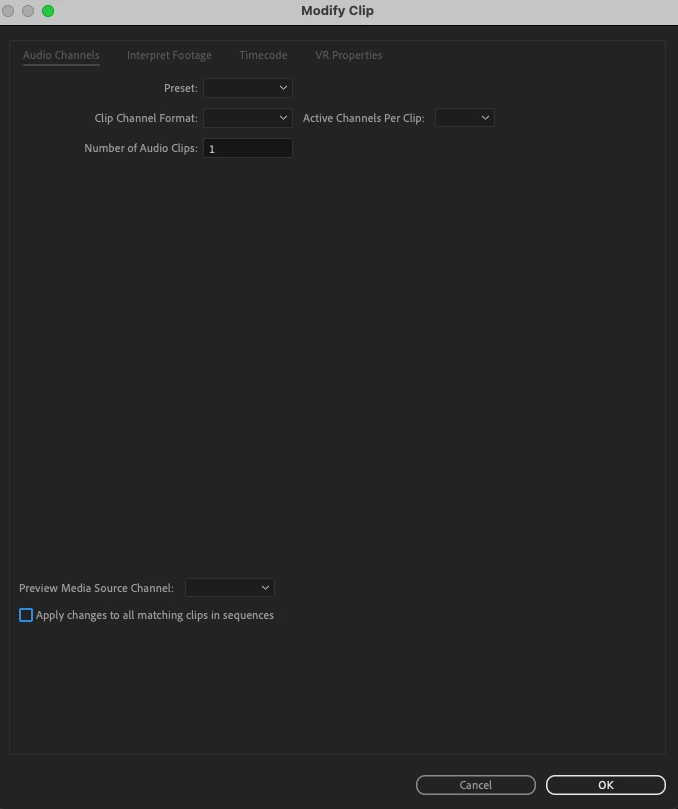
Remapping audio is usually very easy - just right click the track and hit AUDIO CHANNELS. Easy. But after a while that box no longer appears and it takes you to MODIFY CLIP which will not allow audio channel remapping. Only way to fix it is to shut down the project and open it up again. It works properly for a while and then the same thing happens. This is what I see when I click Audio Channels:
 

This topic has been closed for replies.

6 replies

Remote Index
October 28, 2023

Related post (unresolved).


R.

Nate Boerman
Participating Frequently
October 27, 2023

@rasterblaster99 ,

Thanks for letting us know.  If the problem persists, please feel free to contact us.  If you have any team project related issues, we do have our own community forum that we regularly monitor. 

https://community.adobe.com/t5/team-projects/ct-p/ct-team-projects?page=1&sort=latest_replies&lang=all&tabid=all

-Nathan

rasterblaster99
Inspiring
October 27, 2023

I think I've discovered the problem. It was audio from a nested sequence that started off as mono and was mistakenly transposed to stereo in creating the nested sequence. Consider this resolved.

Nate Boerman
Participating Frequently
October 27, 2023

Hey there.  

Lets start off with this, invite me to the team project nboerman@adobe.com and let me see if I can see anything funny without the media.  Is it happening with specific clips or is it just the amount of time you spend in the team project?


-Nathan

rasterblaster99
Inspiring
October 27, 2023

Working in a Team Project. Using Premier 23.6.  It's a massive project. Not sure how I could sent it to you. Some clips will show the Audio Channels option and some it is grayed out. 

Community Manager
October 27, 2023

@rasterblaster99 

Are you working in a Production?  Could you send me the project and the location of the affected clip?