
Question
Audio clips on videos aren't appearing after I create a timeline
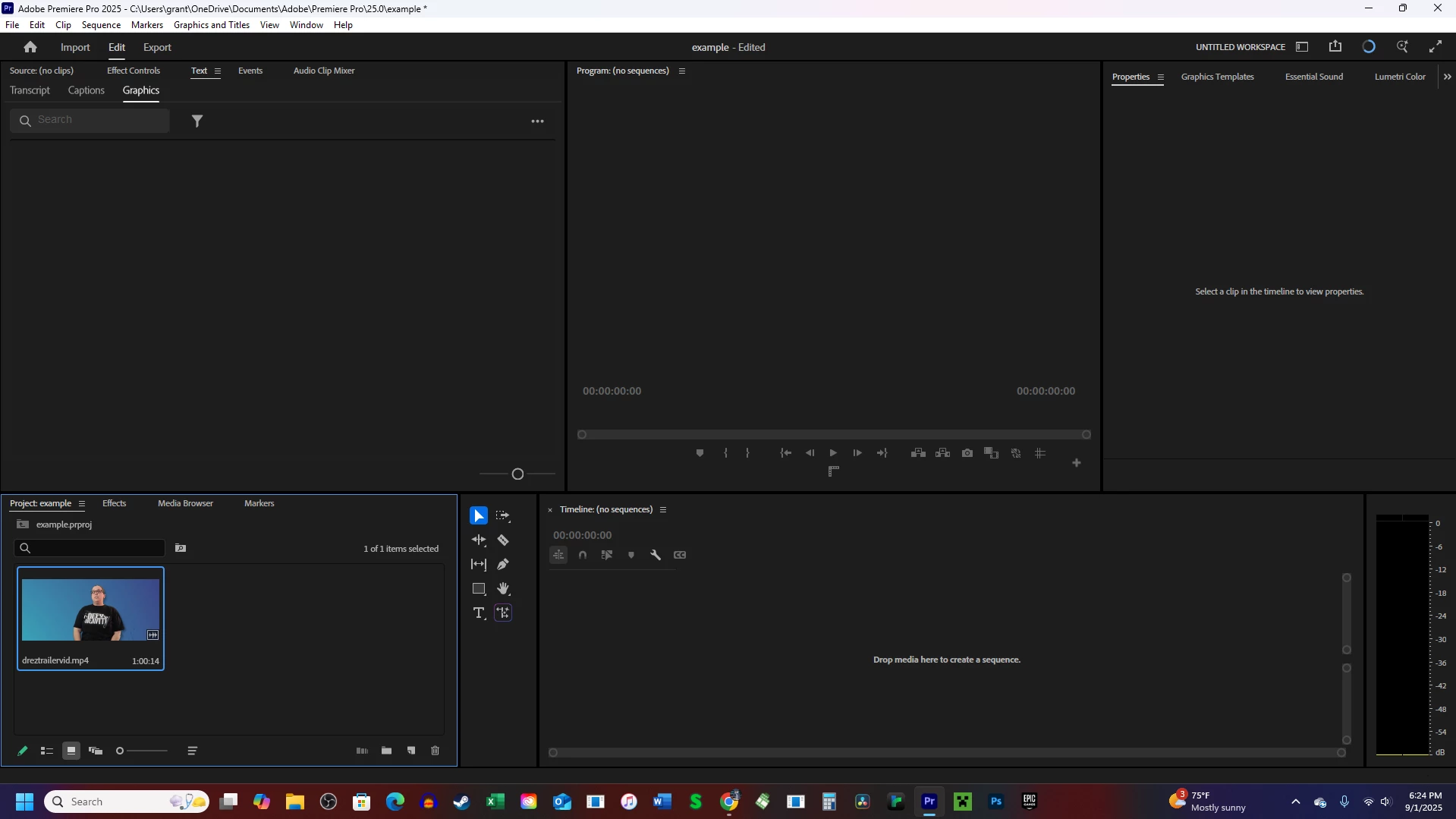
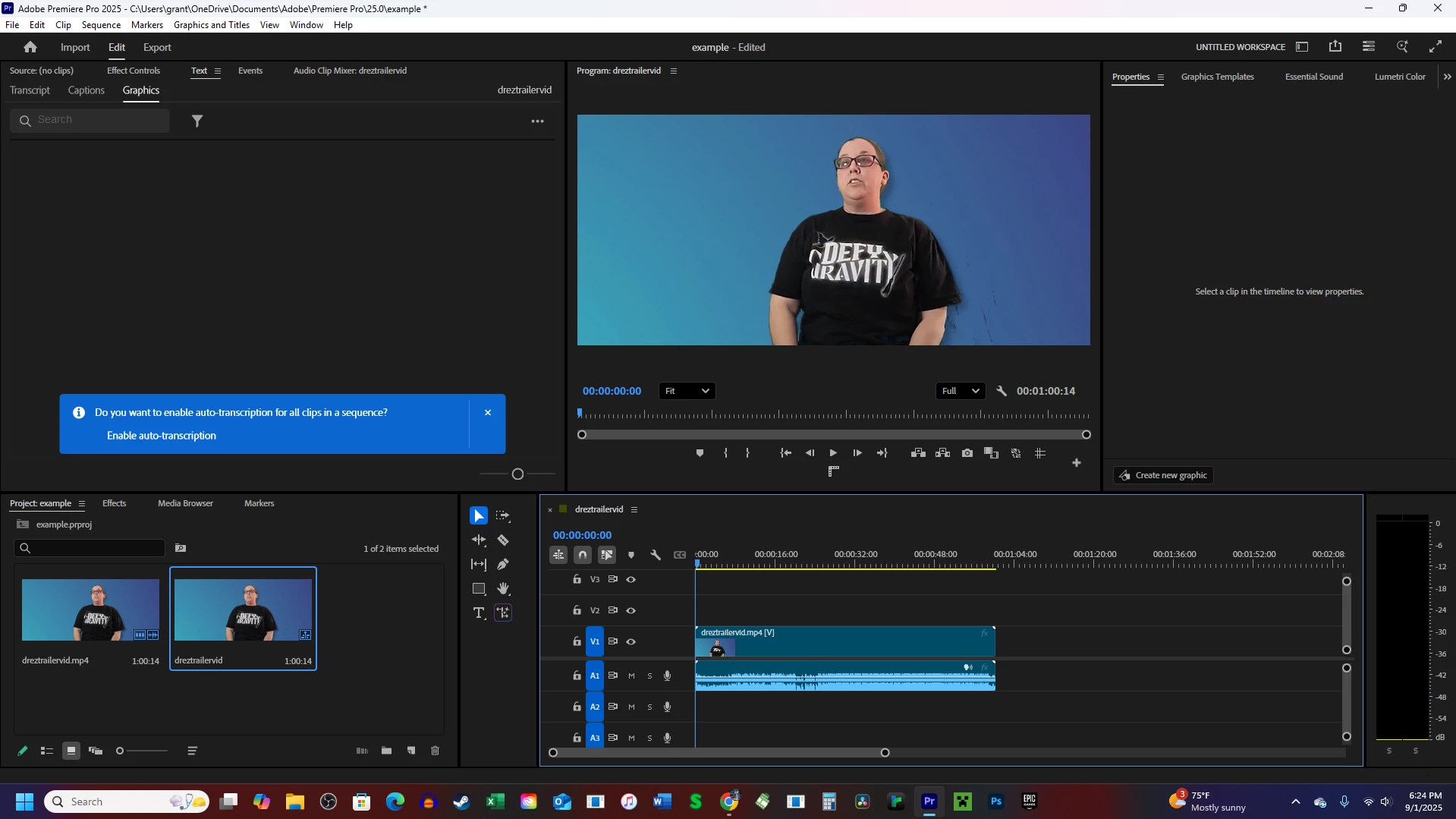
I searched it up and found the same answer for a similar problem (click A1) but it wasn't mine. Basically, if I drag in a clip to make a new timeline, the audio comes too.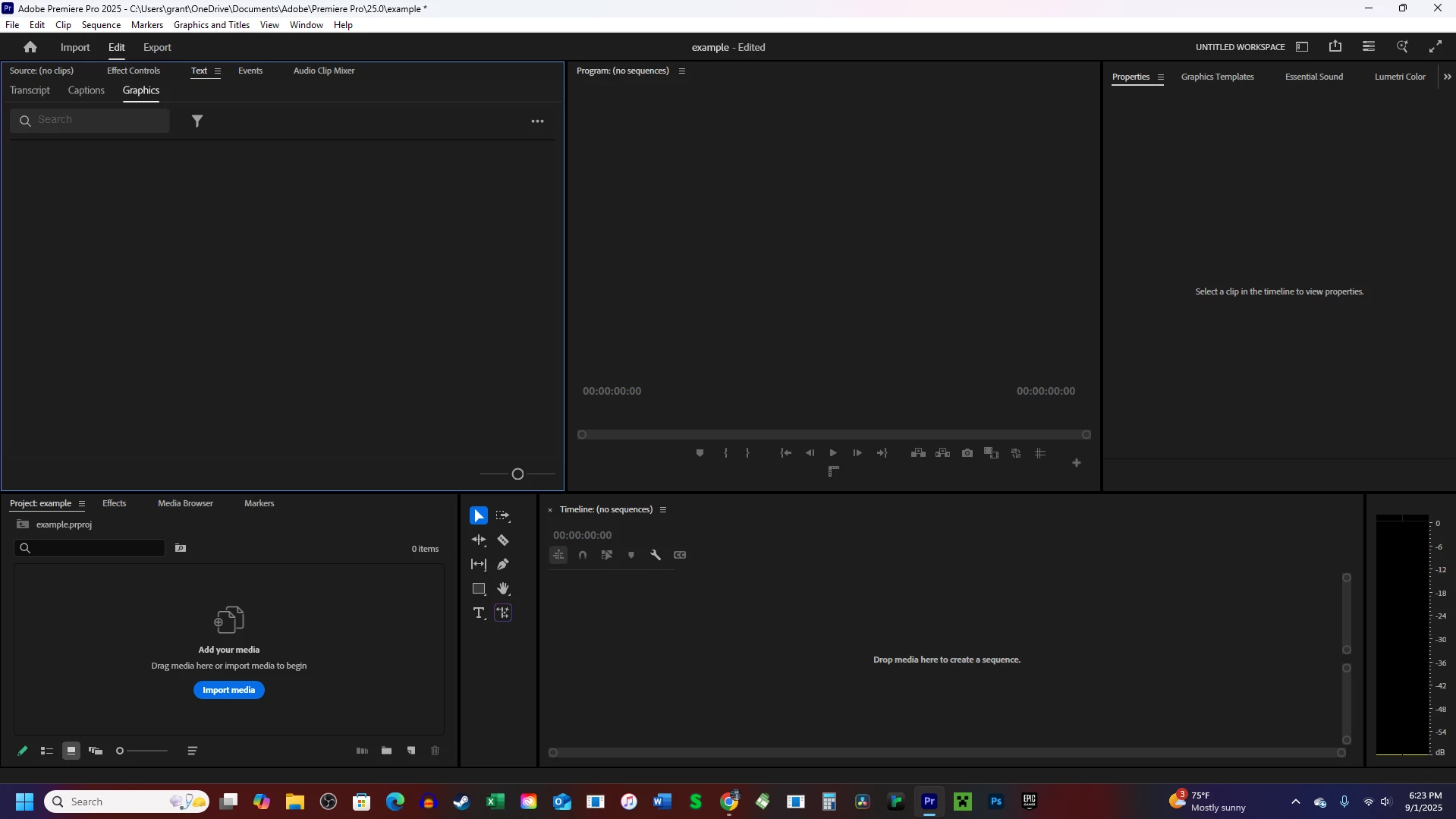
But when I drag in another track, the audio clip does NOT come.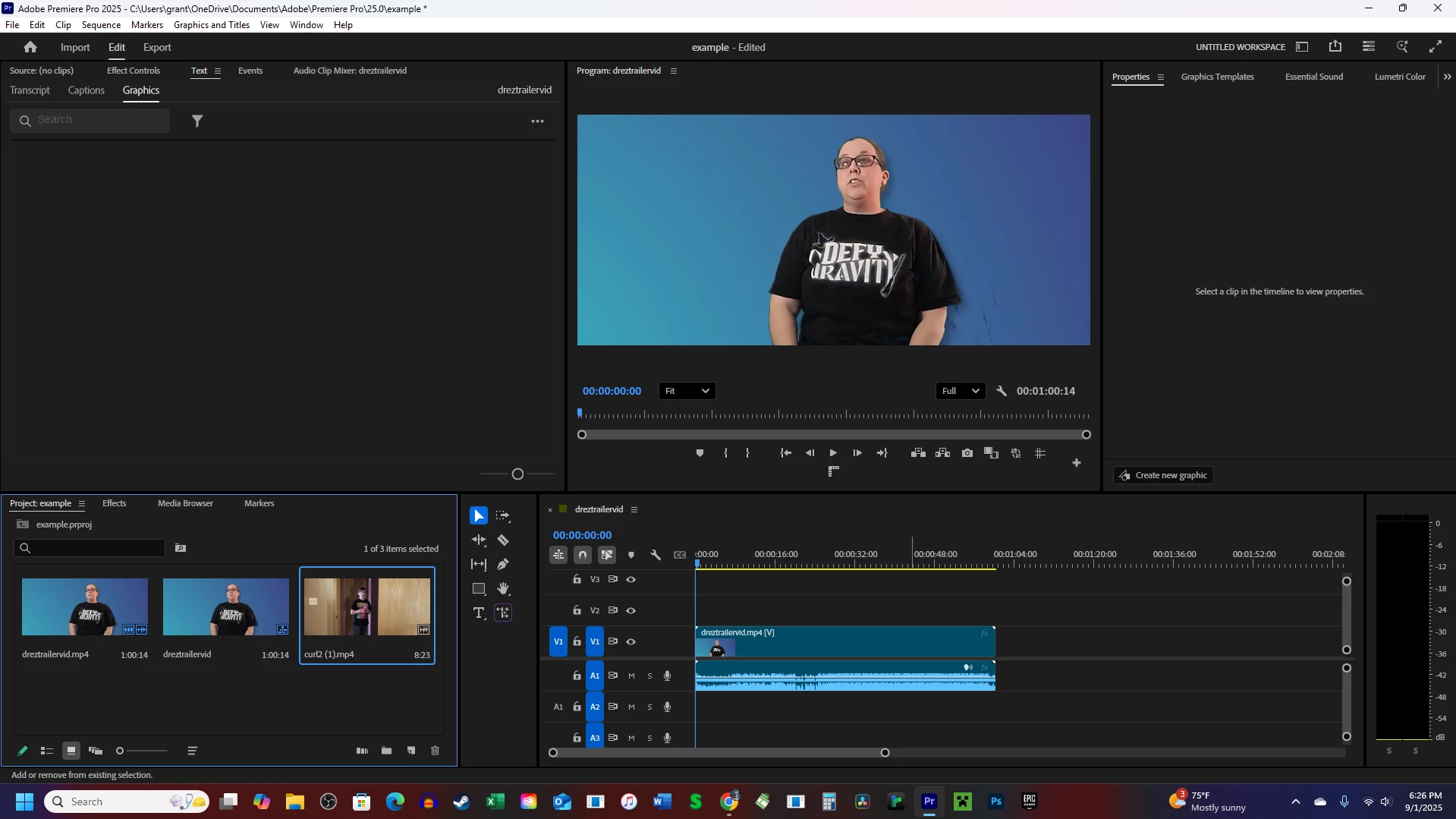
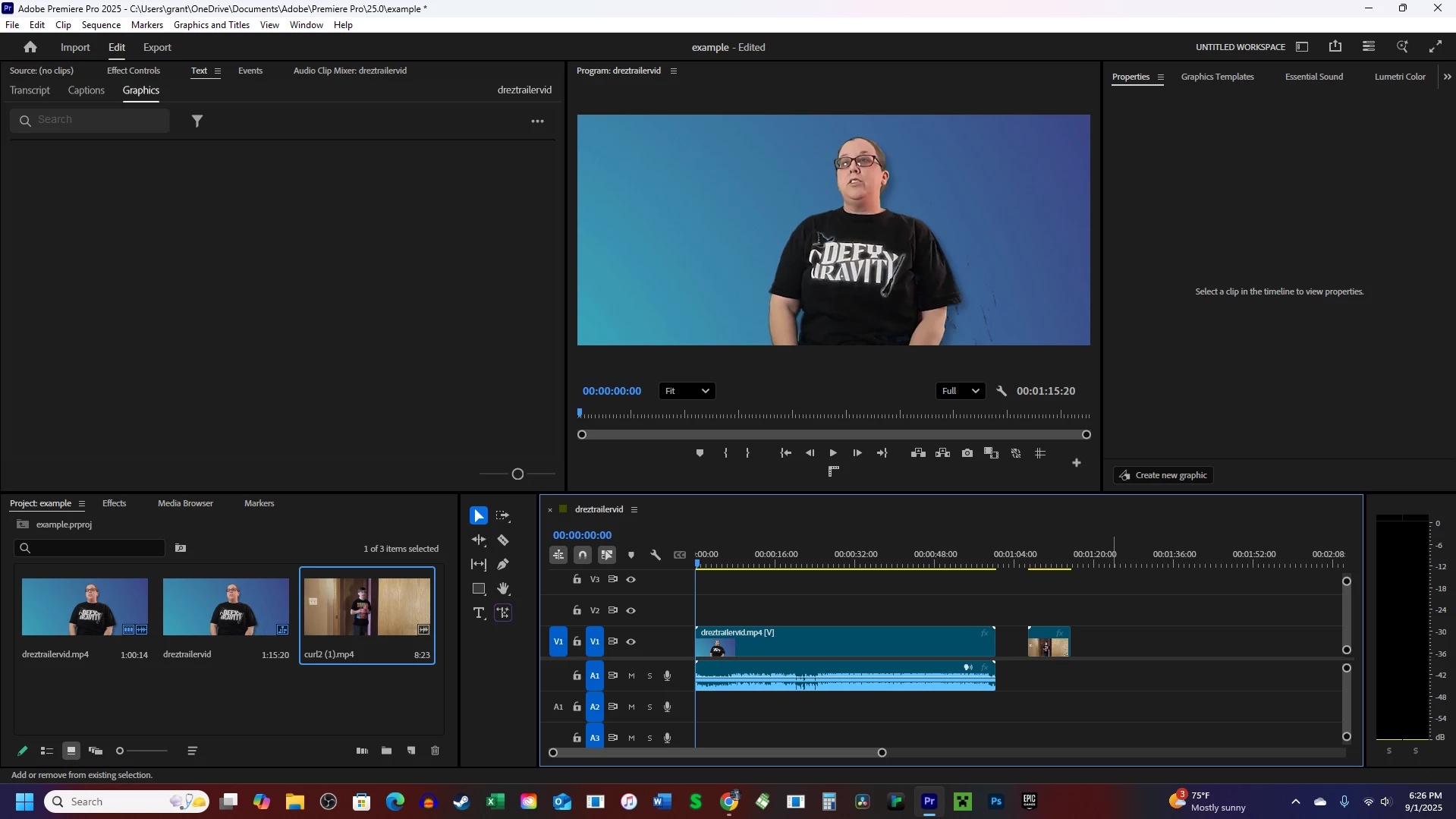
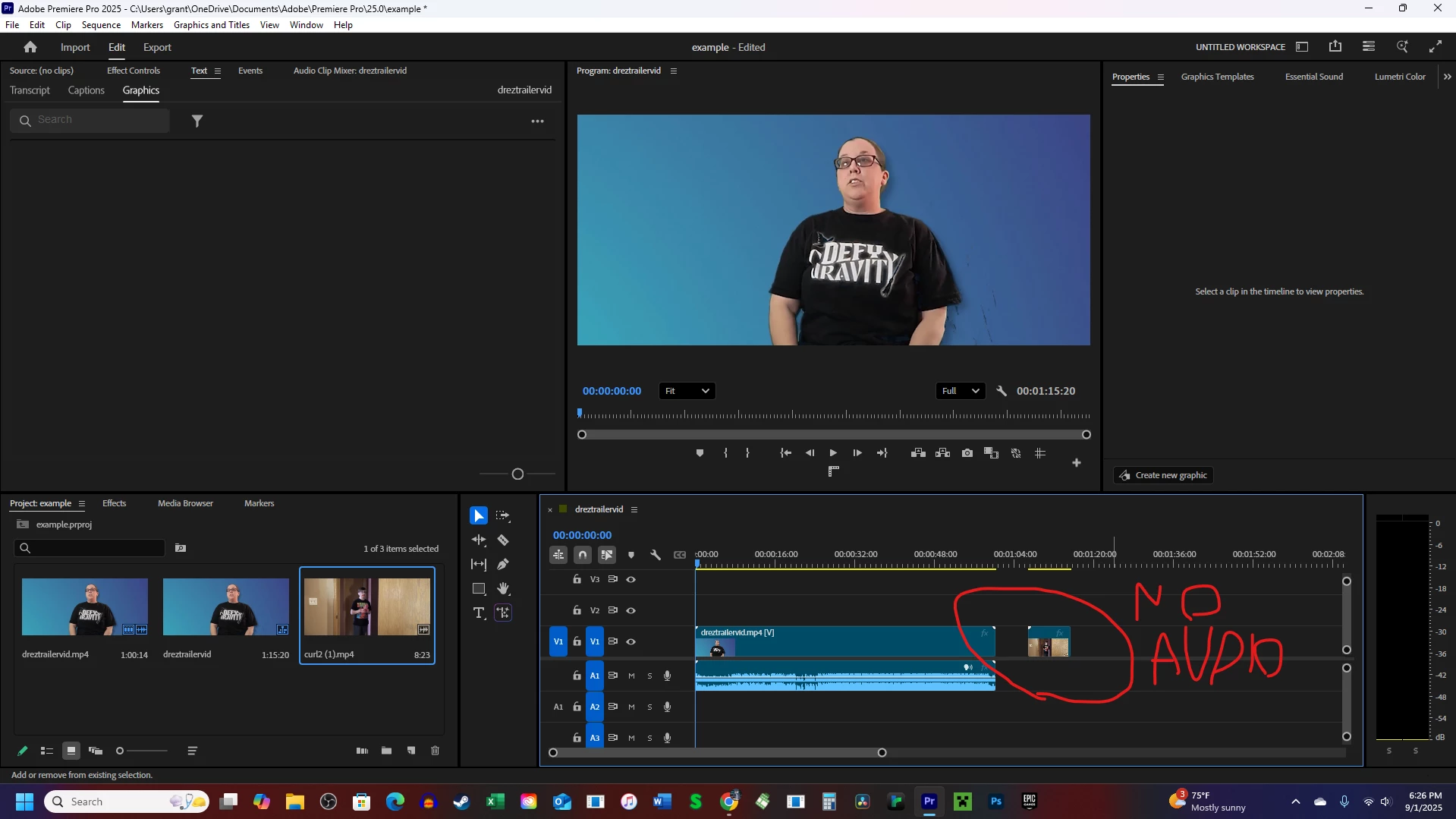
I've tried restarting my PC, uninstalling then reinstalling the app, etc. Nothing works. And my problem seems to be uncommon, as I can't find anything on it. PLEASE help if you have experienced this before. It's annoying, especially since I help make promotional videos for a local company, so editing is a big part of my life.


 AdChoices