
Audio compressed automatically on import
When I import audio files into Premiere Pro, they're automatically compressed (and very poorly, at that).
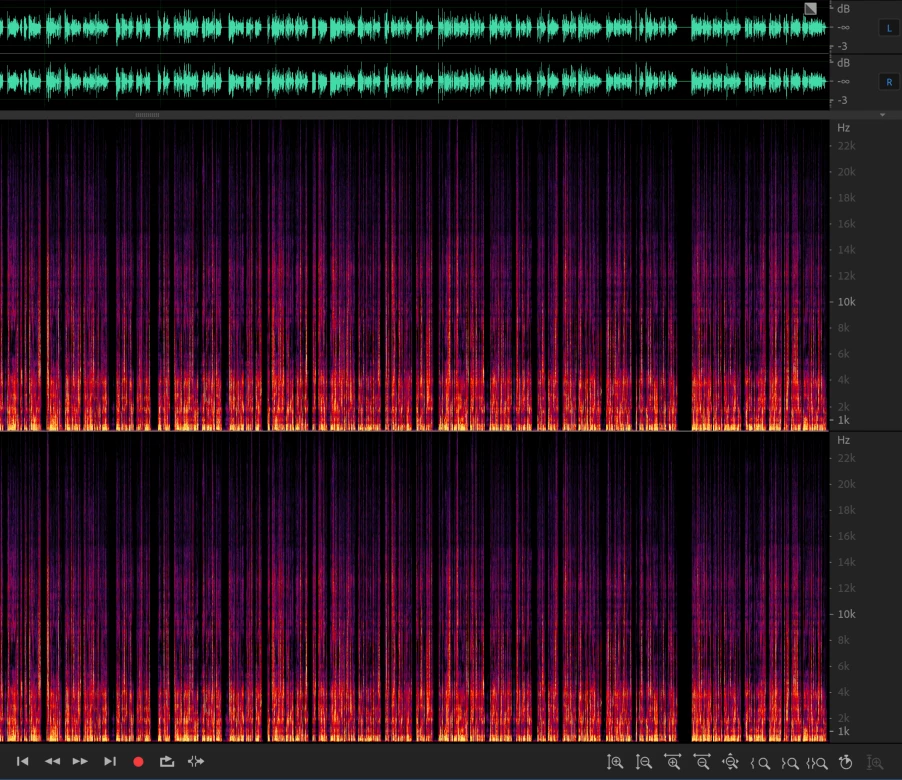
The WAV file upon export from Audition, going up to 22kHz:
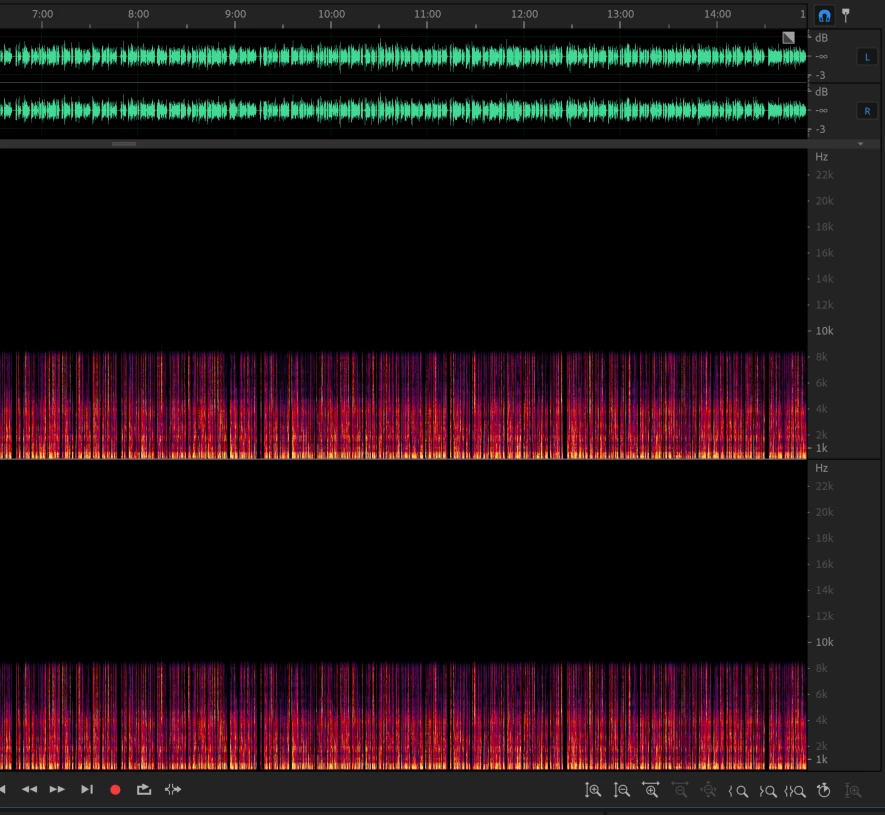
That same WAV file after it gets imported to Premiere, lopped off at 8kHz:
I can't find any settings that would affect this, either in Premiere or anywhere else. The first time this happened I thought I'd messed something up with the project, but it keeps happening in new projects. I don't have any plugins active. I have done nothing to the file except import it.
The compression happens on import, no matter where I import from, no matter what type of file (WAV, MP3, stereo, mono, recorded by me or by someone else). I open the audio file with a media player, it sounds great. I pop it into Premiere, it turns awful, as evidenced by the above pictures when I open it in Audition.
I uninstalled and reinstalled Premiere, tried shutting off other audio input tracks, but the issue persists.
I'm on the latest version of Windows 10 Enterprise, but none of my colleagues with the same system and software have the same issue.
It's not a hardware issue (at least in the capacity sense); my processsor is 12th Gen Intel(R) Core(TM) i9-12950HX 2.30 GHz with 128 GB RAM. The computer is new, though, and I have only had the issue on this machine.
What am I missing?
 AdChoices