
Audio Crossfades Center on Cut
The Apply Audio Crossfade Transition and Apply Default Transitions to Selection commands in Premiere no longer apply crossfades centered on the cut point. This was a default and expedient part of my workflow in Premiere that has changed after the update to Premiere 24. Please see the screenshot below for details.
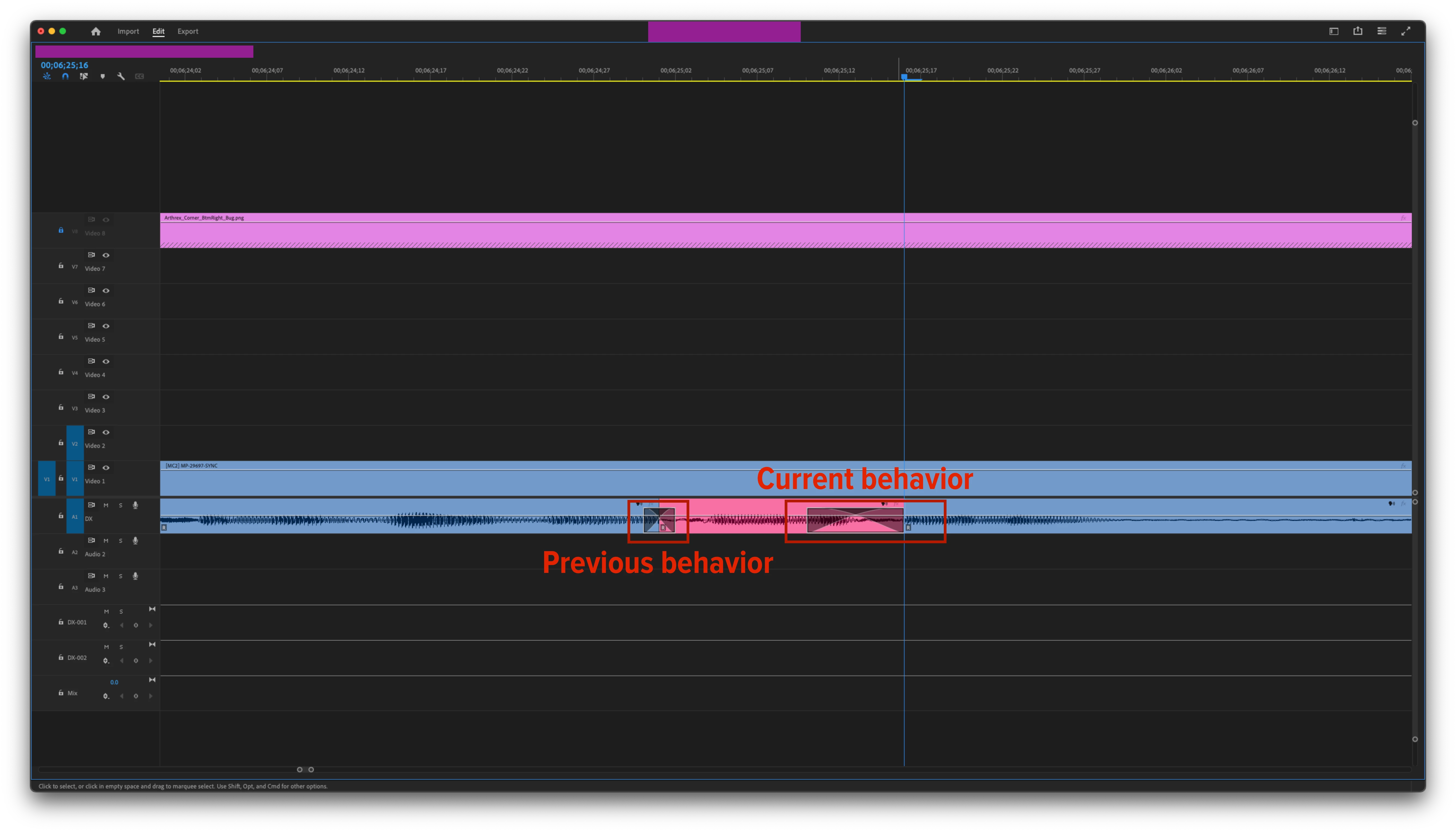
My previous workflow was as follows.
1. Target the audio track
2. Press X to apply an audio crossfade centered on the cut point
3. Repeat for each cut point that needed a crossfade
Now, my workflow is
1. Target the audio track
2. Press X to apply an audio crossfade centered on the cut point
3. Click and select the crossfade.
4. Navigate to the Effects Control panel.
5. Select Alignment > Center at Cut
6. Repeat for each cut point that needs a crossfade.
This isn't a sustainable workflow and seems to be an update bug.
I am currently running macOS Ventura 13.3.1 and Premiere Pro 24.6.1 (Build 2)


 AdChoices