Question
Audio ducking features greyed out - not working
Audio ducking is not working in a new project I am editing. Only the dialogue tag is working - the others are greyed out and I cannot select them. Any ideas? Screenshot attached.
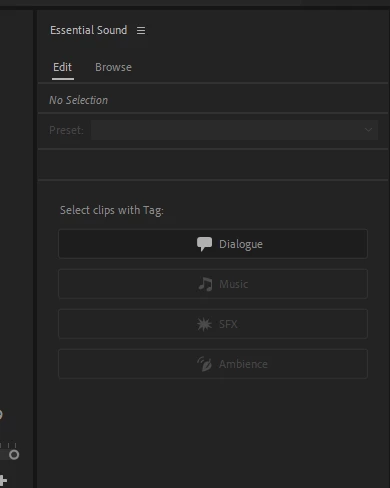

Audio ducking is not working in a new project I am editing. Only the dialogue tag is working - the others are greyed out and I cannot select them. Any ideas? Screenshot attached.
Already have an account? Login
No account yet? Create an account
Enter your E-mail address. We'll send you an e-mail with instructions to reset your password.


 AdChoices