Audio in timeline reset to 0:00 for every cut
After doing a long 30 minute cut of a podcast, saving it, then re-opening days later, the audio track is reset in a way where every cut plays the audio back from the start of the file instead of where it should've been cut.
It's difficult to explain, but here's a screenshot showing audio clips playing from the beginning at each cut.
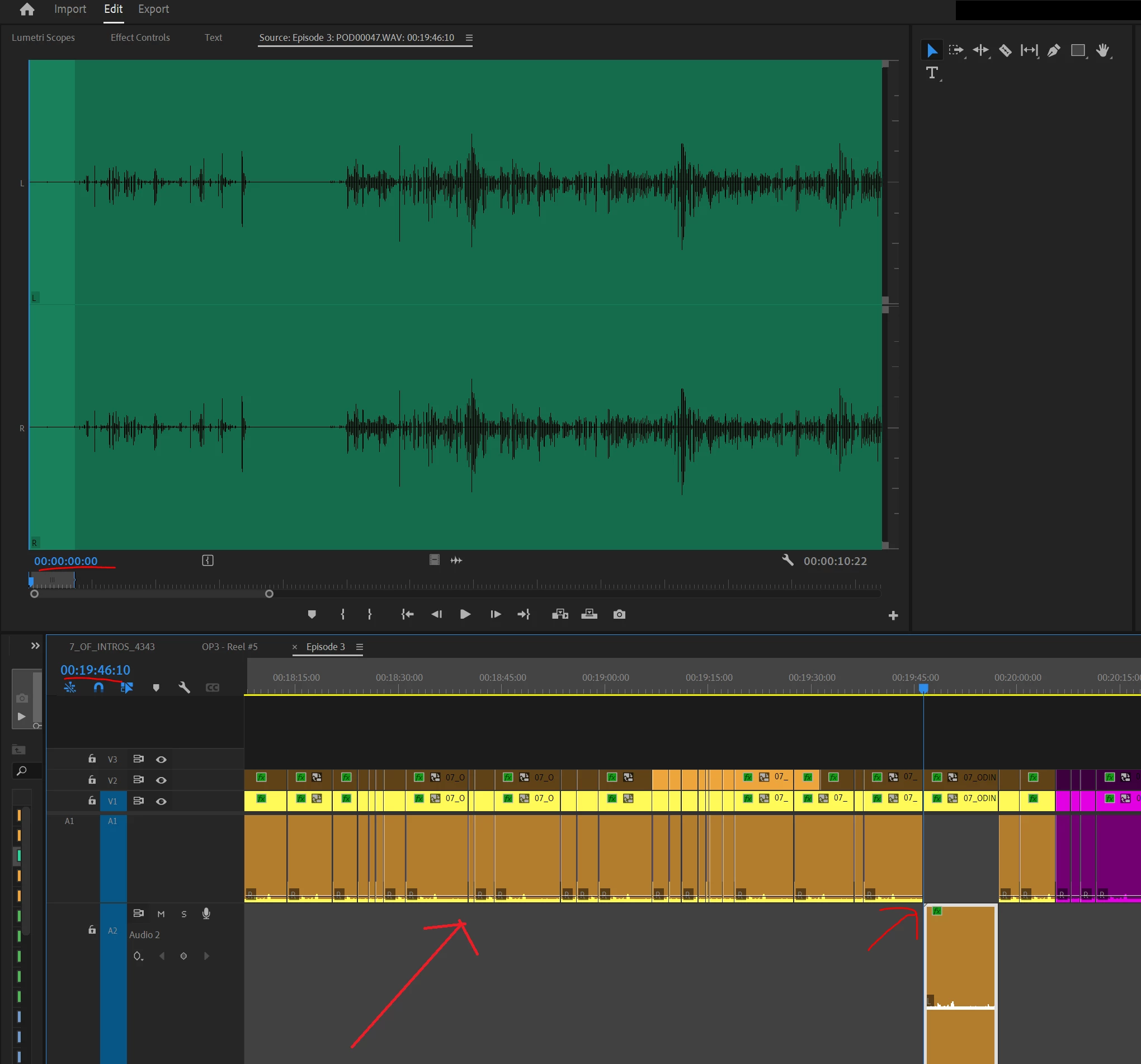
The audio file is a separate WAV file synced to the camera at the beginning of editing.
I've never this encountered before, couldn't find it online, cannot replicate it, and it seems to happen at random. Resetting the device, trying different versions, cache clearing, and reinstalling all have not worked in solving the issue.
This happens to all auto-saves and backups too. I've also ruled out being a specific device issue as once this happens to a project, it stays this way on different devices including the auto-saves which are not even opened by the first device the issue happened on.
These projects are worked on in a Dropbox folder, however this hasn't happened in the past 3+ years. Rewinding the folder to before the bug happens, moving it off Dropbox, then opening it also does not solve the issue.
Re-importing the footage doesn't solve this either, as it has cemented the cuts to play from the 0:00 timestamps.
The only work around I can think of is replacing the raw footage with a re-rendered version of the footage with the audio already attached to it. However, this isn't ideal and a huge time sink as we edit 10+ every week.
Any idea or anyone else run into the same problem? Thank you in advance for any support provided.
App version: v23.4 (however this seems to happen to older version too)
Windows 10, 11, and on Mac.
 AdChoices