



Audio lag in timeline and source monitor
Premiere Pro version 24.6.1 Build 2
Windows 10 Pro version 10.0.1.19045 Build 19045
i7-7820x 3.6 GHZ 8 core 16 threads
GTX 1080
C drive 335GB free of 466GB SSD
Media drive 739GB free of 953 GB SSD
Export drive 327GB free of 465 GB SSD
Backup drive 1.16 TB free of 1.81 TB HDD
Camera: Sony HDR-SR11
The audio is lagging in the Program Monitor and in the source monitor.
There is no lag when viewing the media file in VLC Player.
I've used the same settings for the camera for other videos and they play fine.
I've tried resetting preferences, deleting the Media Cache, using the video in a project that is OK with other media from the same camera, and using the video in a new project.
Audio Hardware Preferences: Default Input set to No Input
I've tried NVIDIA Studio Drivers 560.81 and 561.09.
Attached are MediaInfo screen captures.
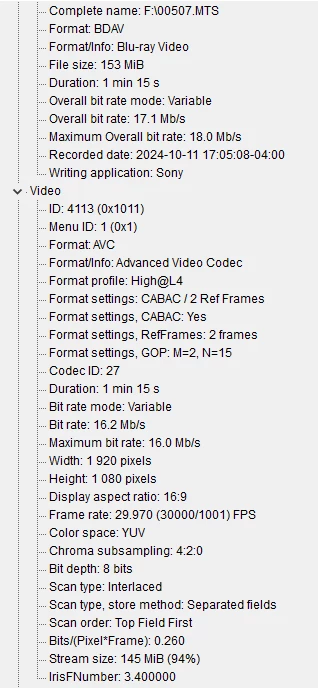
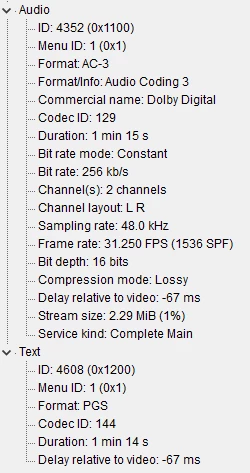
What else can I try to fix the lag?


 AdChoices