
Audio only coming out of one channel
Hi, I've just updated Pr to 24.1.0. I haven't changed any settings but I have this oddity when playing audio in my timeline. I am sure this is an easy fix but since I didn't make any changes I'm unsure where to look. Here's a screen grab when the audio track is on A1:
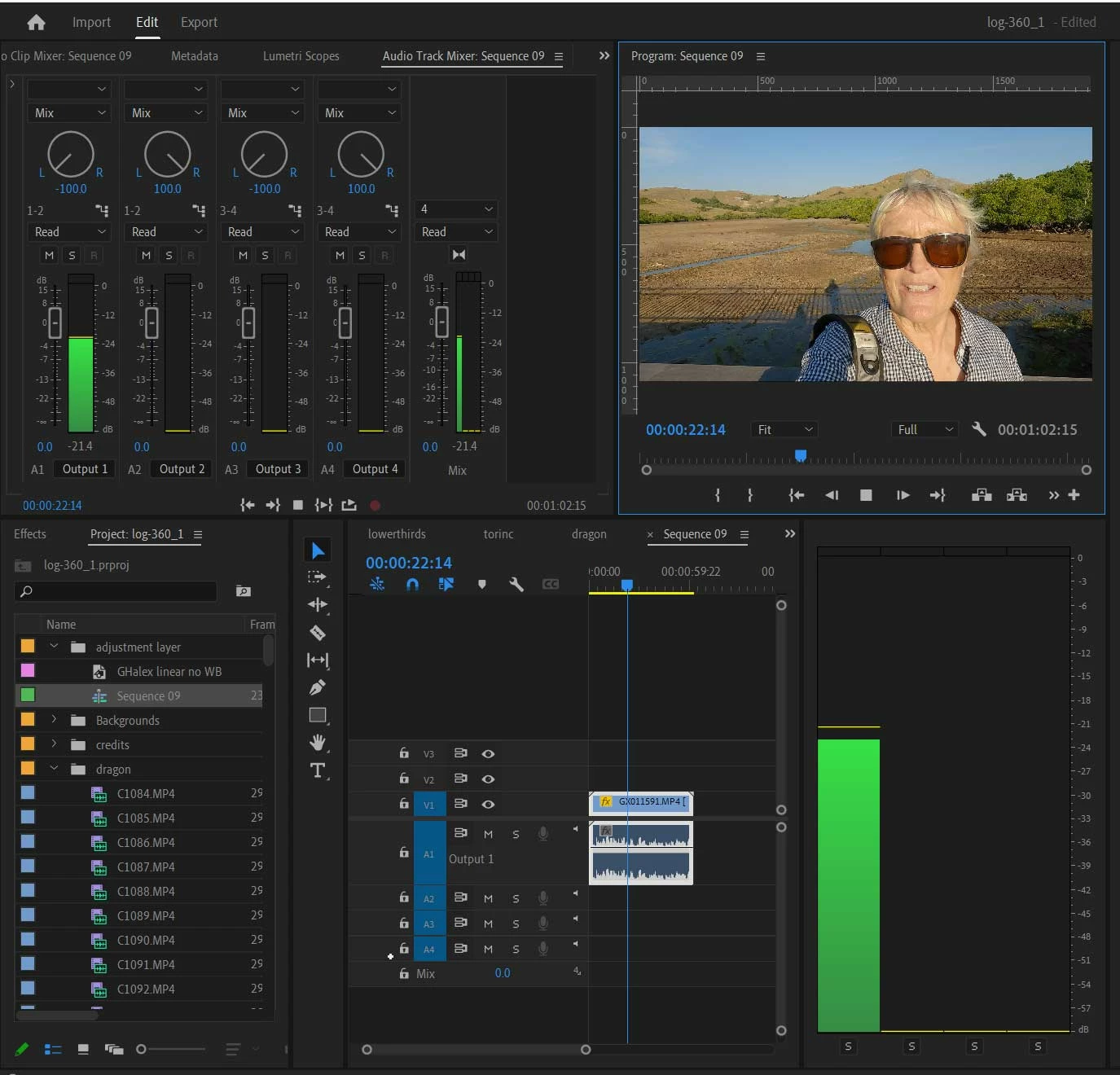
You can see the track has two channels, but it is only playing out the left channel. The other thing is that the audio monitor (the green bar to the right) is now showing four channels, not my normal two. I assume each of these represents each audio track on my timeline, but I don't normally have it set up this way. I only monitor whatever is playing and it only shows two bars, one for left, and one for right.
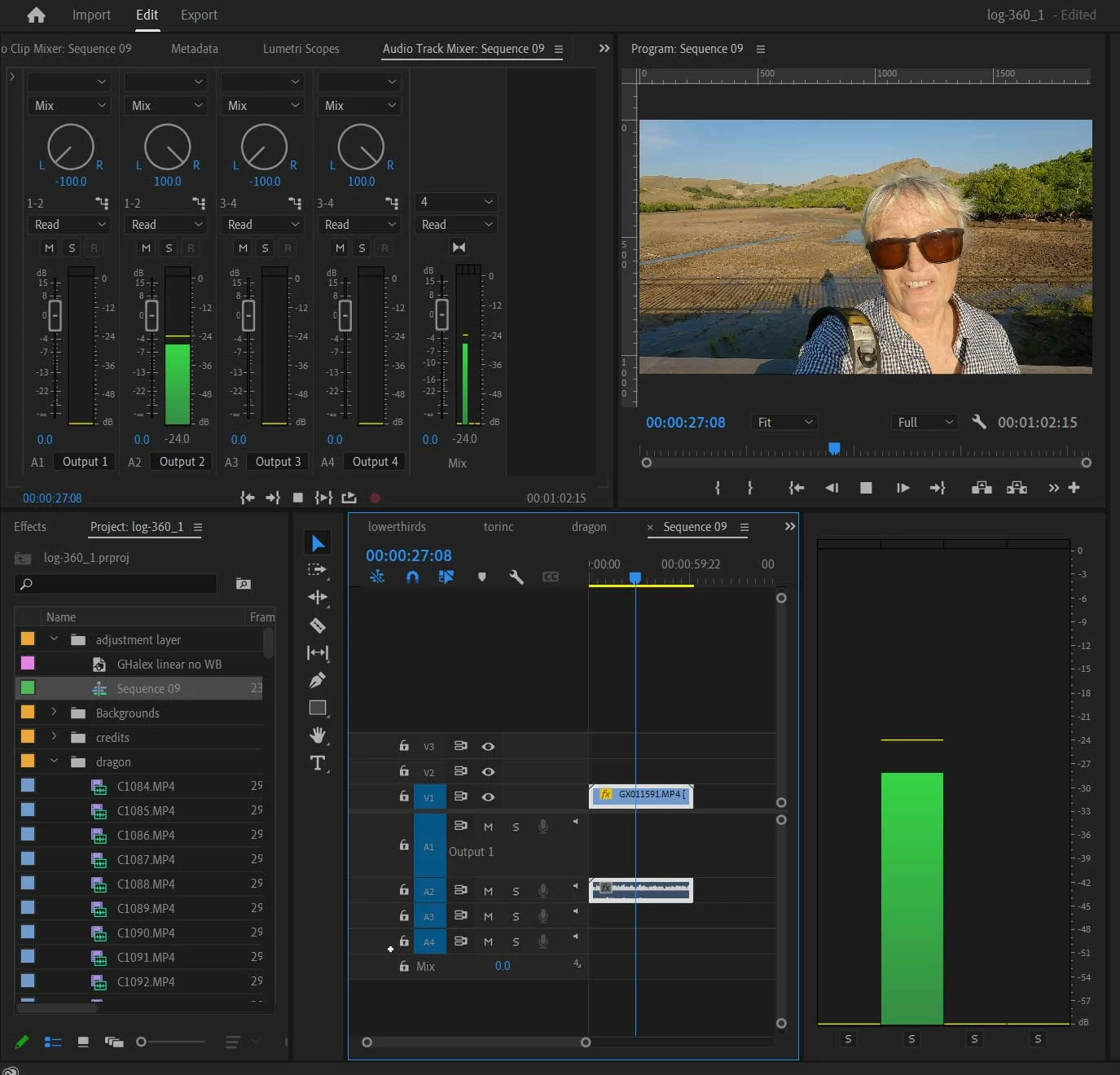
If I drag the audio clip onto track two, now the audio only comes out the right channel:
To solve this I have to centre the first dial in Audio Track Mixer:
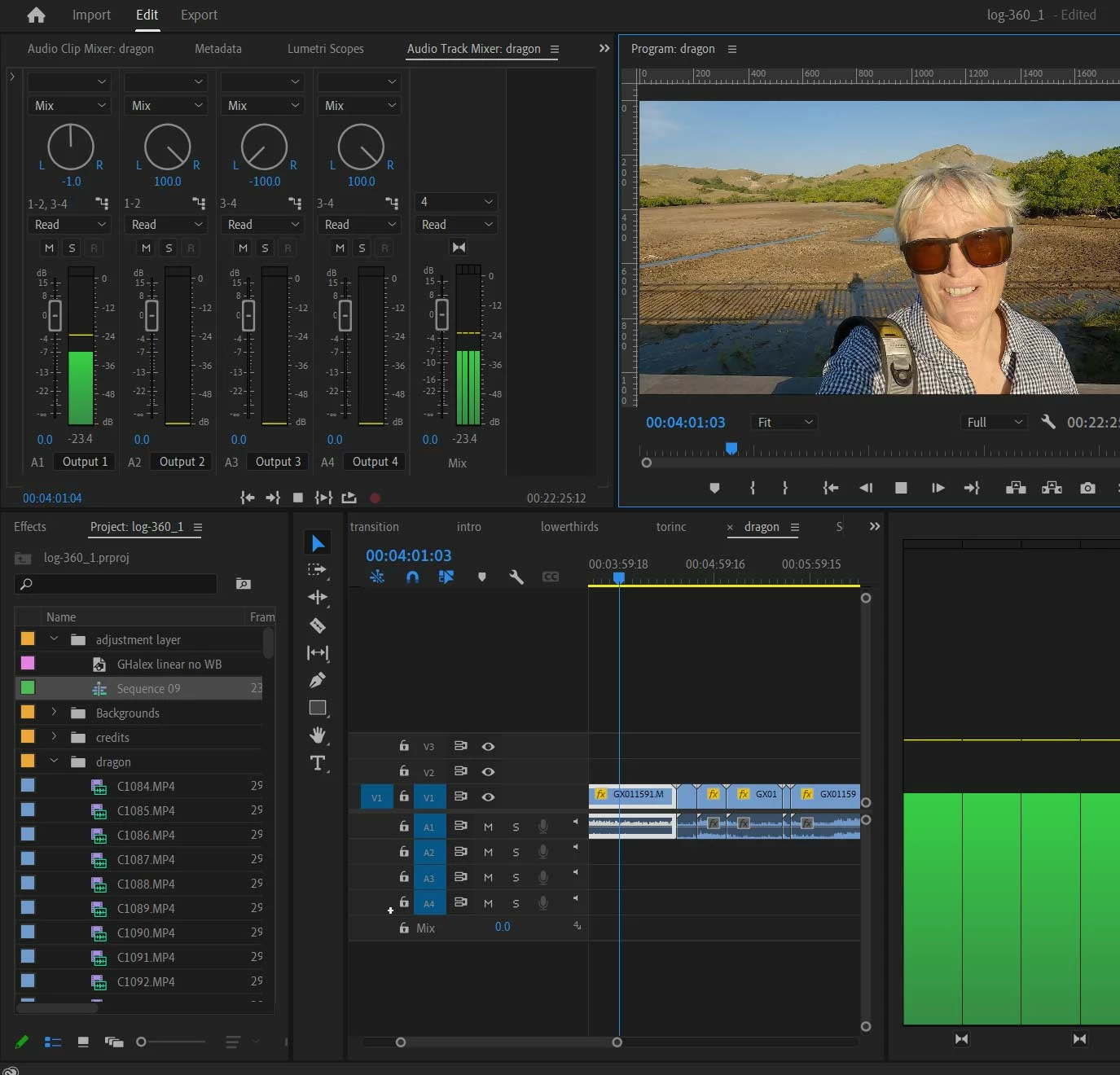
So my question is, why has this now defaulted to this state? How do I ensure that all tracks play through both channels automatically? And how do I change my monitor back to show only the L&R green bars? I have no idea why it is now showing four bars or what they mean.
Any pointers appreciated, thanks.


 AdChoices