stefan_gru
Inspiring
September 11, 2026
Question

Audio out of sync when recording webcam video with USB mic

  • September 11, 2026
  • 4 replies
  • 34 views

I’ve seen older posts that raise this question. Is there a way to fix this issue before post?

There should be a way for the USB mic to be synced with the webcam video so the source MOV file (which merges the USB audio source + webcam video) will be in proper sync when viewing it in QuickTime Player.

If not, is there a way for Premiere to automatically correct this issue by shifting the audio track over by four frames so we don’t have to do it manually on each clip?

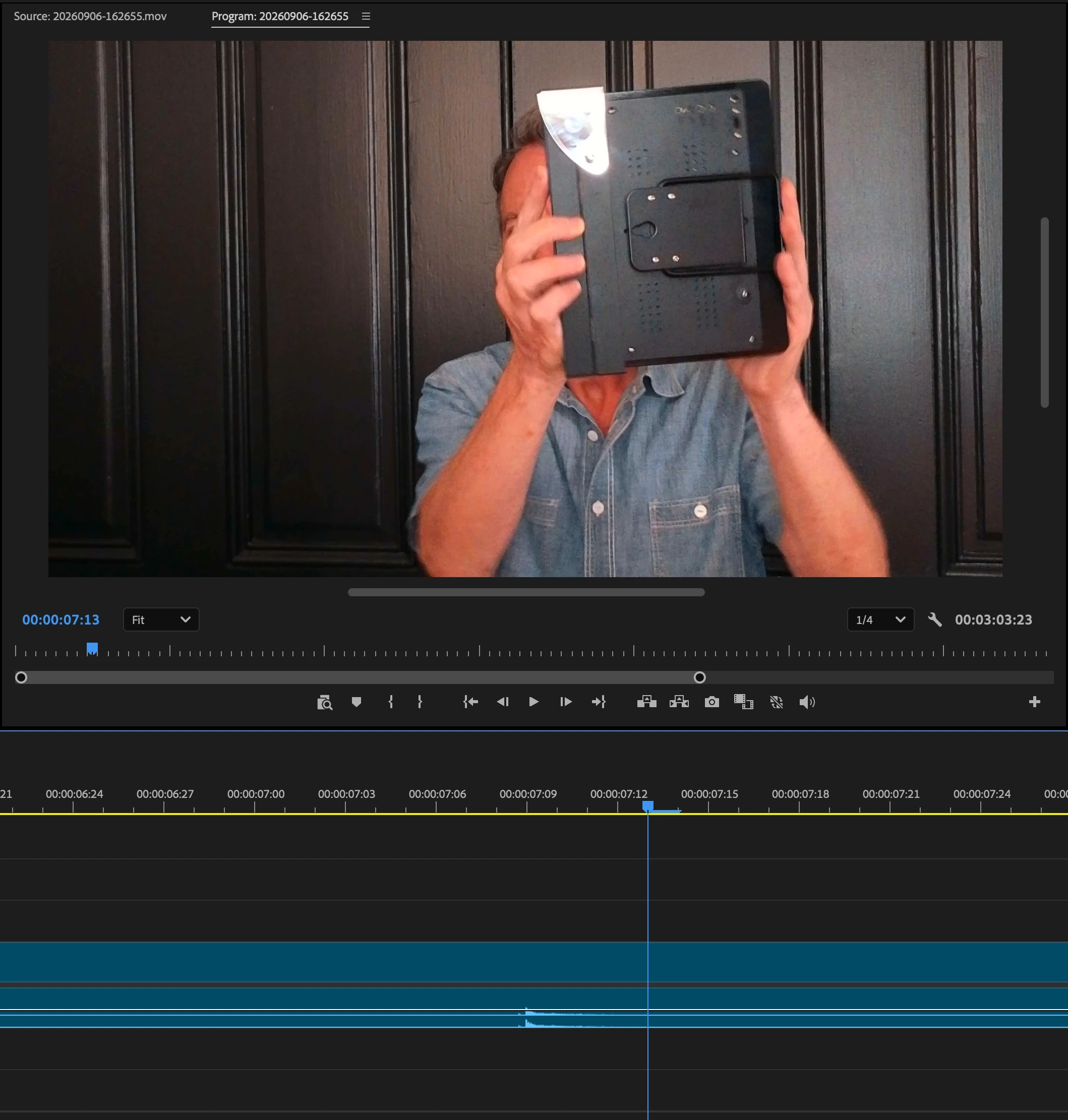
Attached are two screen shots showing how the clapboard (slate) sound is off by four frames from the audio spike it generates. 
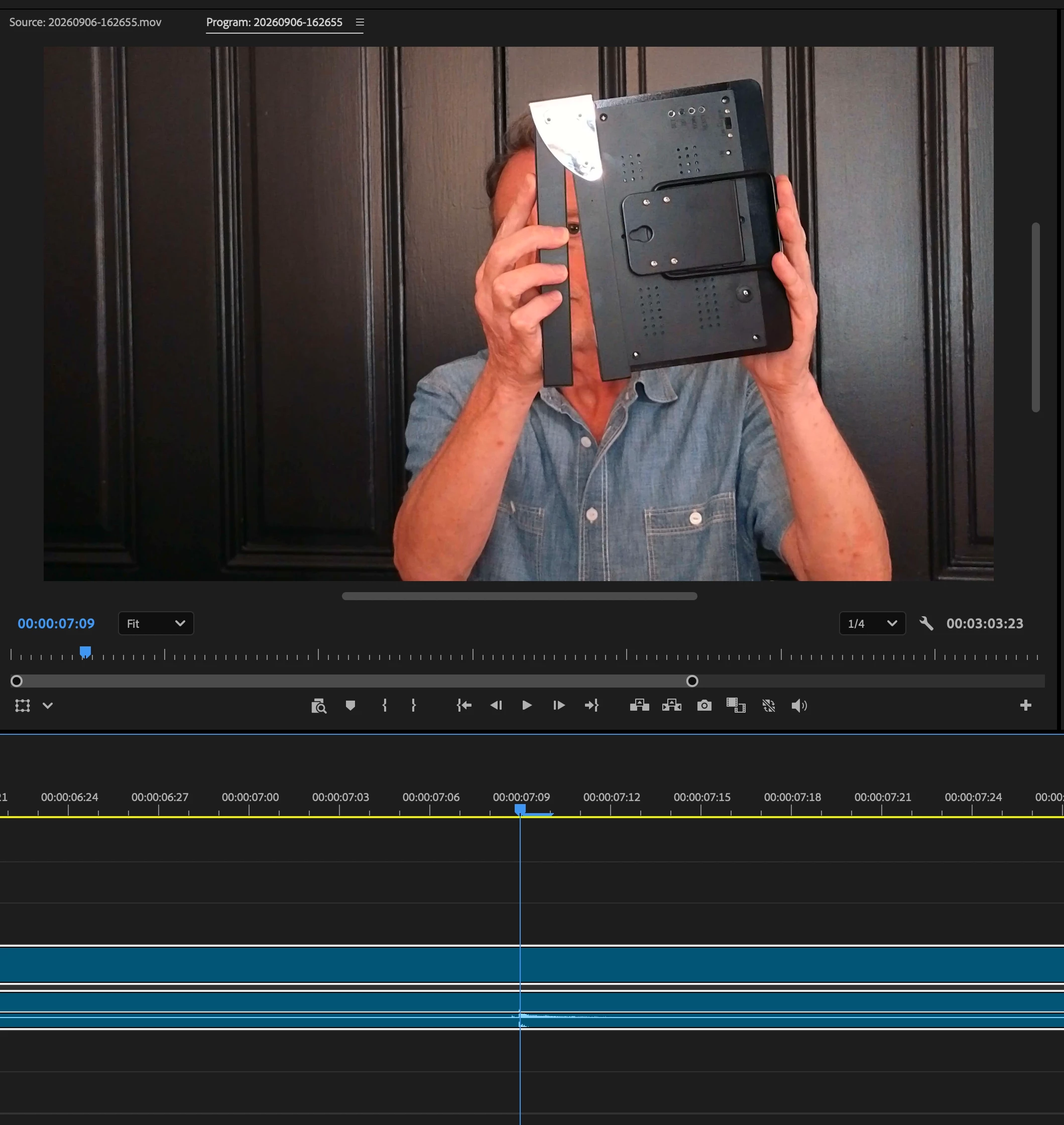
Audio track shows spike indicating the “clap” sound
Slate closes four frames after the sound


  • Video format: H.264, 4K, 30fps, 
  • Audio format: MP4, AAC, 48000 Hz
  • Camera: Insta360m Link 2 4K webcam
  • Mic: Audio-Technica AT2020 USB 

    4 replies

    Community Expert
    September 11, 2026

    How are you recording the webcam and audio? It’s possible that there are other solutions on that side of the production, including an option to record video and audio separately. That way Premiere can do a batch multicam sync rather than having to align each clip manually in a sequence (though if the offset was the same each time there’s actually a fast way to do this). Unfortunately I don’t know of any NLE software that offers audio sync offset in the bins before editing; it’s something you would either correct beforehand using a 3rd party tool or using an offset in a sync process.

    -------------------------------------------------------------------------JVK | Editor/Designer/Software Instructor. Pr, Ae, Ch, Ps, Ai, Id
    Community Expert
    September 12, 2026

    This is a common problem with web cam videos because sometimes they use variable frame rate. I’d download the free app Handbrake and convert the file to a constant frame rate and then re-import it into Premiere.

    stefan_gru
    Inspiring
    September 12, 2026

    Thanks, Rob. The webcam footage is 30 FPS PFR (Peak Frame Rate) per the HandBrake Summary tab. After I converted it to 30 FPS CFR, I reimported it into Premiere. The four-frame offset was unaffected.